Inter‑Rater Reliability (IRR) helps strengthen scoring consistency in Juried Assessments by identifying instances of assessor disagreement and routing those submissions for resolution. Once enabled, it is configured for each outcome on the Assessors & Artifacts page when a Juried Assessment is in In Progress status, where the agreement policy and adjudication options can be chosen.
Product Tip
IRR is enabled per Juried Assessment by navigating to the Settings page. Learn more.
Configure Inter-Rater Reliability
-
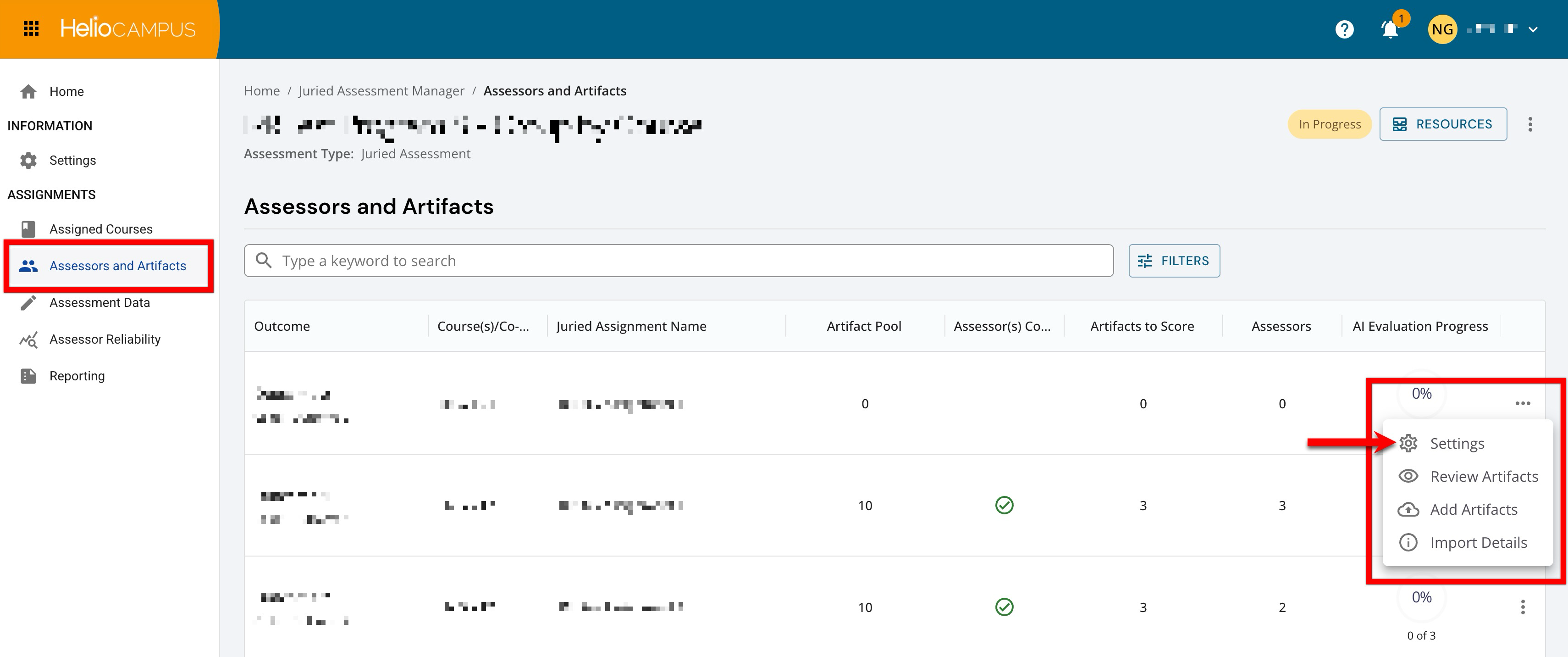
To configure assessors and artifact scoring, navigate to the Assessors and Artifacts Manager and select Settings from the expanded kebab menu.
-
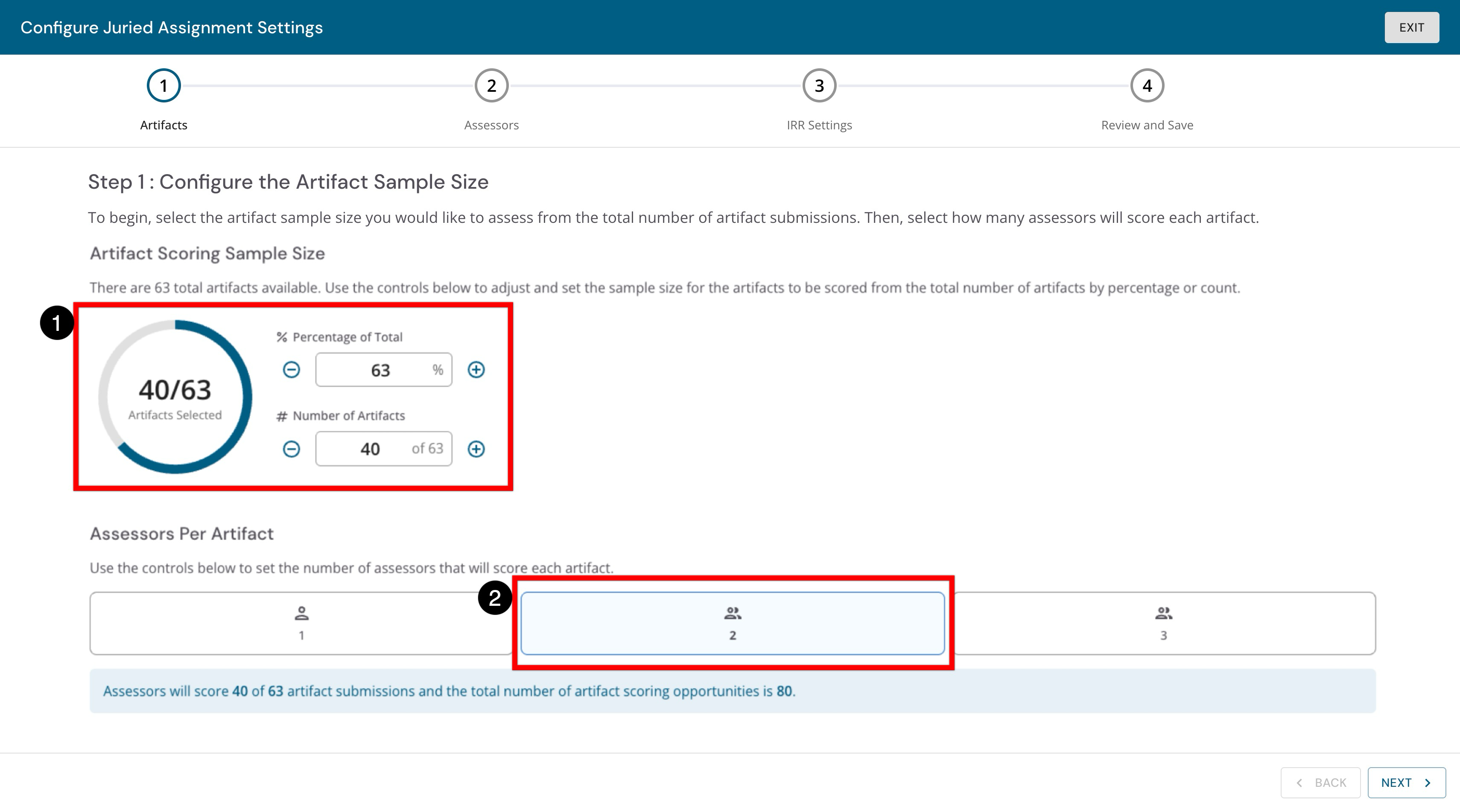
In the first step, configure the sample size of artifacts to be assessed and the number of assessors per artifact. In the example shown below, 63% of the artifacts result in 40 artifacts being available for assessors to review and score (1), and a selection of two assessors ensures that each artifact will be reviewed by two separate assessors (2).
-
Search for and select assessors who will review the artifacts. The total number of assessors must equal the total count of assessors selected to score each artifact in the previous step. For example, if three were selected as the total count of assessors, then three assessors must be added.
-
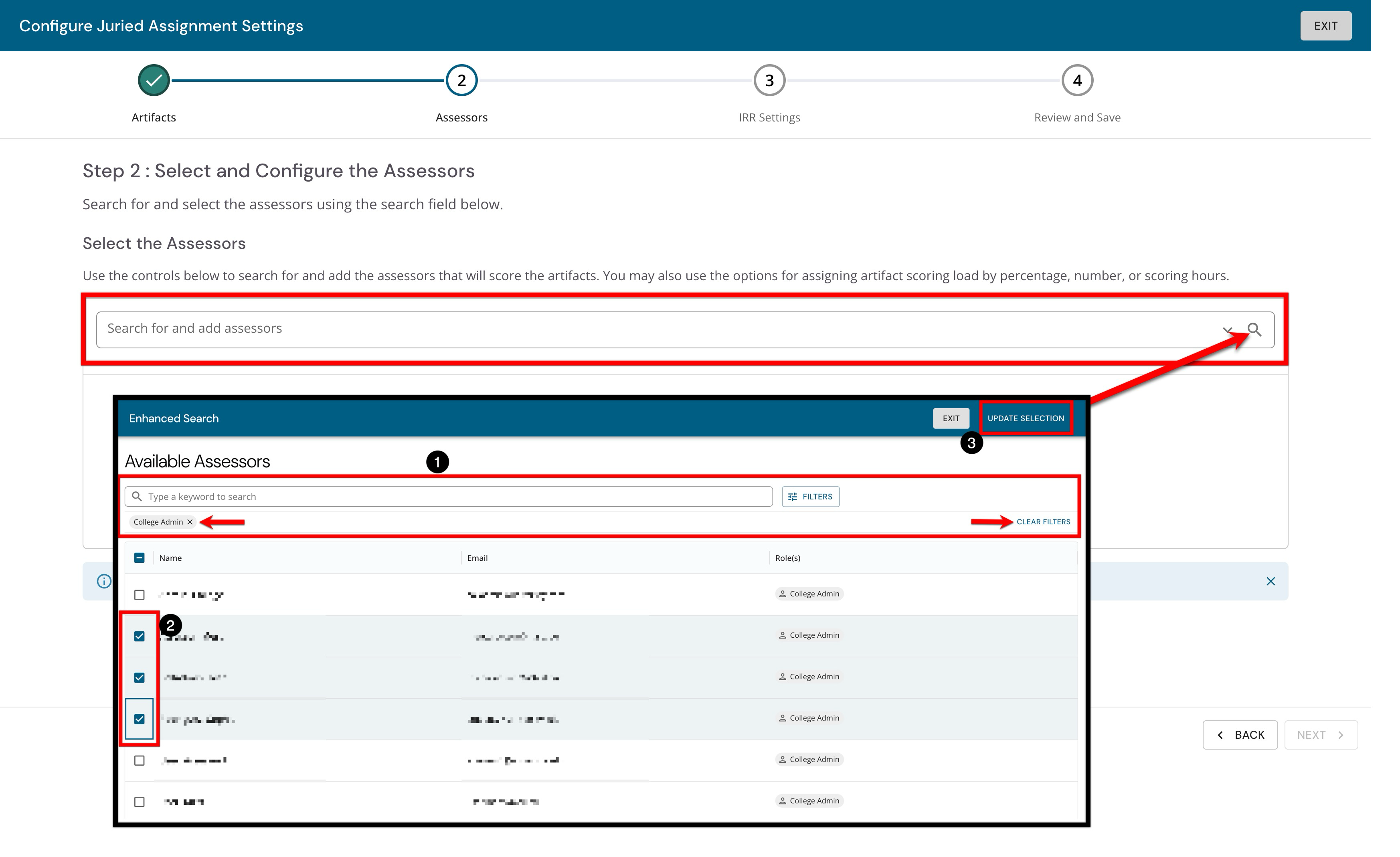
When using the enhanced search, search functionality is available (1), and by clicking the Filters option, specific filters can be applied. Once filters have been applied, they will display below the search bar and can be removed individually or in bulk. After selecting assessors (2), click Update Selection (3).
-
-
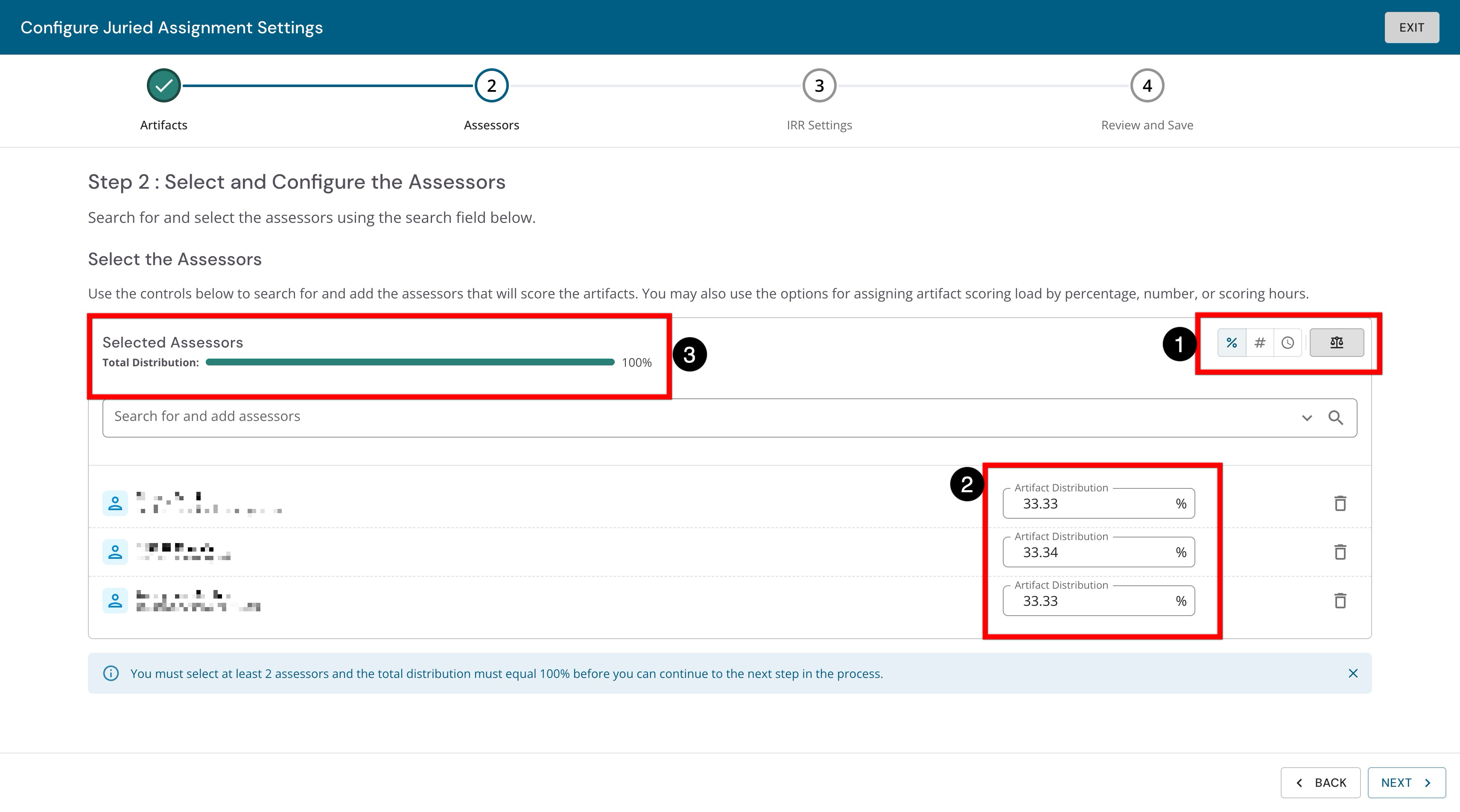
After adding the assessors, the distribution of artifacts can be configured for each assessor. The type of distribution can be defined as a percentage, a numerical value, or the number of hours (1). Once the distribution type has been defined, the automatic artifact distribution can be manually adjusted for each assessor (2). For percent and numerical distribution types, the Scale option (1) can be clicked to automatically and evenly distribute artifacts among assessors. Before clicking Next, the total distribution must equal 100% (3).
-
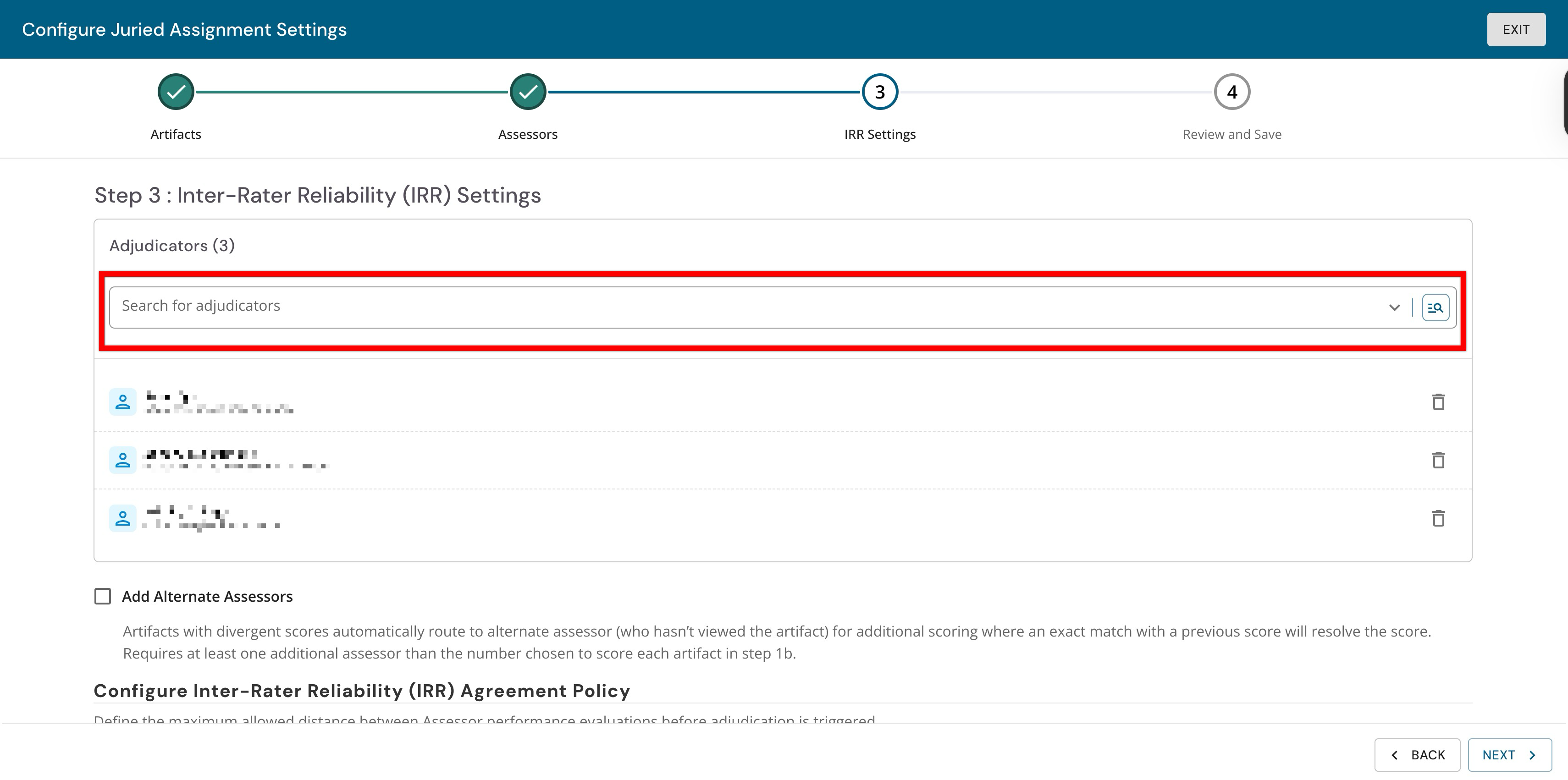
IRR settings can be configured, and users can be searched for and selected as adjudicators.
Users can be configured as both assessors and adjudicators.
-
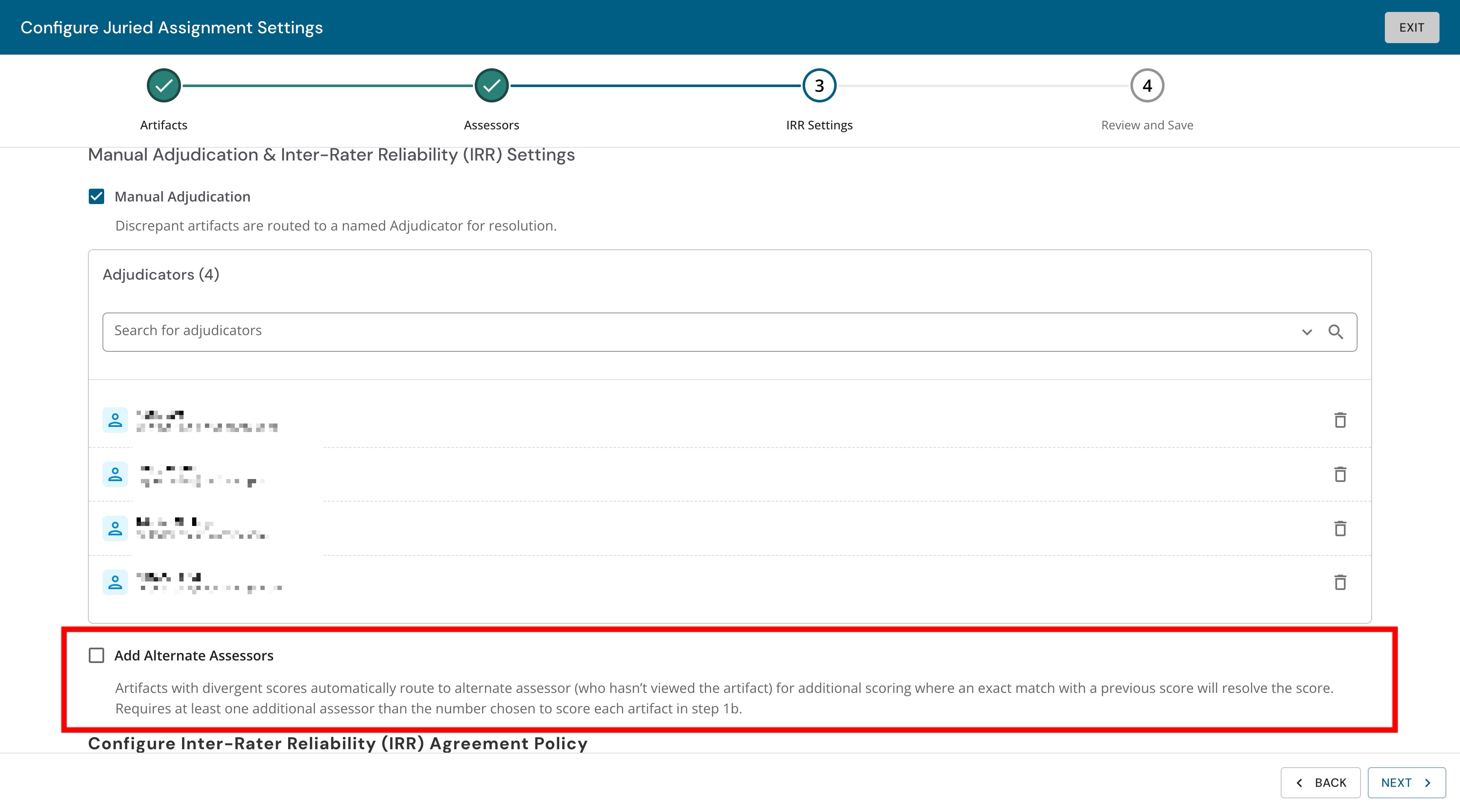
By enabling Add Alternate Assessors, artifacts that receive divergent scores will automatically be assigned to an assessor who has not yet reviewed the artifact. The new alternate assessor will review and score the artifact; if the new score matches a score from another assessor, then that score will be chosen as the final score. If the alternate assessor score does not match any score from a previous assessor, the artifact will be automatically assigned to an adjudicator for review.
-
-
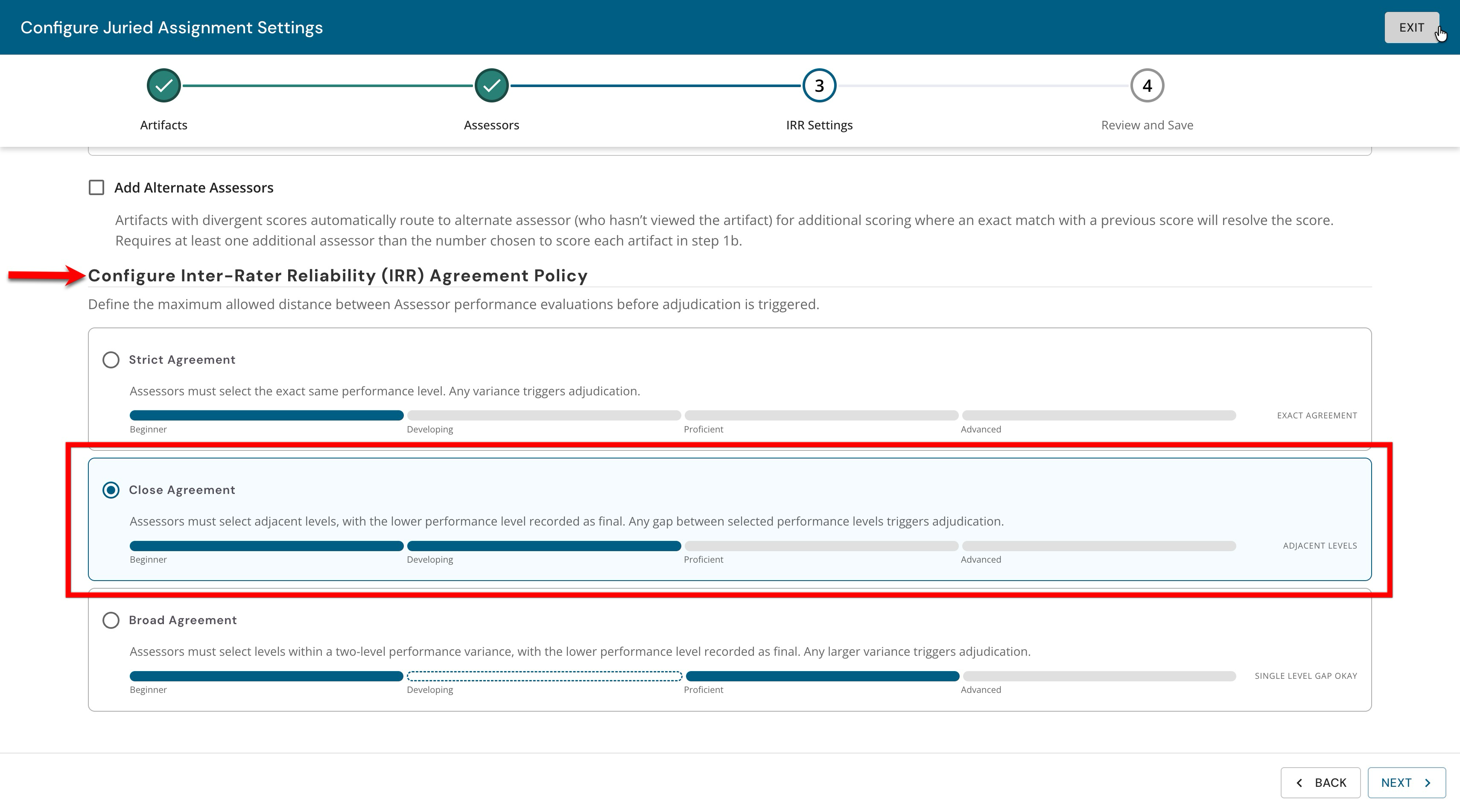
By default, a Close Agreement IRR policy is selected. The IRR policy determines the degree to which assessor scores can differ. A more relaxed policy results in greater score differences, whereas a restrictive policy results in divergent scores that require adjudicator review.
-
Strict: This requires that assessors evaluate the artifact at exactly the same level. If the scores do not match exactly, the artifact is routed to either an alternate assessor (if enabled) or an adjudicator for final evaluation.
-
Close Agreement: This is the most common and requires assessors to submit scores that are adjacent to each other. If they are adjacent, the lower score is used as the final score because it is the first agreeable score among the assessors. If scores are not adjacent, then the artifact is routed to either an alternate assessor if enabled, or an adjudicator for final evaluation.
-
Broad Agreement: Allows a two-level performance variance, without triggering another evaluation round. The lower of the two scores is recorded as the final score here as well.
-
-
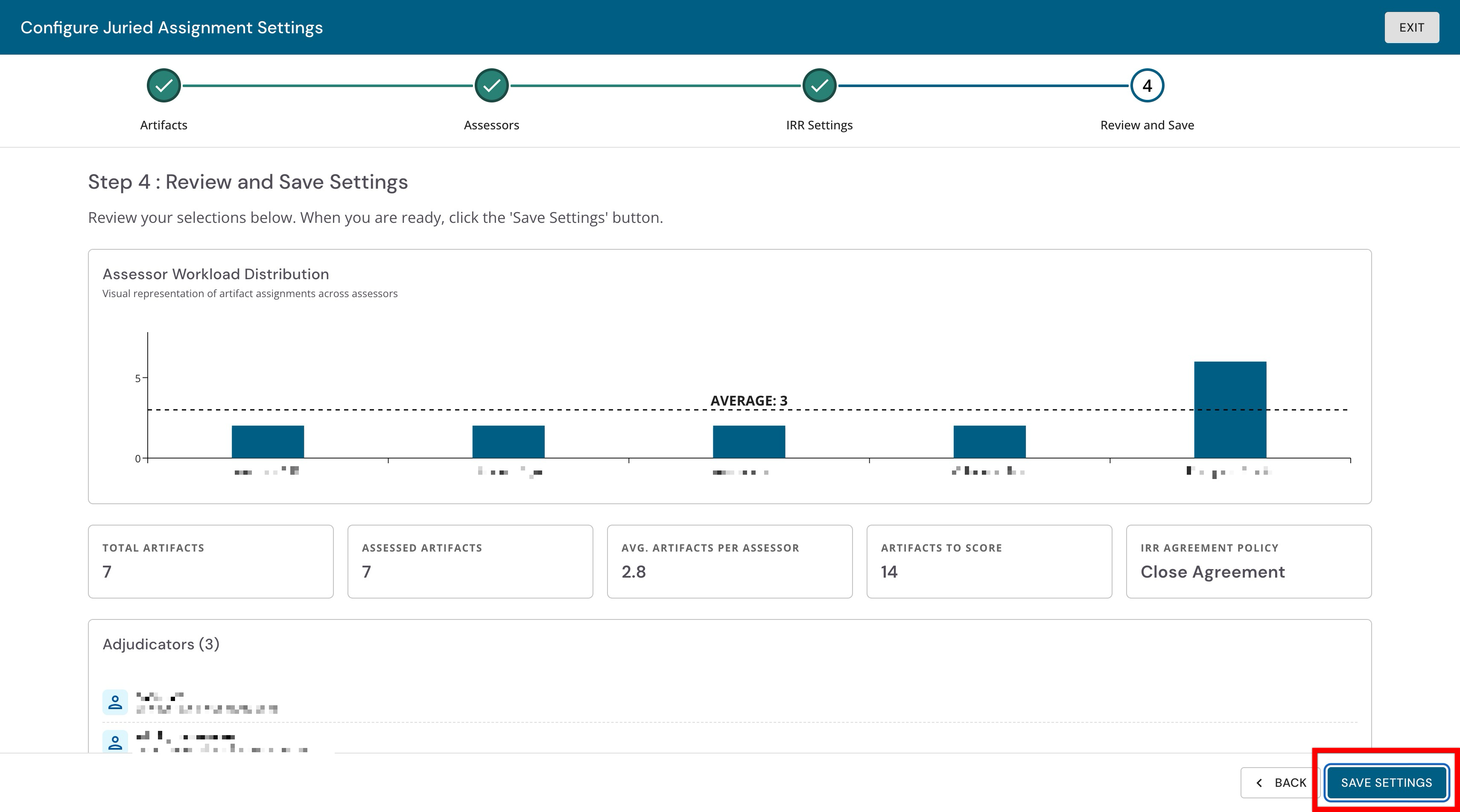
The final step is the opportunity to review the configuration. Incorrect selections can be corrected by clicking Back until the desired step is reached. Clicking Save Settings will complete the configuration of artifacts, assessors, and IRR settings.