When IRR is enabled and multiple Assessors score the same artifact and their ratings fall outside the configured IRR agreement policy (i.e., the scores are discordant), Adjudicators step in to review the artifact, consider the discrepant ratings, and make the final scoring decision. Adjudicators also review and resolve artifacts flagged by Assessors as unscorable; resolution options include scoring them or removing them from the assessment entirely.
Reviewing Flagged Artifacts
-
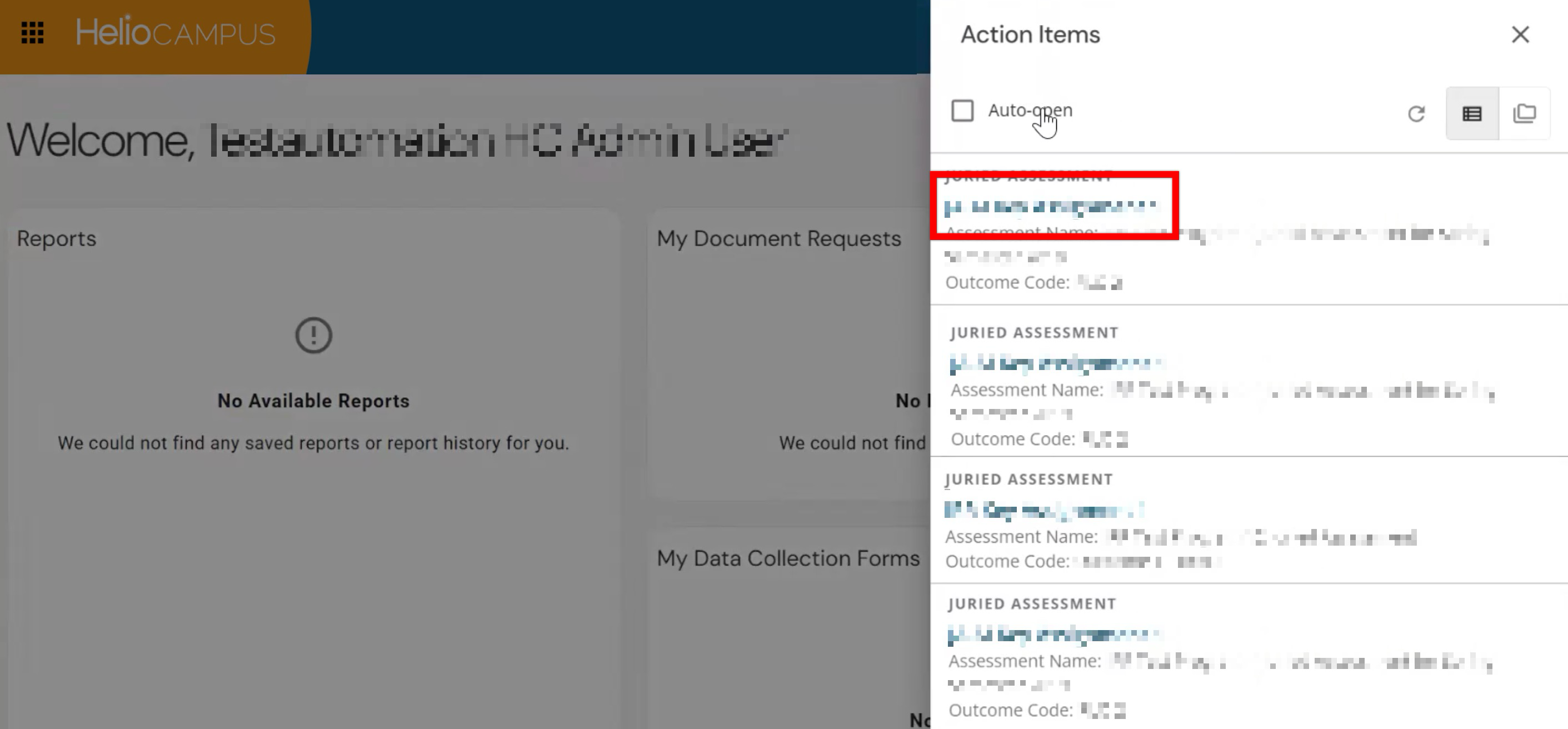
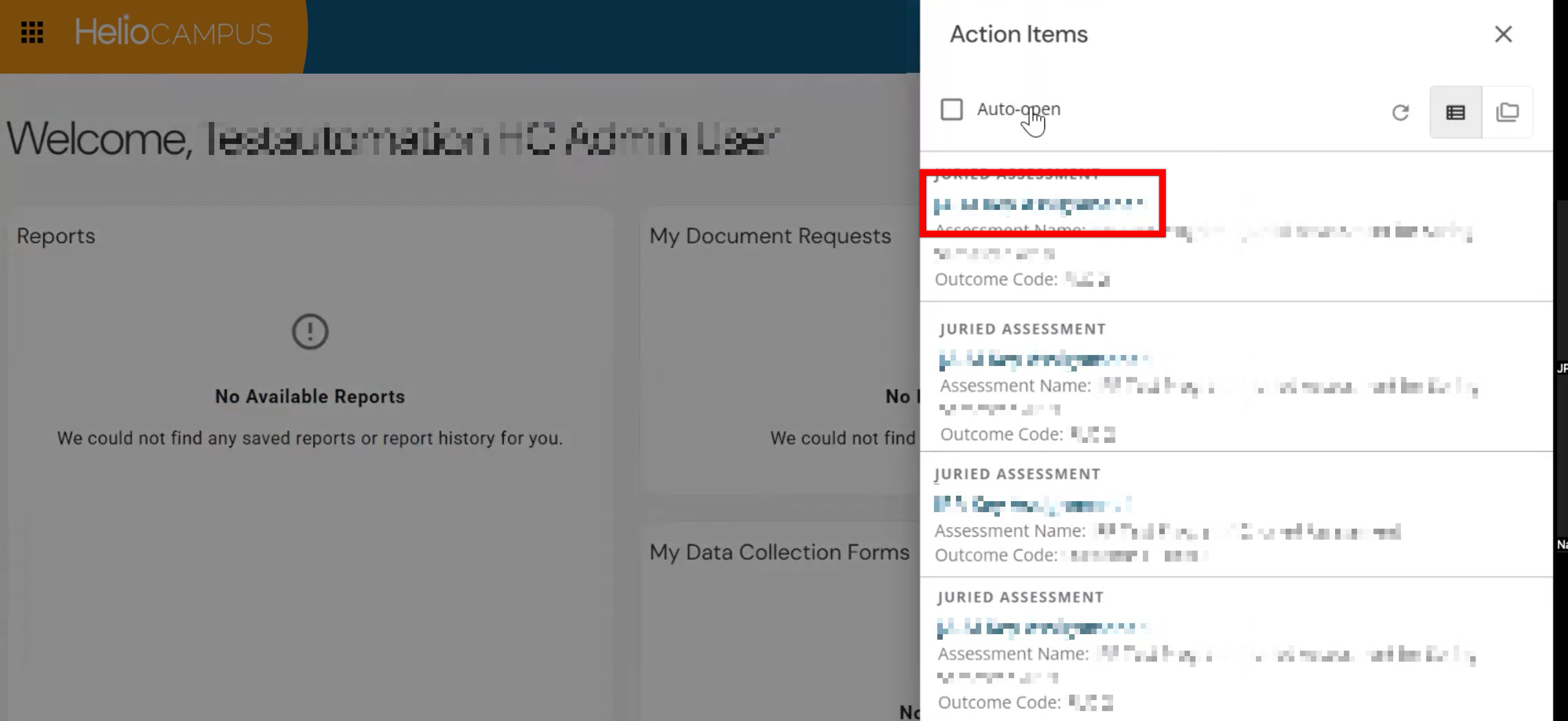
Upon login, Adjudicators will see an action item for each flagged artifact for review and resolution. Clicking the assessment name will open the scorebook to review artifacts.
-
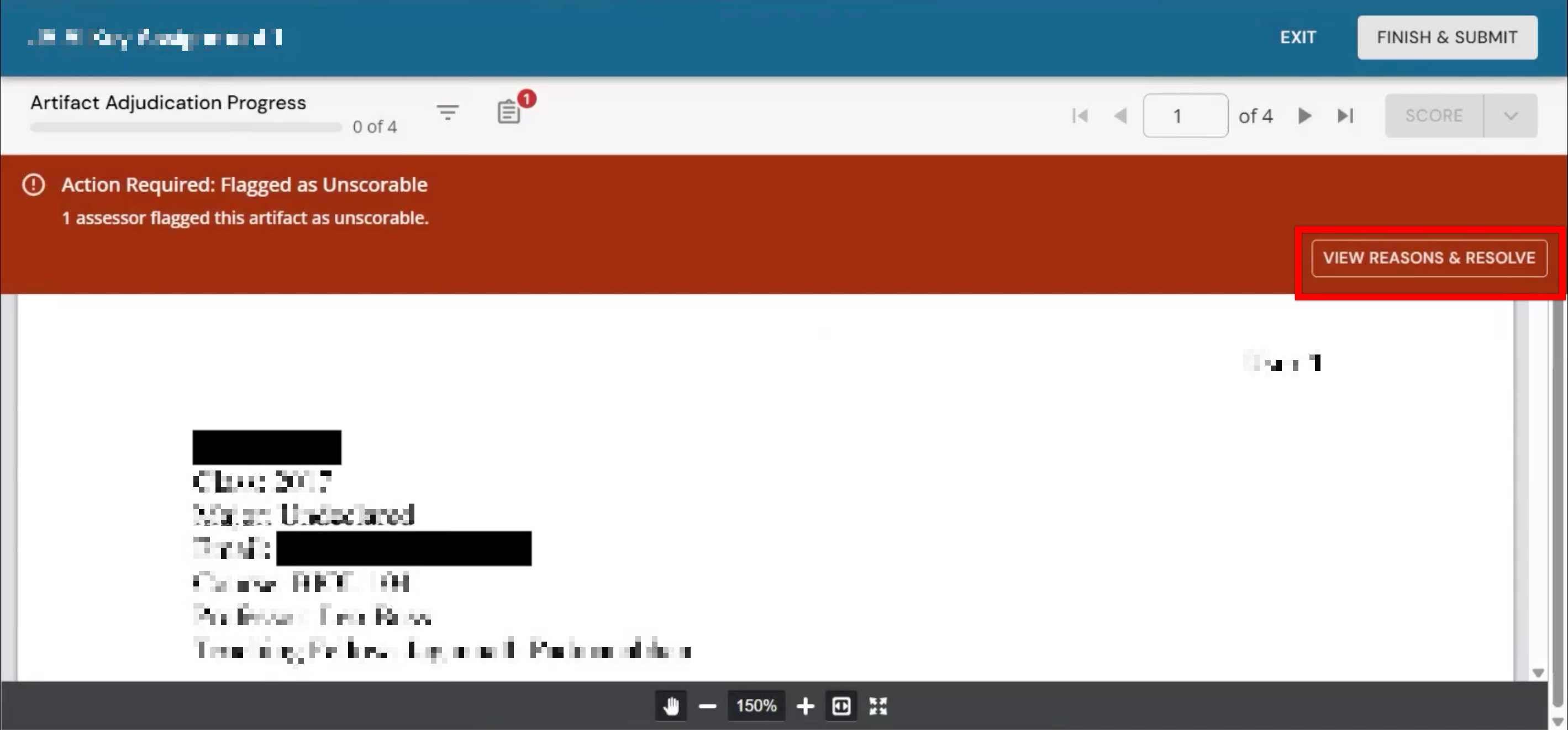
Artifacts flagged as unscorable will display a banner message. Click View Reasons & Resolve to begin review.
-
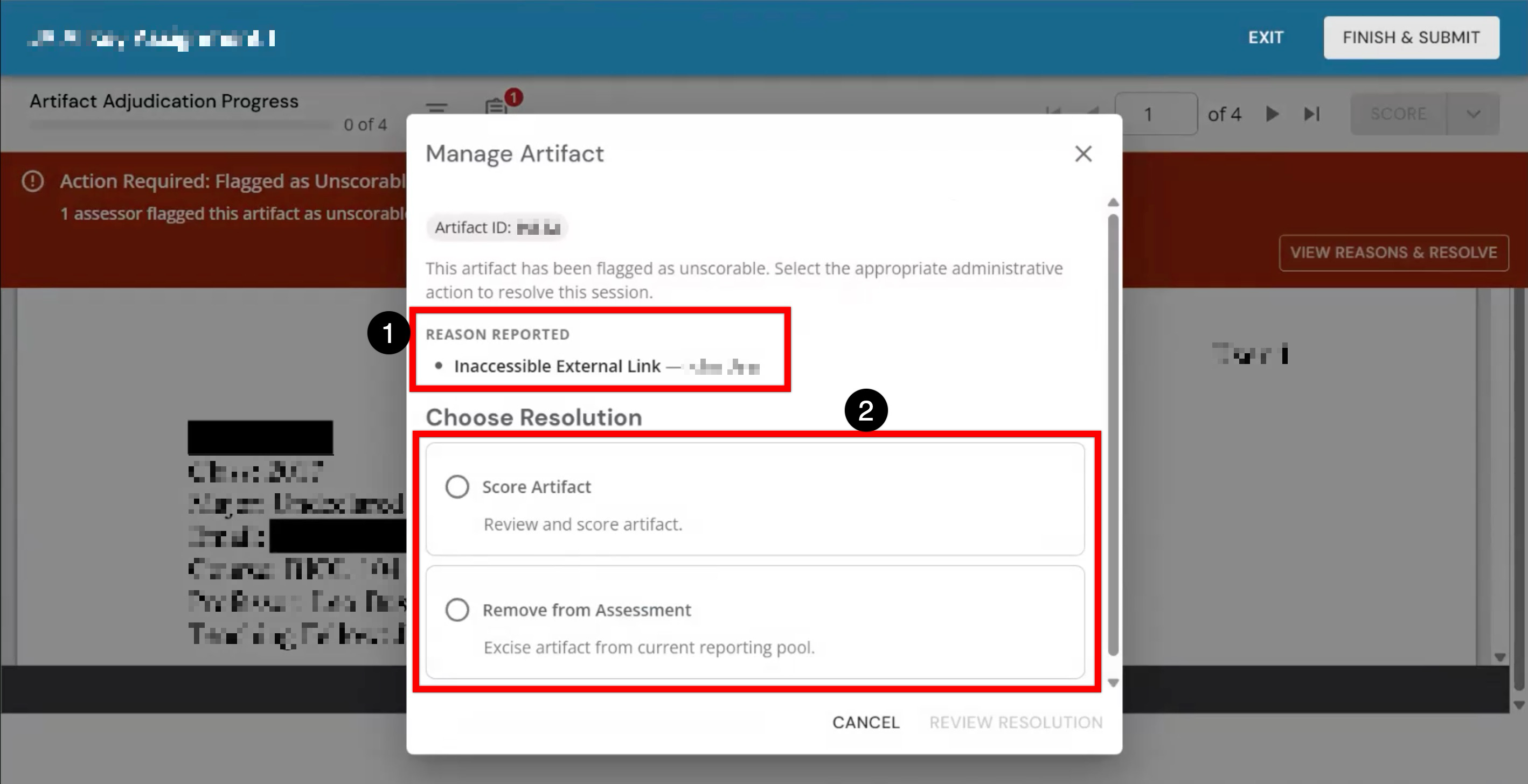
The reason an artifact was flagged will display for reference (1); if multiple Assessors flagged an artifact for the same or different reasons, all Assessors and their reasoning will display. Resolution options for scoring the artifact or removing it from the assessment are available (2). Selecting Score Artifact will remove the flag and allow for Adjudicator review and scoring.
-
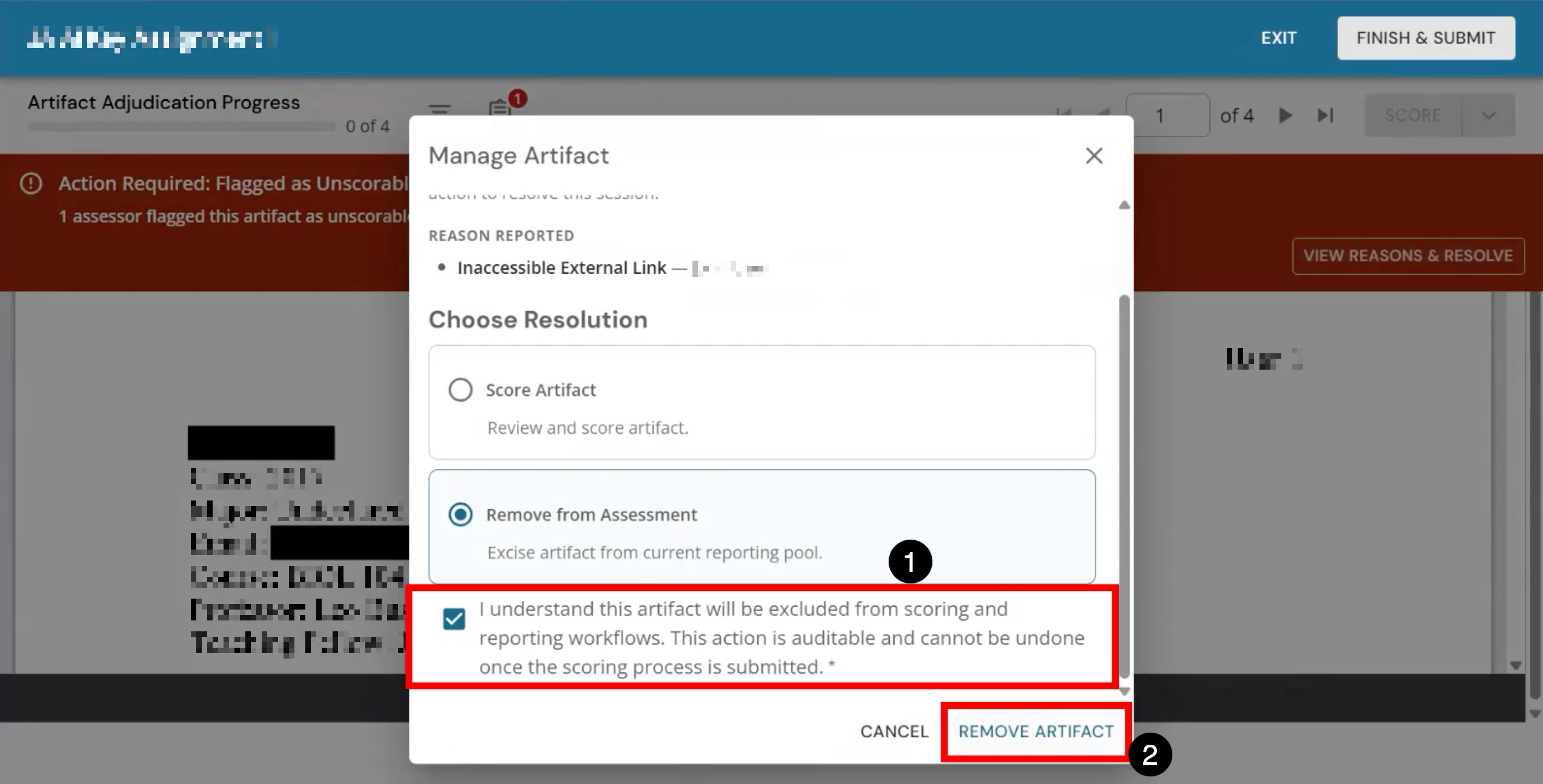
If an artifact is truly unscorable, selecting Remove from Assessment will permanently remove it from the assessment and related reporting. When removing artifacts, additional confirmation is required (1) before clicking Remove Artifact.
-
Reviewing Discordant Scores
-
Upon login, Adjudicators will see an action item for each discordant artifact they are responsible for resolving.
-
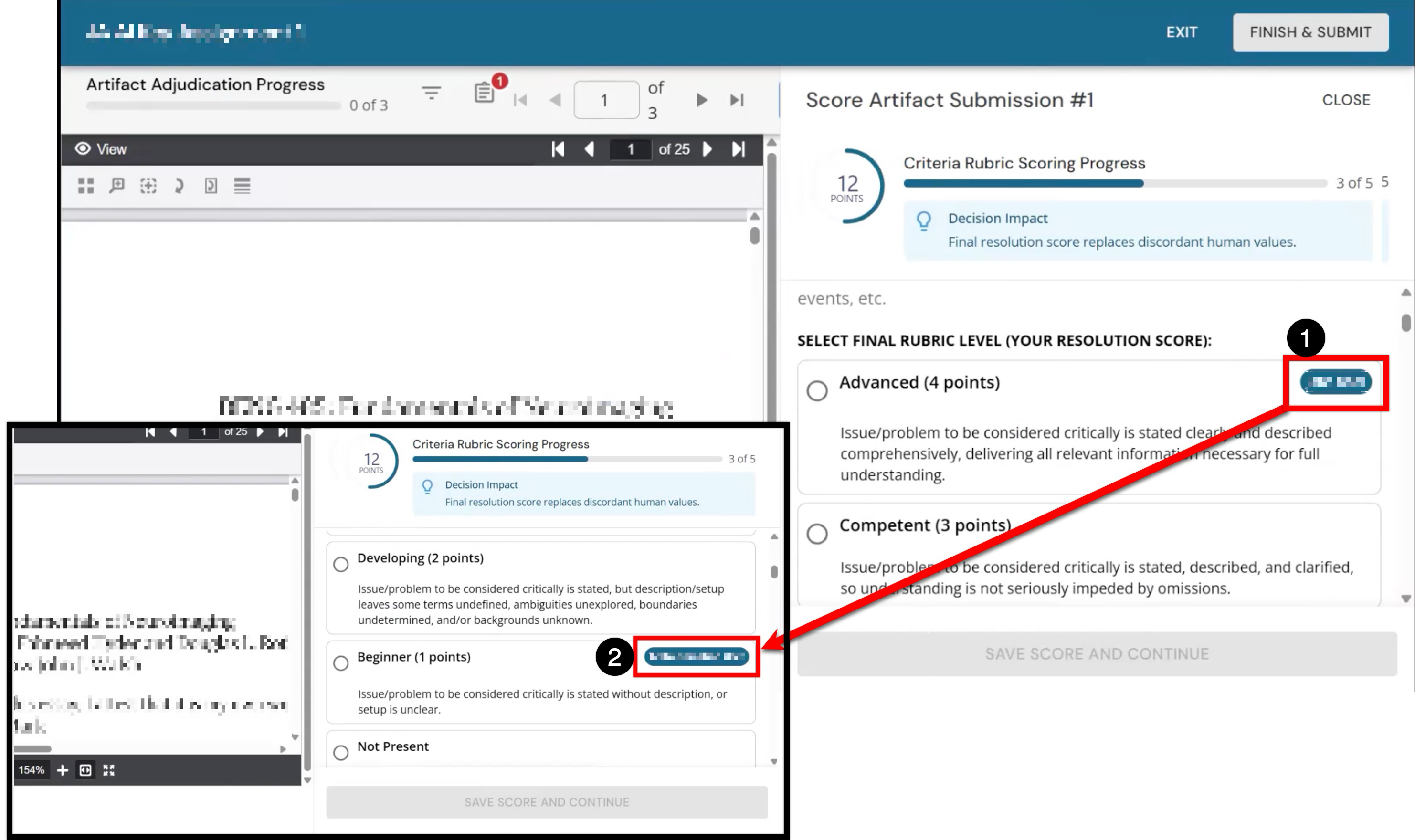
Assessor scores can be identified by the Assessor’s name next to the scoring level they chose. In the example below, one Assessor has selected the Advanced level (1), and one has selected the Beginner level (2). Because the IRR agreement policy requires close agreement, the wide difference in Assessor scores (4 points vs. 1 point) is why the artifact was flagged as discordant and requires Adjudicator review.
-
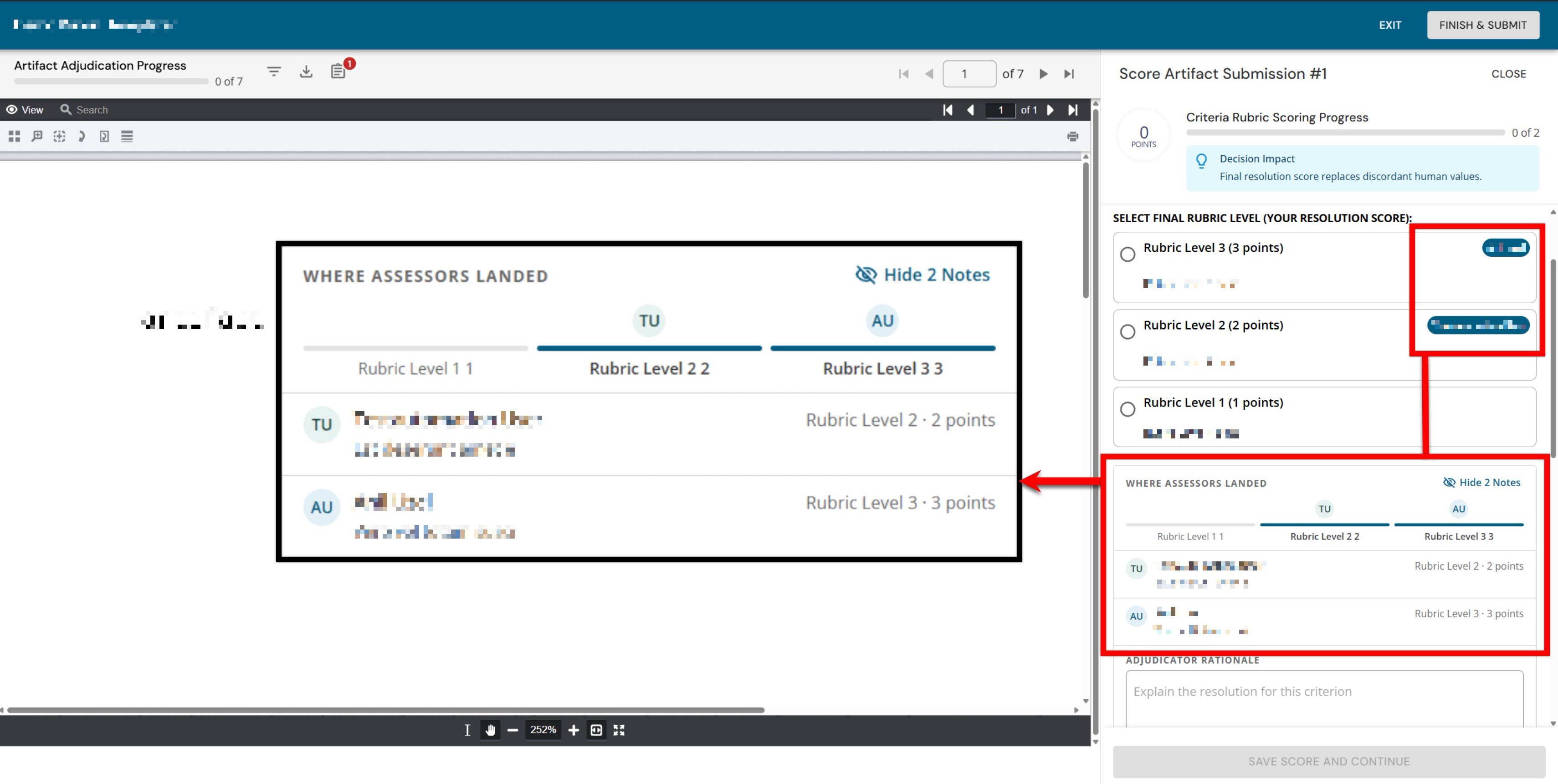
The Where Assessors Landed displays the rubric selections made by each Assessor along with any notes provided during scoring. If notes are present, a Show/Hide Notes toggle collapses or expands the notes view as needed. If no notes were submitted by Assessors, only the rubric scoring selection is displayed.
-
-
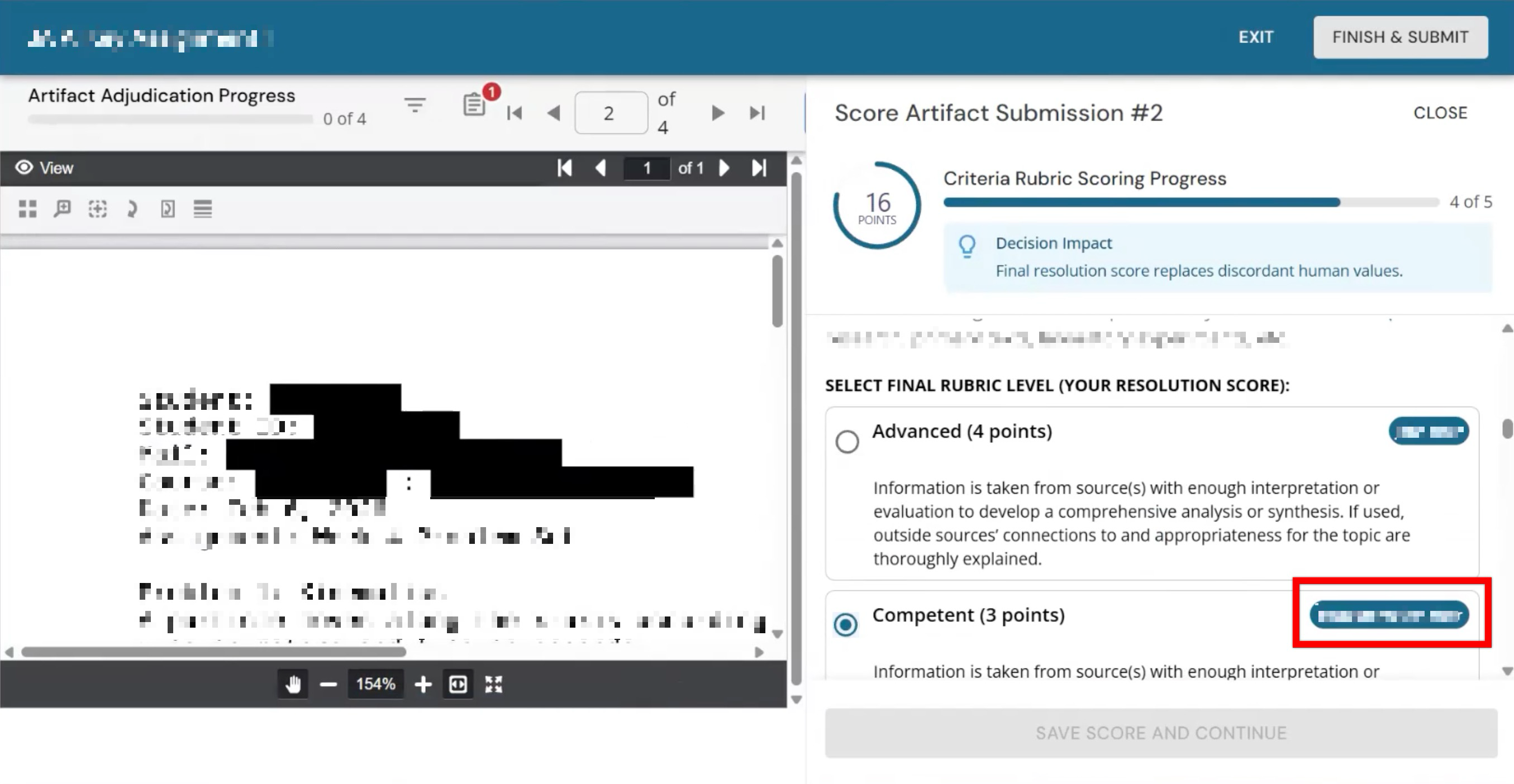
When an Adjudicator selects their score, their name appears next to the scoring level they chose. Previously, Assessors chose the Advanced and Beginner levels, whereas the Adjudicator selected the Competent level.
-
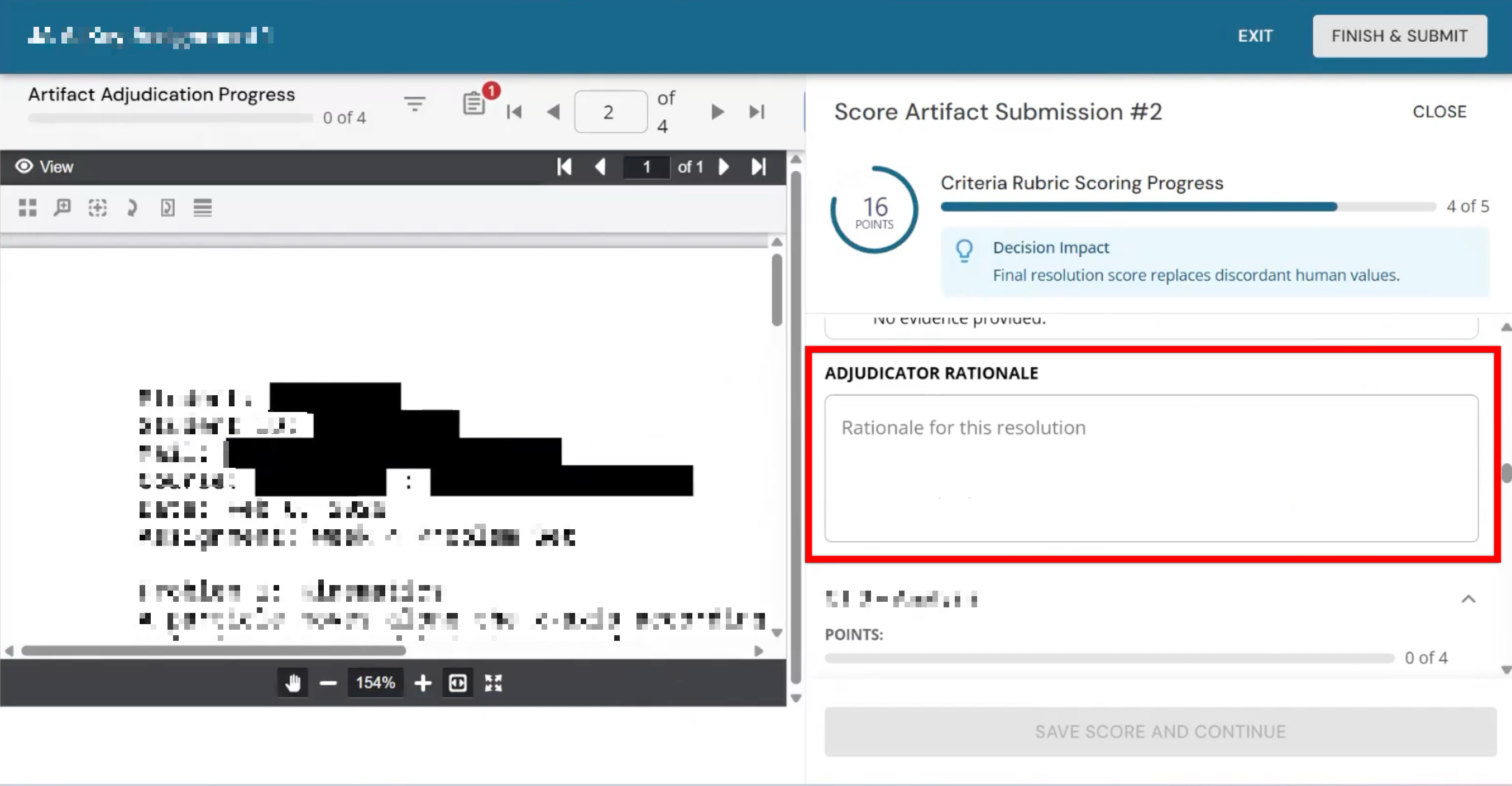
Optionally, Adjudicators can enter a rationale for their scoring decision for each discordant score they review.
-
-
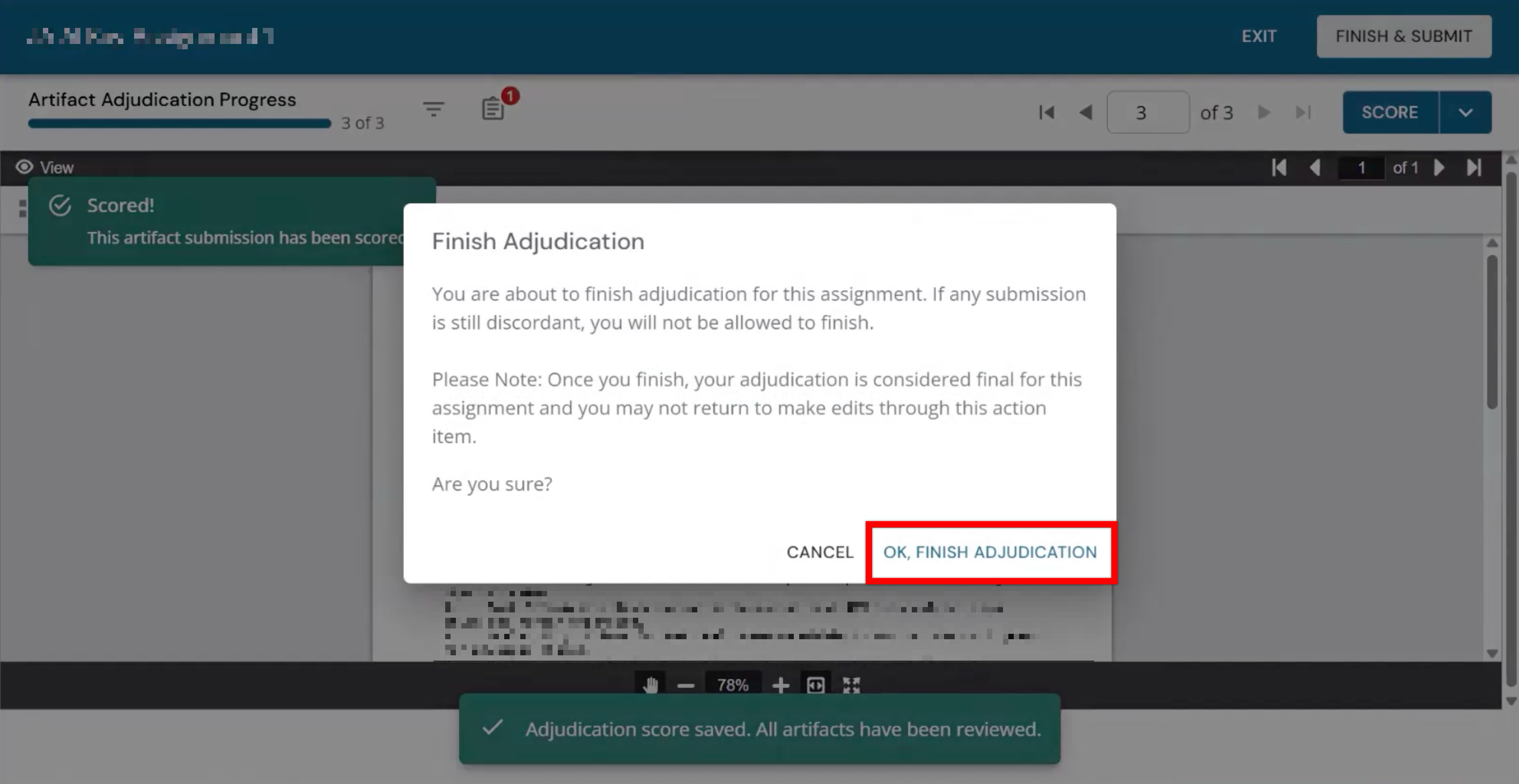
When all discordant scores have been resolved and scoring is complete, click OK, Finish Adjudication.