
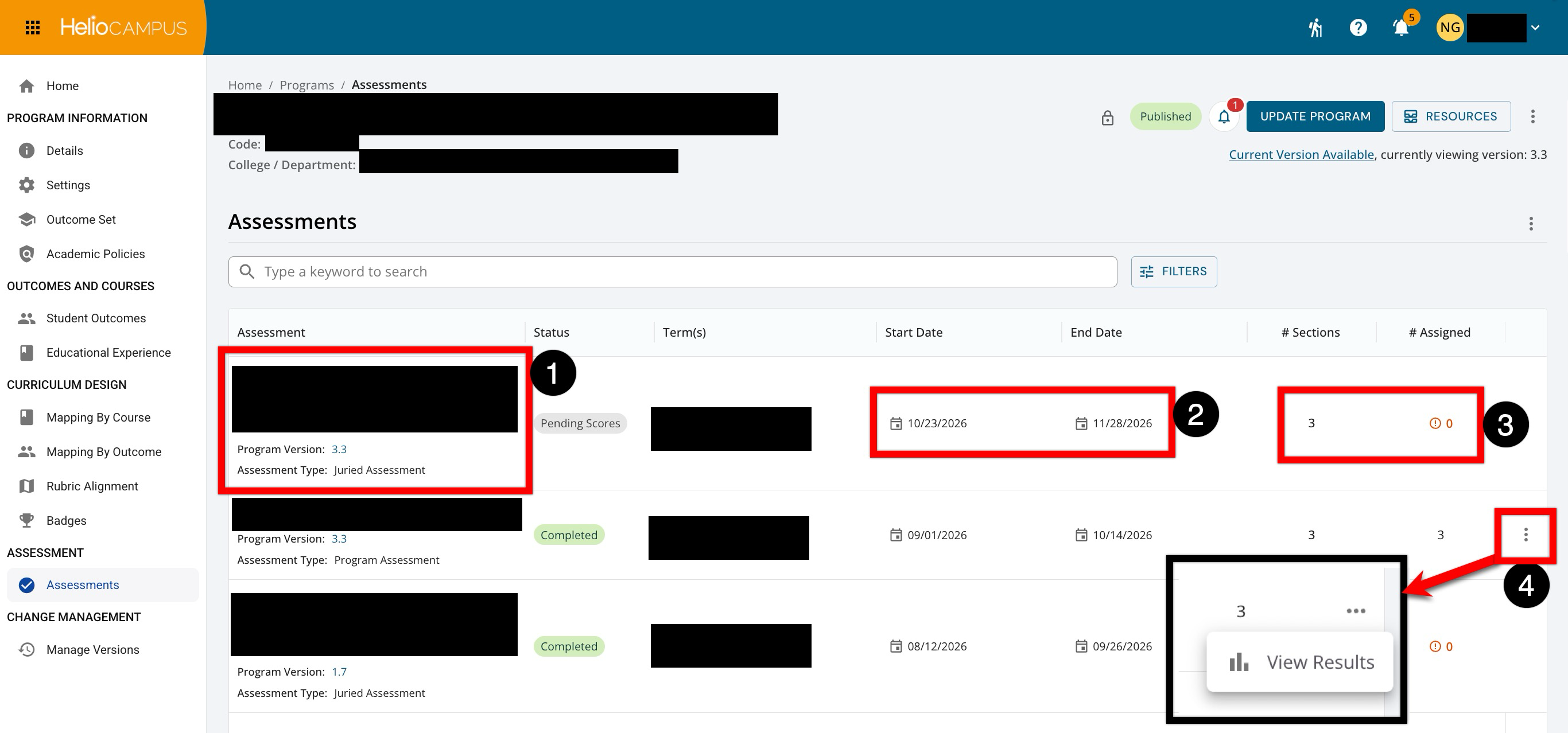
This page helps users find a program’s assessment records, see where they are in their lifecycle, and understand which program version and terms they relate to. Each row shows the assessment name, its program version, and assessment type (1). The start and end dates (2) show the assessment period, while # Sections and # Assigned (3) show the number of included vs. assigned course sections. Assessment results can be viewed by expanding the Actions menu (4).
Considerations
-
Confirm Version and Term: Review the version, start date, and end date before opening results to ensure the correct assessment period is viewed
-
Check Section Coverage: Compare # Sections with # Assigned columns to verify that the expected course sections are included and assigned.
Best Practices
-
If assigned sections do not match the expected count, confirm section setup, program mapping, and assessment configuration before relying on the results.