
Syllabus Form Settings control the default syllabus template, how it is shared, and how it is maintained at the course section level. These settings determine whether course sections start from a standardized syllabus template, whether a syllabus can be shared via a public link, and whether Instructors can continue editing the syllabus after a section is published.
Product Tip
Configure syllabus governance before the start of term setup and before sections are published.
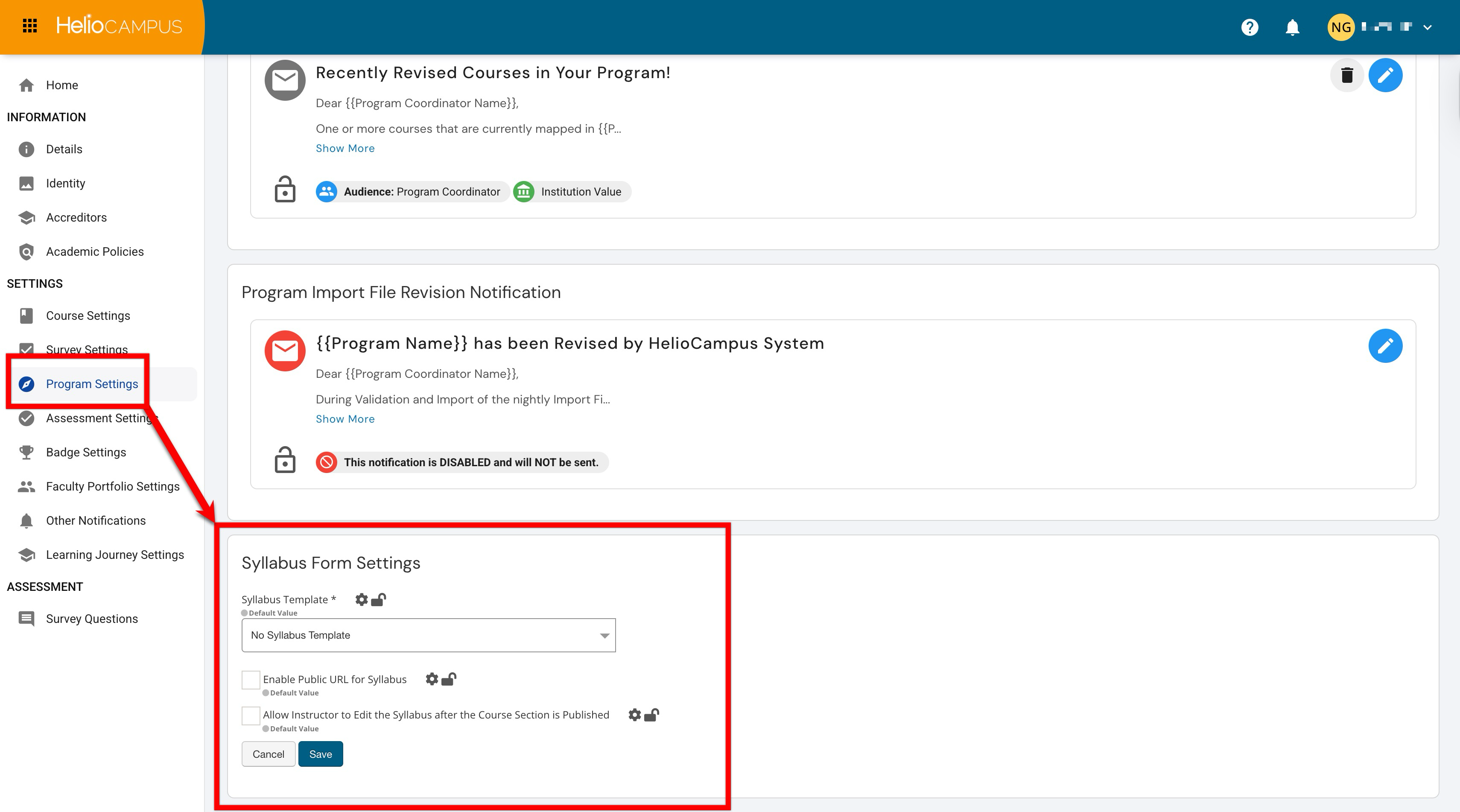
Settings can be locked at a higher level to prevent configuration at lower levels and apply defaults and governance at the appropriate hierarchy level. For example, if the Syllabus Template dropdown is configured and locked at the College level, all Departments under the College inherit the locked configuration and cannot change it. If the Institution later locks a different configuration for that field, the Institution lock overrides the College lock, and the College and all associated Departments inherit the new locked Institution configuration. Learn more.
Downstream Impacts
-
Syllabus Consistency: Choosing a template supports standardized structure, required policy language, and common formatting across sections.
-
Access and Sharing: Enabling a public URL changes who can view the syllabus and how it can be distributed (via email, LMS, or websites).
-
Instructor Workflow: Allowing edits after publishing affects how “final” a syllabus is considered post-publication and how updates are communicated to students and stakeholders.
-
Compliance and Auditability: Governance decisions here can support accreditation, policy enforcement, and documentation standards by reducing ad-hoc variations.
Considerations
-
Governance vs. Flexibility: Institutions can choose a standardized baseline (template + locked policy language) while allowing Instructors to personalize section-specific details.
-
Privacy and Visibility: Public URLs can be convenient, but they can also expose content to unintended audiences. Consider what syllabus content is included (Instructor contact info, meeting links, required tools, etc.). Before enabling, confirm that public access aligns with institutional privacy expectations and that the syllabus includes the appropriate content. Establish guidance on when to use public URLs (e.g., marketing/program info) and when to avoid them (e.g., sections with sensitive meeting details).
-
Version Control Expectations: If edits are allowed after publishing, define expectations for notifying students and ensuring the syllabus remains an accurate reference.
-
Post-Publication Edits: If edits are allowed post-publishing, define communication expectations for how students are notified of changes, and what types of changes are acceptable. Consider locking this setting so that the consistent compliance language remains unchanged after publication.
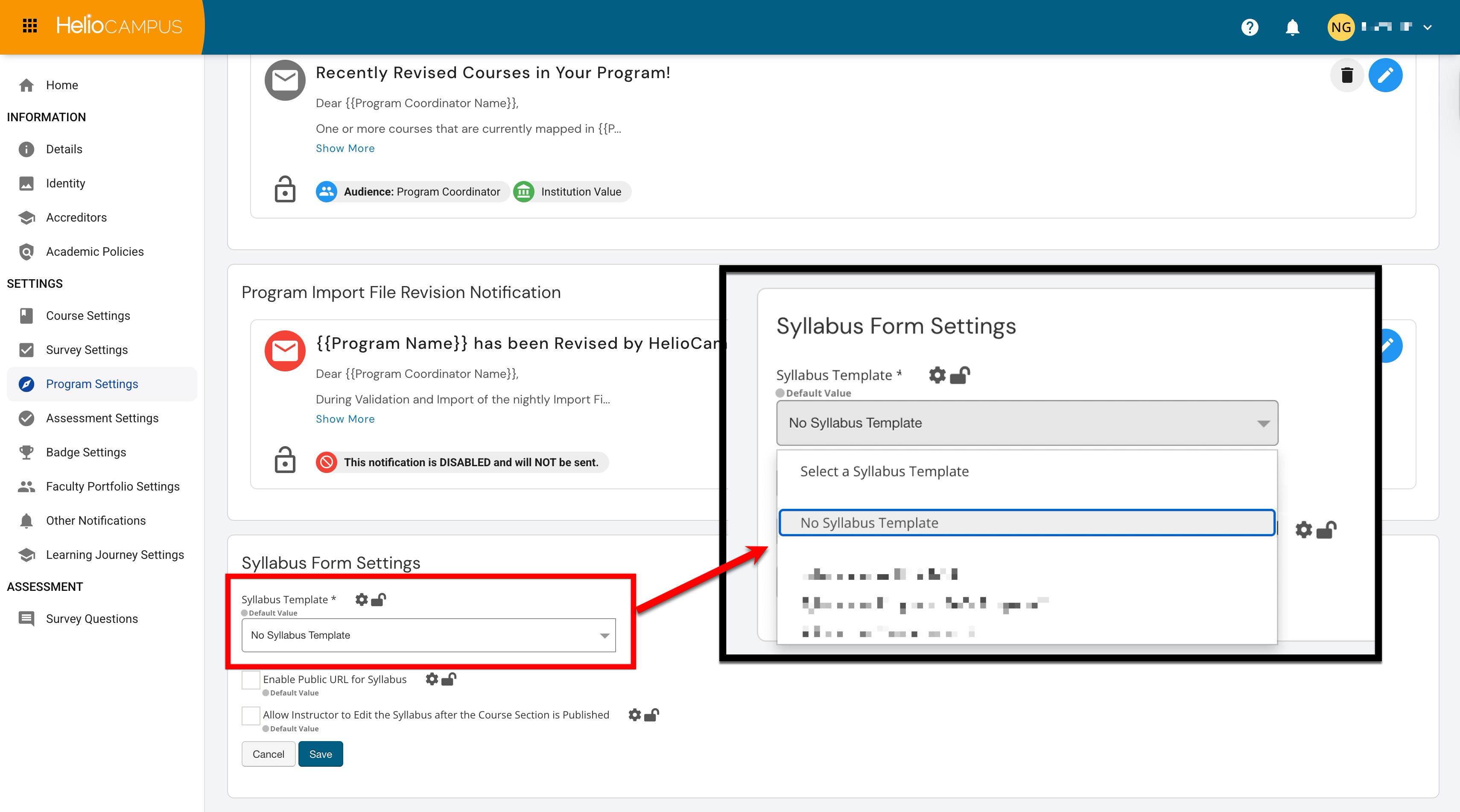
Syllabus Template
This setting determines which template (if any) is used as the default starting point when building a syllabus for a course section by defining syllabus defaults and selecting a standard syllabus template to cascade to lower levels. Selecting a template supports standardization across sections and helps ensure required institutional content (policies, support resources, and common formatting) is included consistently. Only program-owned templates will be available for selection. When configured:
-
Course sections can begin with a pre-built syllabus structure instead of starting from scratch.
-
Institutions can promote consistent syllabus organization across programs and departments.
-
Updates to institutional language can be maintained through template governance (reducing manual rework across many sections).
Enable Public URL for Syllabus
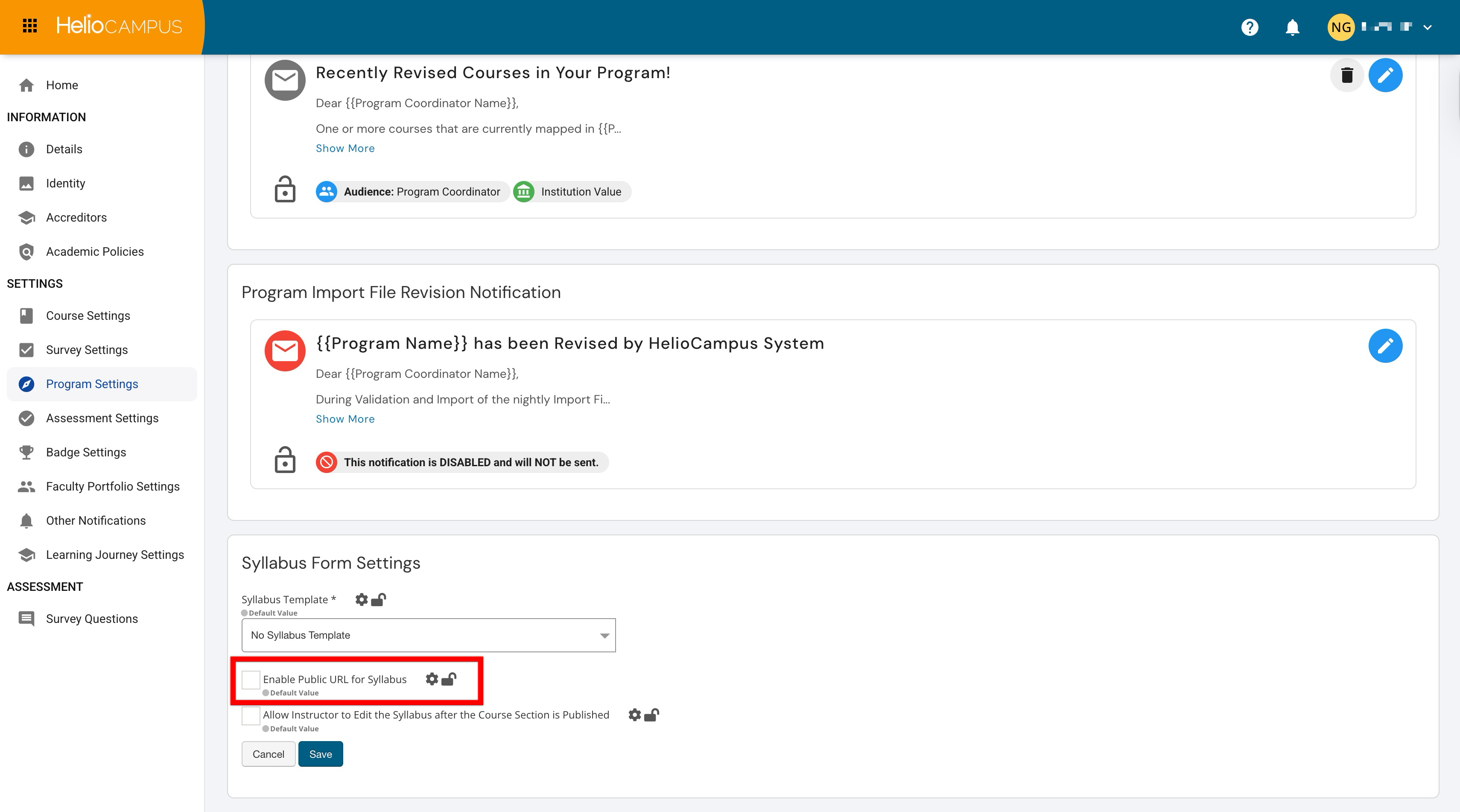
The Enable Public URL for Syllabus setting determines whether the platform generates (or allows) a publicly accessible link to view a section’s syllabus. This can simplify sharing when students or external stakeholders need access without having to log in.
This is different from the integration with the Learning Management System (LMS); this link is for external use of the Institution's systems, typically protected by a single sign-on (SSO) process.
|
Enabled |
Users can share the syllabus via a public-access link for quick access outside the platform. Syllabus access becomes less dependent on user permissions and authentication workflows. |
|
Disabled |
Viewing the syllabus will require authenticated access (logging in) through the platform’s normal login process. |
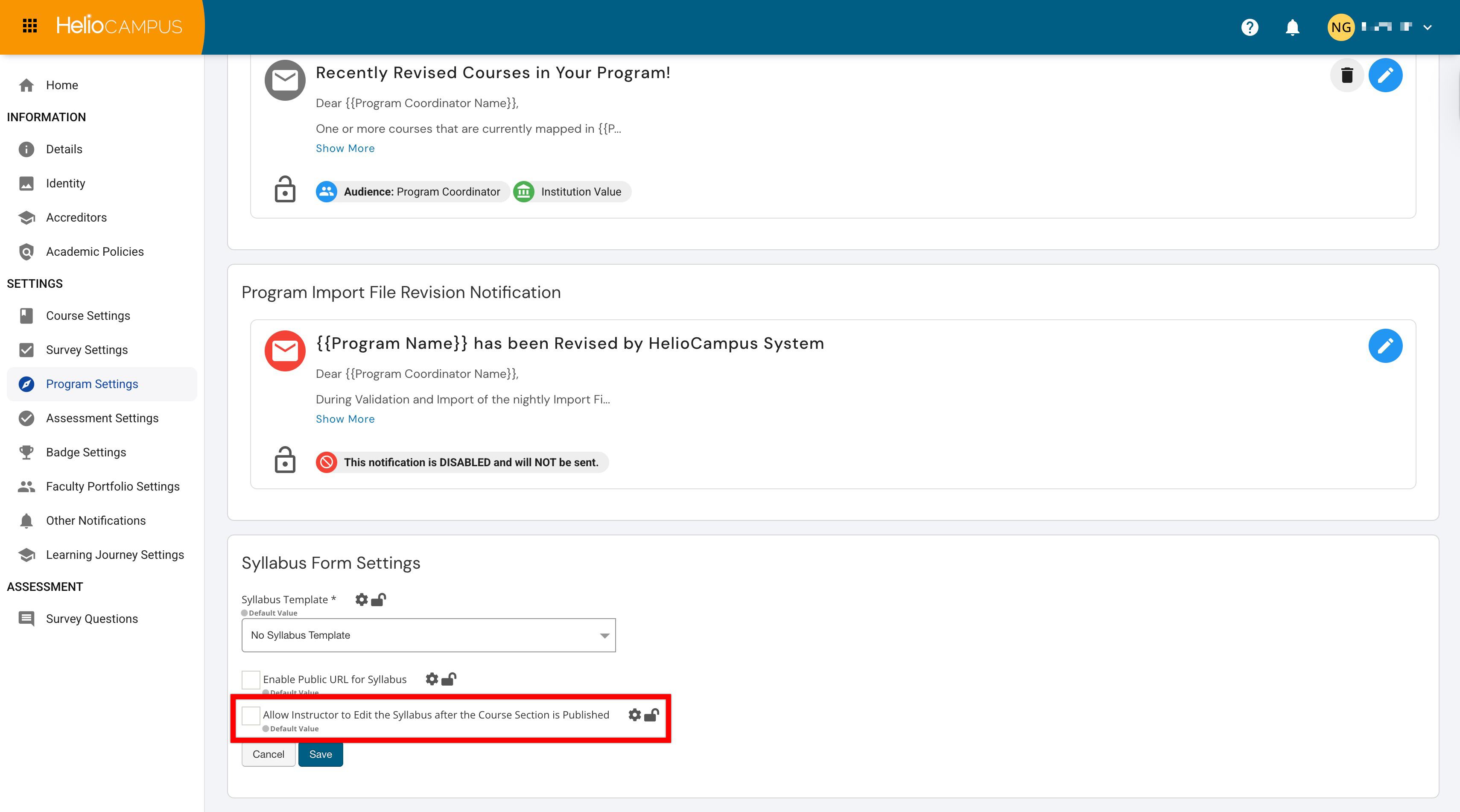
Allow Instructor to Edit the Syllabus after the Course Section is Published
Use this setting to determine whether Instructors can continue making changes once a section is published. This directly impacts governance, accuracy, and expectations around “final” syllabus content.
|
Enabled |
Instructors can correct errors or adjust details (such as dates, office hours, and assessment descriptions) after publishing. This allows the syllabus content to evolve during the term to reflect real-time changes in sections. When enabled, and if a syllabus is changed after a section is published, no notification is sent to students about the change(s). It is recommended that Instructors notify students of changes to a syllabus. |
|
Disabled |
Publishing serves as a “lock” point, supporting stronger governance and a clear final version for students and reporting purposes. |