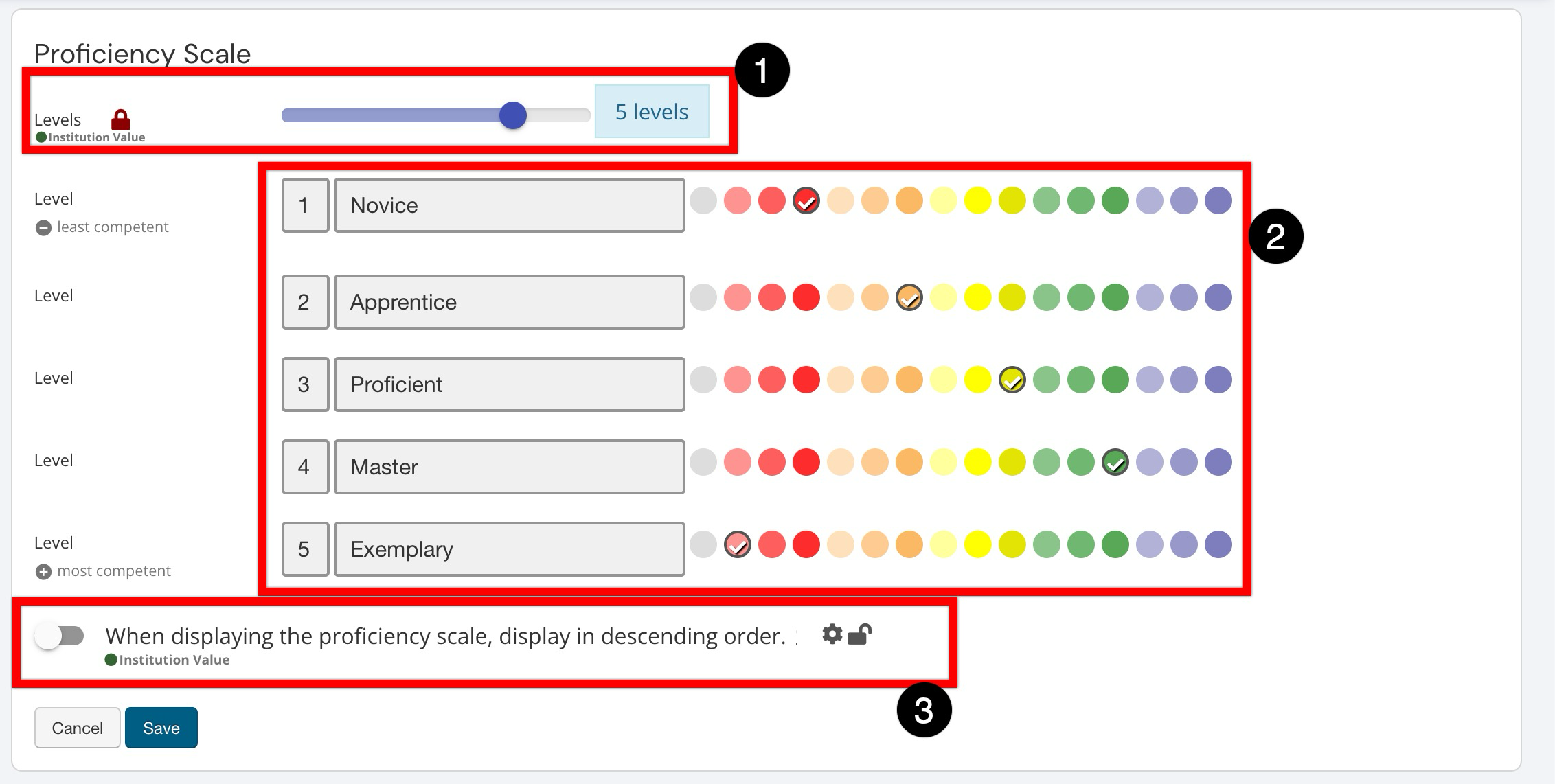
The scale defines an Institution’s standard way to interpret performance using consistent proficiency levels, from least to most competent. This scale translates scores into meaningful categories that stakeholders can understand at a glance, helping to keep assessment review and reporting consistent across programs.
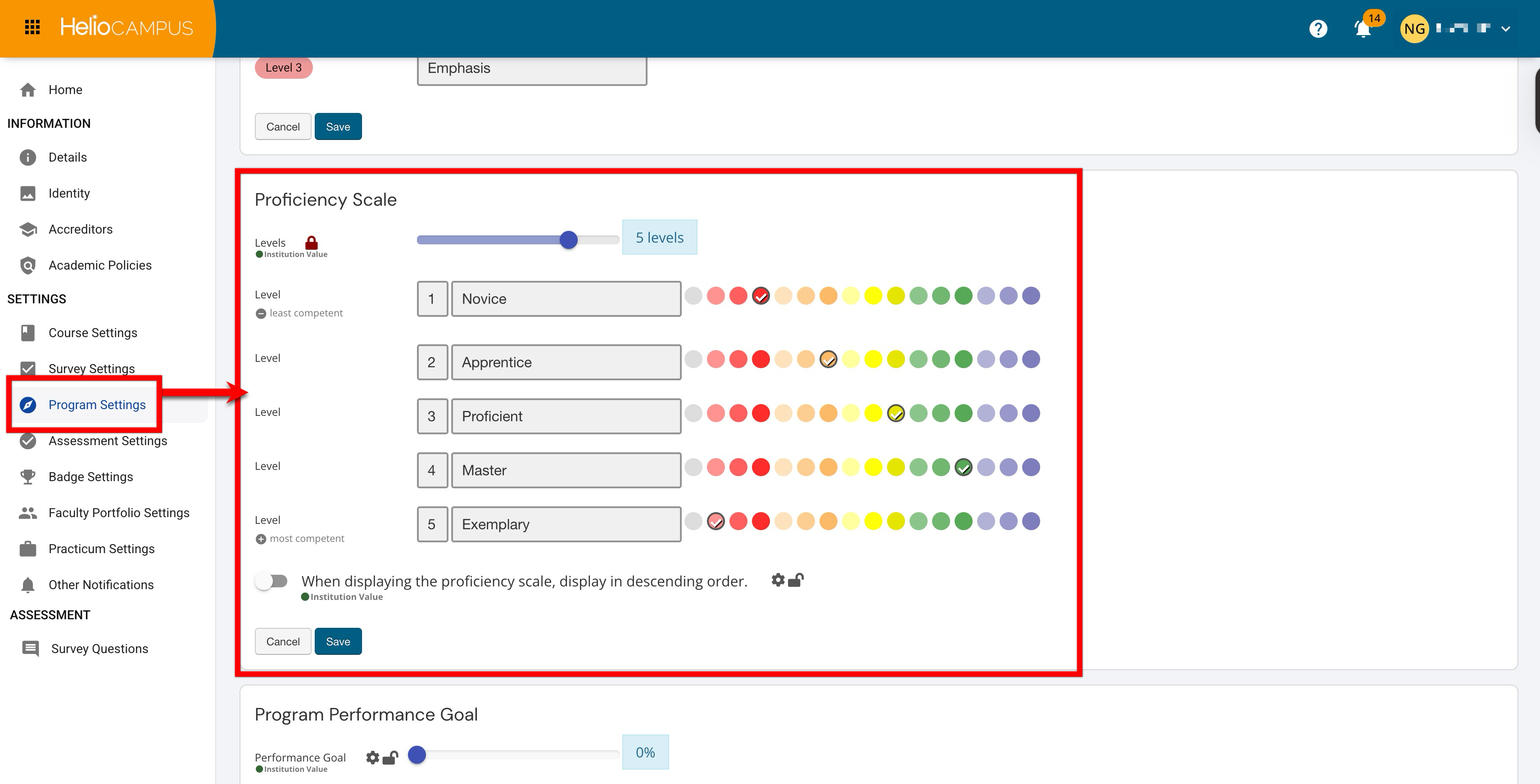
Settings can be locked at a higher level to prevent configuration at lower levels and apply defaults and governance at the appropriate hierarchy level. For example, if the scale is locked at the College level, all Departments under the College inherit the locked configuration and cannot change it. If the Institution later locks a different configuration, the Institution lock overrides the College lock, and the College and all associated Departments inherit the new locked Institution configuration. Learn more.
Downstream Impacts
-
Assessment Interpretation: Results are categorized into proficiency levels, which supports clearer analysis than raw scores alone. A consistent scale helps stakeholders understand what performance “means” without having to interpret grading schemes on a program-by-program basis.
-
Goal-Setting Alignment: Performance goals and thresholds often rely on the proficiency level structure, so changes to this scale can affect how success targets are defined and communicated.
-
Reporting Consistency: Institution-wide reporting is easier to interpret when all programs share the same proficiency levels and labels. If units use different scales, comparisons and trend analysis become less reliable.
-
Change Management: In a centralized governance model, these settings are often managed and locked at the Institution level to prevent programs or downstream units from using different structural levels. This reduces confusion in cross-program reporting and ensures that “Proficient” or “Mastery” represent the same expectation everywhere the scale is used.
Considerations
-
Align with Goals and Thresholds: Confirm that the scale aligns with the Institution's definition of “success,” as performance goals and score-to-level thresholds often depend on the proficiency structure.
-
Change Management: When the proficiency scale is updated, the Institution is changing the shared language used to interpret performance. Even when the change is purely cosmetic, it affects how users read results. When the change is structural, such as changing the number of levels or redefining levels, Institutions should treat it as a governance decision and coordinate timing and communication to avoid confusion during active assessment and reporting cycles.
-
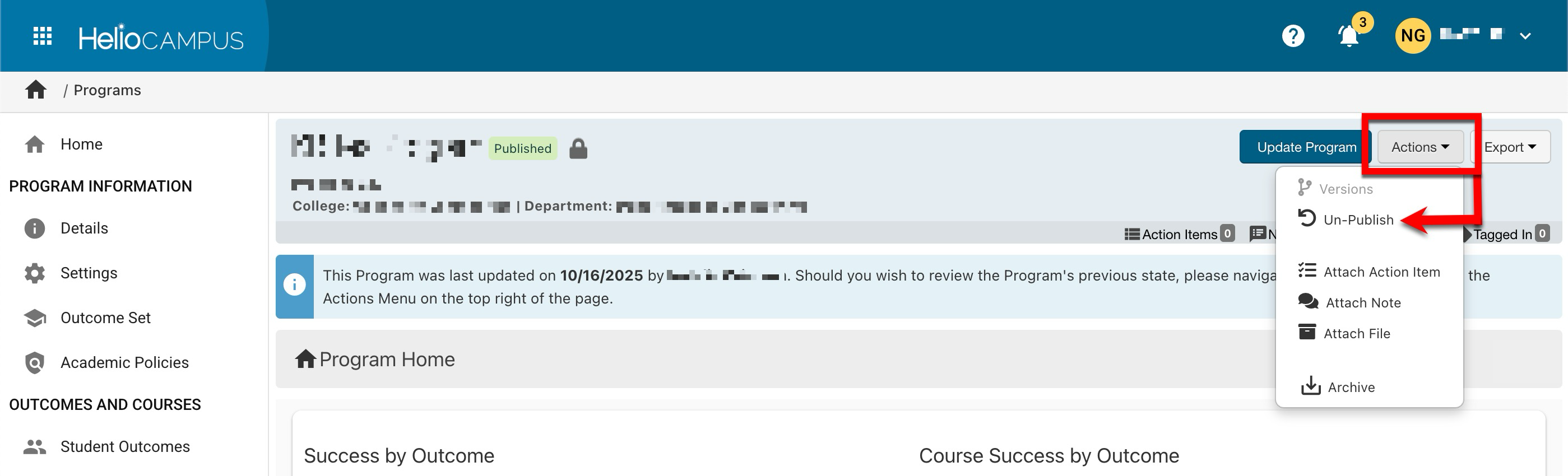
Post-Assessment Changes: If an increase or decrease in scale levels is necessary, following an assessment, the program must be archived, and a new program created to accurately reflect the updated scale. If there hasn’t been an assessment yet and a program has only one version (i.e., no revisions), it can be unpublished via the Program Homepage. This reverts the program to Draft status, allowing edits.
Best Practices
-
Define Meaning and Naming Conventions: Agree on what each level represents in plain language so programs apply it consistently. Because proficiency levels serve as a shared reference point for goals and results, Institutions typically standardize the number of levels, level names, and visual indicators early on, then apply that configuration consistently across the organizational hierarchy.
-
Choose a Level Count That Scales: Select a level count that works for most programs over the long term. Frequent structural changes create interpretation risk and support burden.
-
Standardize and Lock: If governance is centralized, lock the proficiency scale at the Institution level so downstream units inherit the same structure and cannot introduce local variations.
-
Plan Change Windows: If updates are needed, make changes during the defined governance windows and communicate expectations to ensure stakeholders interpret results consistently.
Proficiency Scale
Use the Levels slider (1) to set how many levels will be available, then enter clear labels and select colors for each level (2) so results are easy to interpret at a glance (for example, from Novice to Exemplary). If desired, enable the display option (3) to show the scale in descending order when it appears in the platform. Once configured, this scale becomes a shared reference point for how performance is categorized in assessment workflows and reporting, helping stakeholders align on what each level represents.