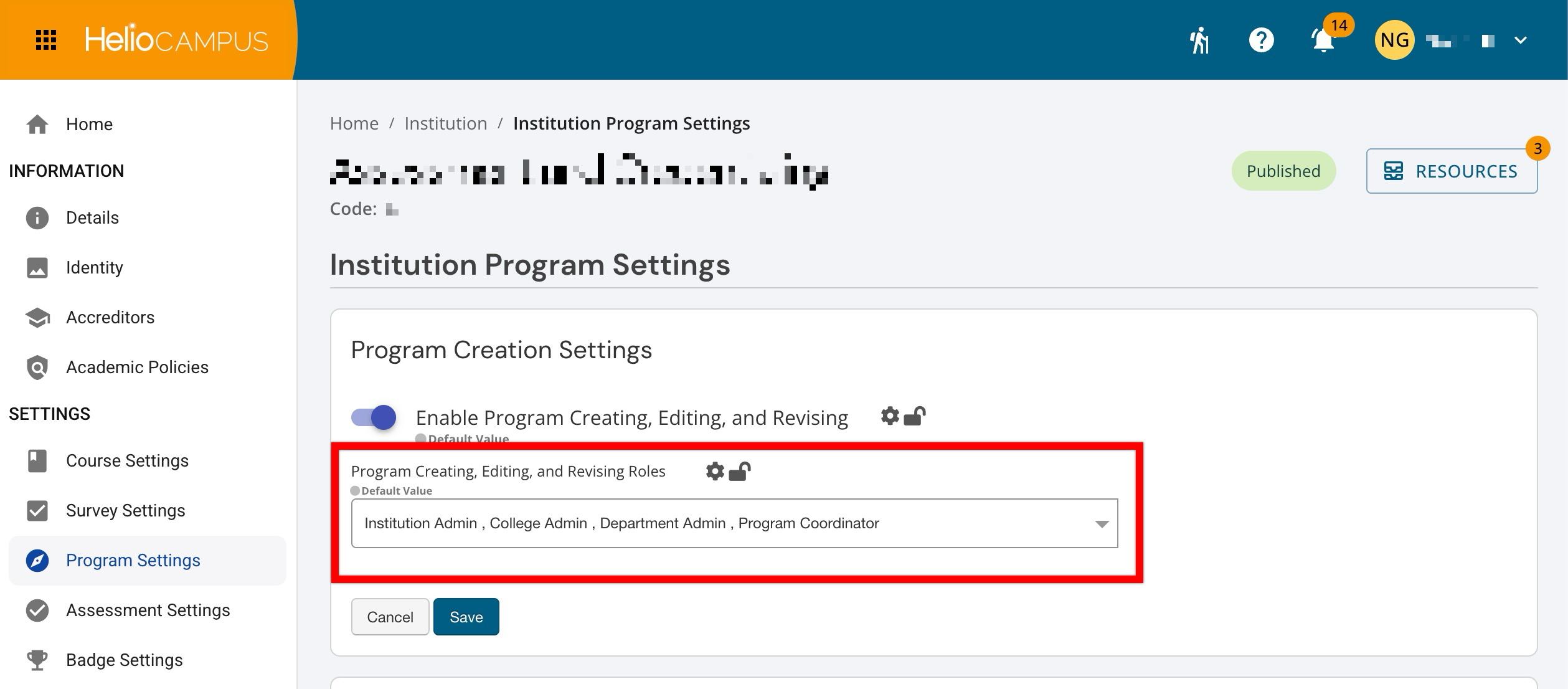
Program Creation Settings can be configured only at the Institution level of the Organizational Hierarchy to apply governance where it is most appropriate. For example, an Institution may centralize program maintenance under a small set of roles, while allowing Colleges to manage program updates locally when autonomy is intentional.
Program records are foundational to downstream platform work, including curriculum mapping, outcome alignment, assessment setup, and reporting. For this reason, Program Creation Settings are often used to balance two competing needs:
-
Operational flexibility so programs can be created or updated when academic structures change.
-
Data integrity and change control so edits and revisions are not made inconsistently across units.
Downstream Impacts
-
Program Integrity: Tighter role controls can reduce duplicate programs and inconsistencies across the hierarchy:
-
Programs are a core anchor for mapping. Uncoordinated edits or frequent revisions can create uncertainty about which version of a program mapping is tied to, especially during active planning or assessment cycles. These settings can reduce uncoordinated edits.
-
When program maintenance is restricted, assessment configuration tends to be more standardized and repeatable. When many users can revise programs, the likelihood of mid-cycle changes to program structure increases, requiring additional review to ensure assessments still align as intended.
-
Consistent governance supports cleaner longitudinal reporting by keeping program structures and identifiers stable over time. Frequent program changes can make trend analysis harder, especially when stakeholders compare results across versions or units that manage programs differently.
-
Considerations
-
Standardize Naming Conventions: Before enabling, align on required fields and standards such as program naming, codes, and ownership fields. This can keep reporting consistent and reduce rework later.
-
Document Who Owns Exceptions: If a particular College or unit needs different handling, decide in advance whether that is an exception to policy or a reason not to lock centrally.
Best Practices
-
Limit the dropdown to the minimum roles that truly need to maintain program records. This reduces duplicate programs, inconsistent program codes, and “informal” revisions made outside an agreed process.
-
When only a small group can create or revise programs, Colleges and Departments should have a clear request process and set expected turnaround times to prevent program work from becoming bottlenecked.
-
Restrict program edits during active curriculum mapping, assessment setup, or reporting periods. Centralization is most effective when updates occur within planned windows and are communicated to affected stakeholders.
Enabled Program Creating, Editing, and Revising
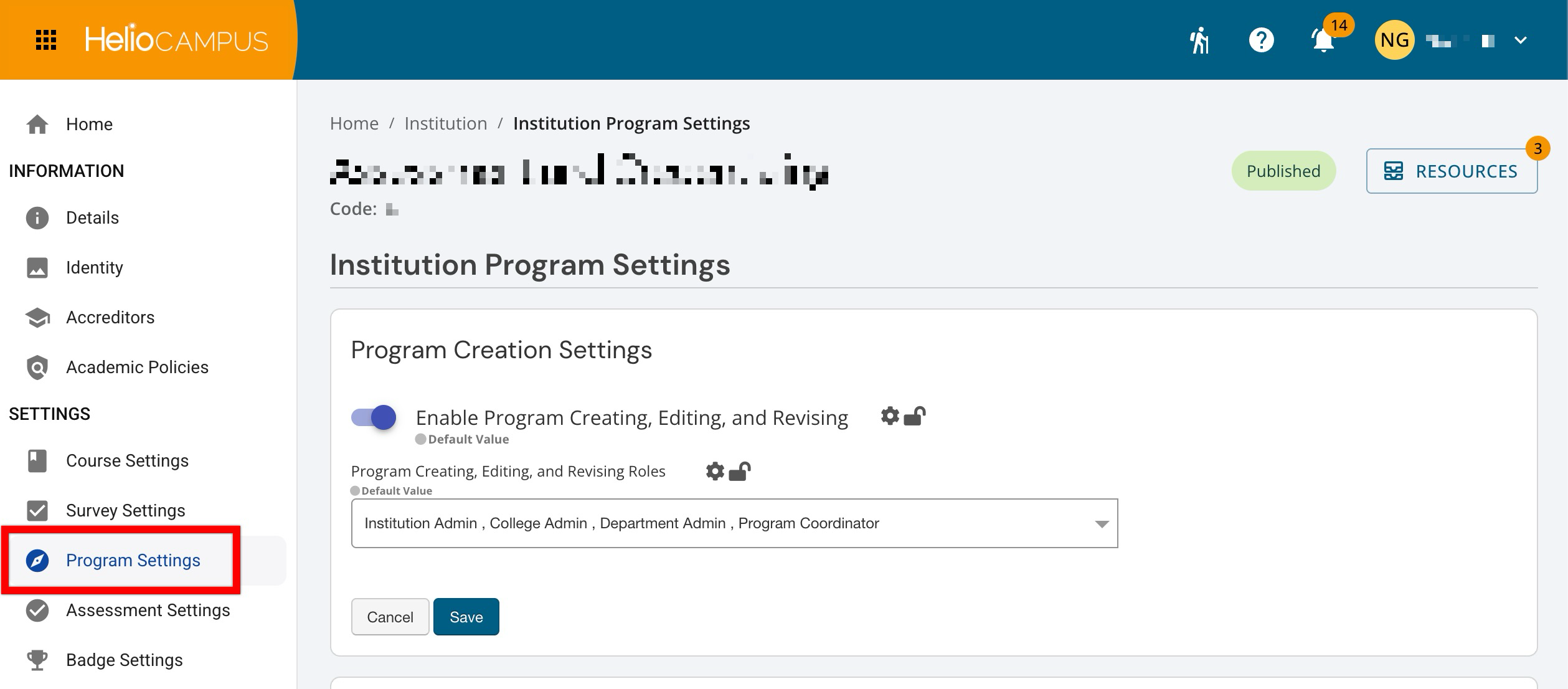
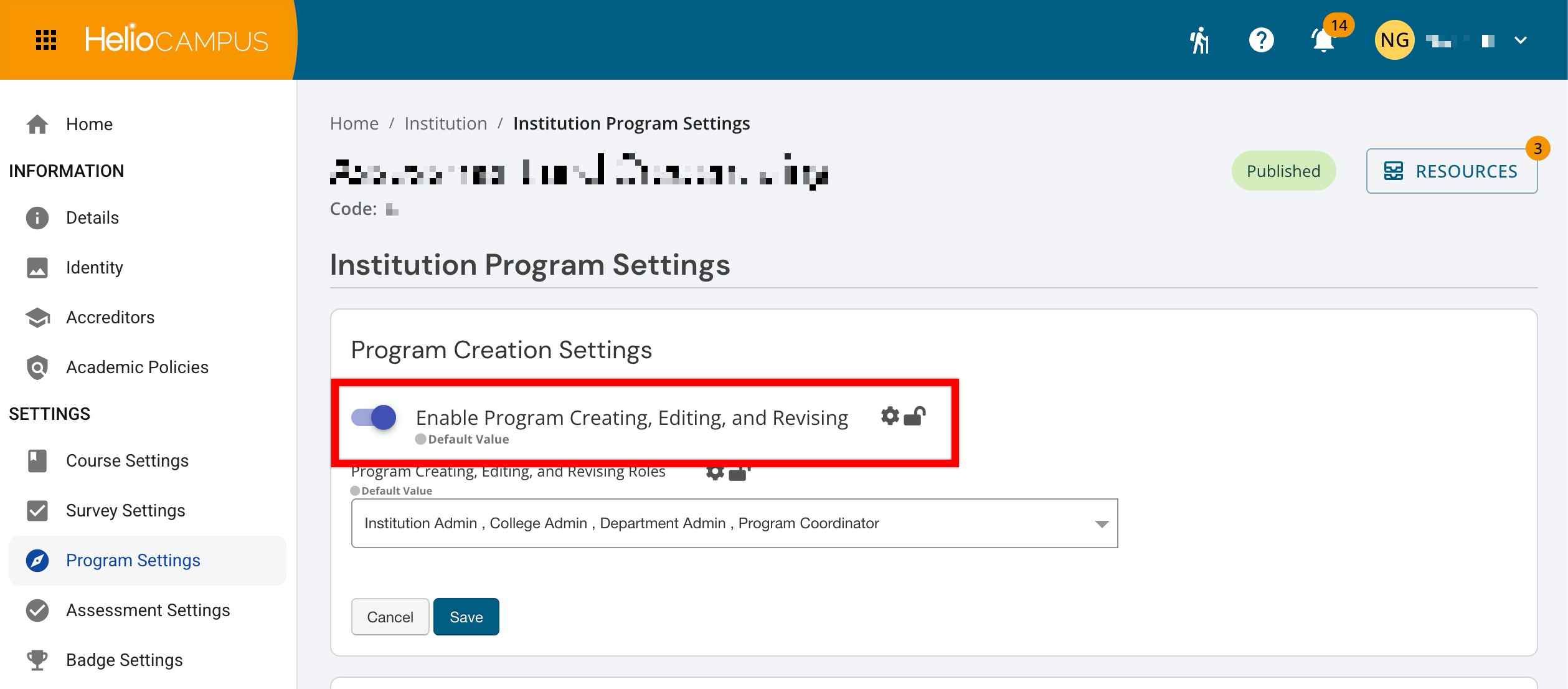
Admin-level users can set hierarchy-level defaults that control whether programs can be created, edited, and revised in the platform, and which roles are allowed to perform those actions.
|
Enabled |
Users with one of the roles selected in the Program Creating, Editing, and Revising Roles dropdown can create new programs. Those same authorized roles can edit and revise programs. If the toggle is enabled but a user’s role is not included in the allowed roles list, that user will still be blocked from creating, editing, or revising programs. |
|
Disabled |
When disabled, program management becomes more controlled. This is useful when program structures should only be changed through a centralized process. When disabled, no one can create new programs, even if their role is listed in the Program Creating, Editing, and Revising Roles dropdown. Programs also cannot be edited or revised. In practice, this is used when an Institution wants programs to be treated as controlled records and only updated during planned change windows or via a centralized request process. |
Roles
This dropdown defines which roles are permitted to perform program maintenance actions. This is the primary lever for aligning responsibility. It ensures the users closest to program governance can maintain records without opening changes to broader audiences.
Users with any of the selected roles can create, edit, and revise programs as long as the Enable Program Creating, Editing, and Revising toggle is enabled. Users with unselected roles cannot create, edit, or revise programs, even if the toggle is enabled. They can still view programs and use program data in downstream areas permitted by their role permissions, but they cannot perform program maintenance actions.
Product Tip
This dropdown does not override broader role-based access. A role must be selected here and have the underlying role-based permission to manage programs in the platform.