Review the Notification Offset Configuration article to understand how offsets, milestone events, and notification timing work together. Confirm these concepts before making changes so that survey schedules and communications are configured as intended.
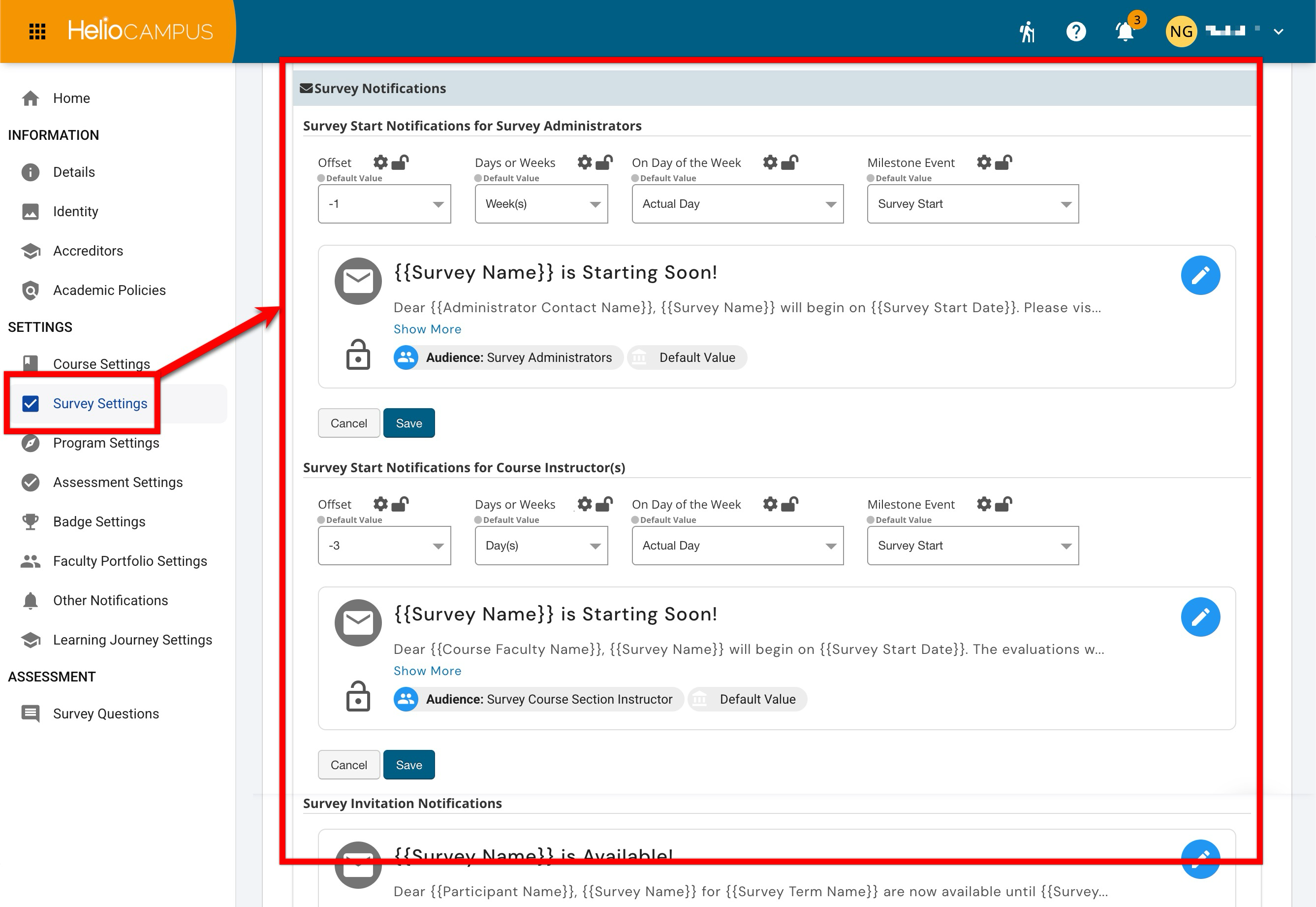
Survey Notifications define who receives automated survey-related communications and when those communications are sent. These settings work with survey schedules, milestone events, and notification offsets to help Institutions communicate clearly with survey administrators, Instructors, and survey participants throughout the survey lifecycle.
Settings can be locked at a higher level to prevent configuration at lower levels and apply defaults and governance at the appropriate hierarchy level. For example, if Survey Schedule and Notification Settings are configured and locked at the Institution level, Colleges, Departments, Administrative Divisions, and Administrative Units inherit that configuration and cannot change it. If lower-level flexibility is permitted, units may configure settings to support their own survey administration practices. Learn more.
Downstream Impacts
-
Changes to Configurations: Survey notification settings affect the timing, audience, and consistency of automated communications across survey projects. Changes can impact active and future survey administrations depending on where the setting is managed and whether the associated notification schedule has already been generated.
Considerations
-
Offsets and Audience: Verify notification offsets before enabling communications so messages are delivered at the intended time. Consider the audience for each notification type and whether the message supports the survey workflow.
-
Active Surveys: Review active survey schedules before changing notification behavior for in-progress survey administrations.
Best Practices
-
Configure and test notification settings before launching surveys.
-
Review notification settings after each survey cycle and adjust based on administrator, instructor, and respondent feedback.
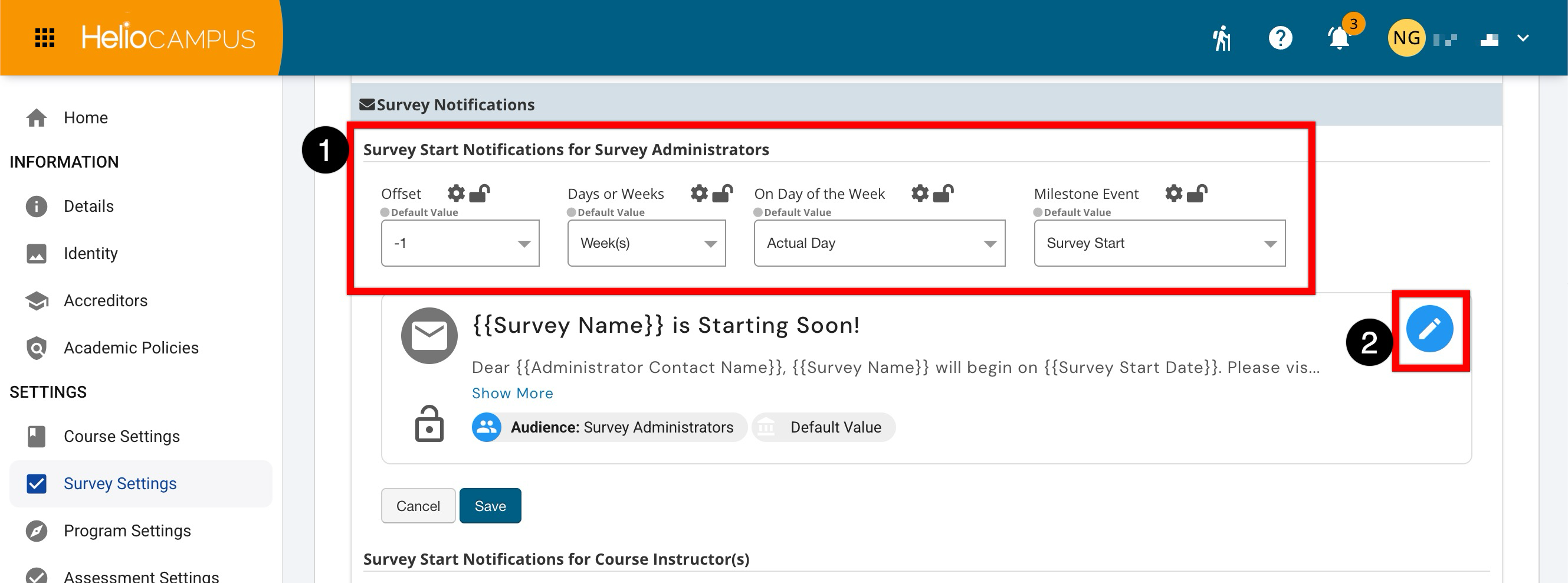
Survey Start Notifications for Survey Administrators
This notifies survey administrators when a survey is scheduled to begin. This helps administrators confirm that survey availability, communications, and related operational tasks are ready before respondents begin receiving survey access. Use this notification when survey administrators should receive an automated reminder tied to a defined milestone event. Learn more about using platform notifications.
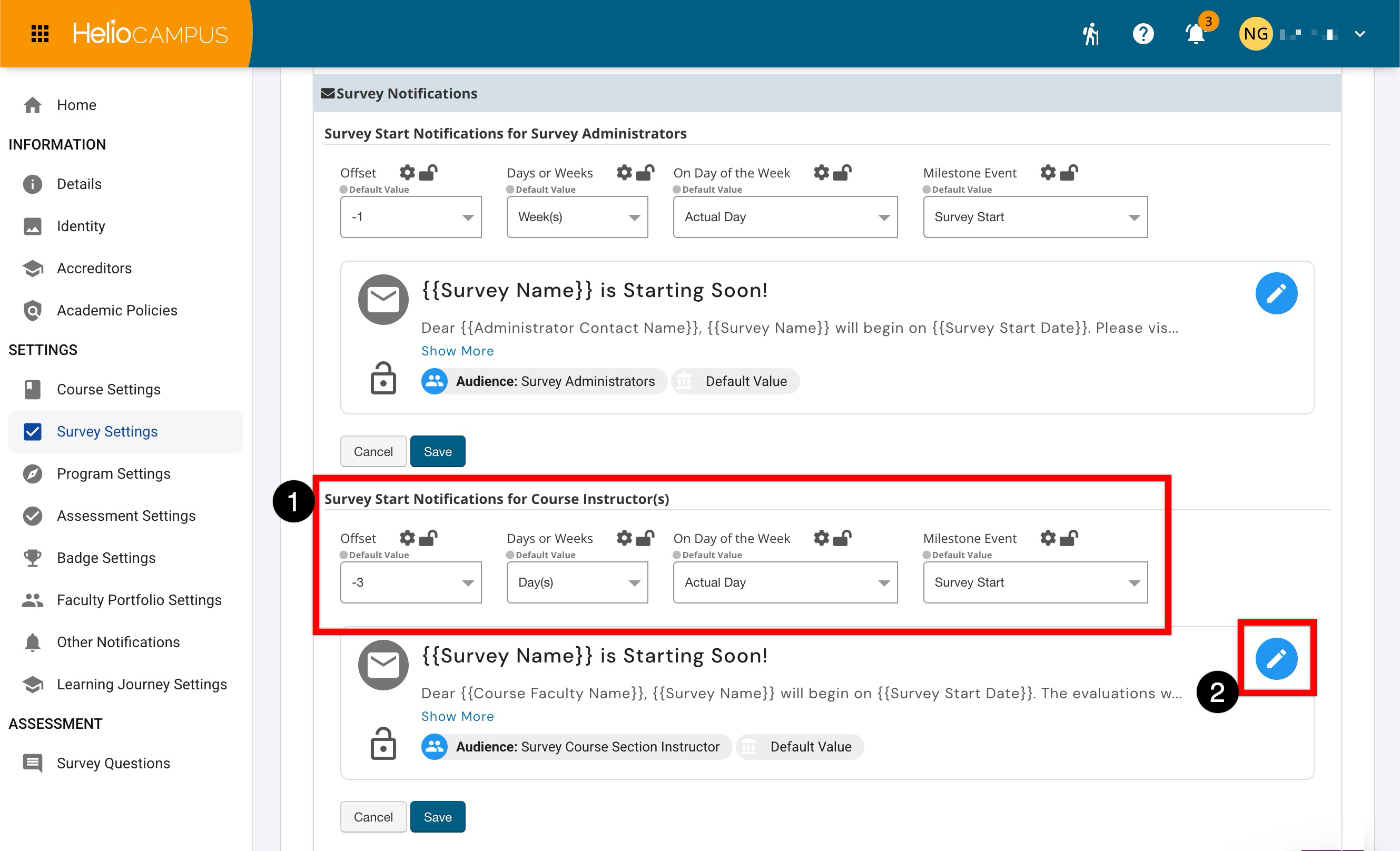
Survey Start Notifications for Course Instructor(s)
This notifies Instructors when a survey associated with their course is beginning. These messages help Instructors prepare for the survey period and, when appropriate, encourage student participation. Use this notification when Instructors should be alerted that a survey is opening for their course based on a defined milestone date. Notification-specific offsets must be configured (1), and optionally the notification body can be customized (2). Learn more about using platform notifications.
Survey Invitation and Reminder Notifications
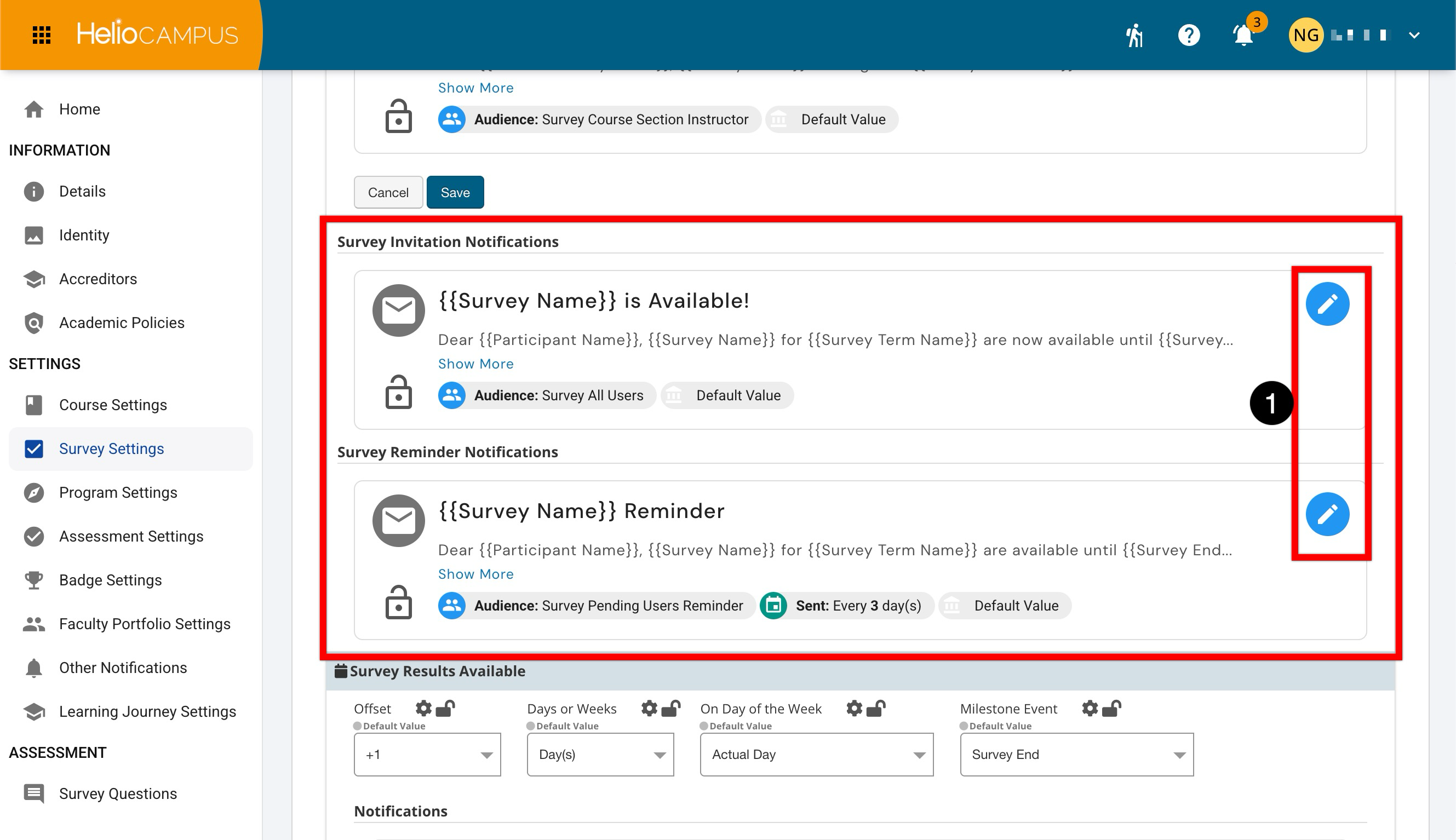
The invitation and reminder notifications invite survey participants to the survey and remind them to complete it. These notifications are typically the primary communications respondents receive during the survey window. Use invitation notifications to announce that a survey is available, and use reminders to encourage completion before the survey closes. Confirm the reminder cadence, so respondents receive helpful prompts without being over-notified. The invitation notification is sent once the survey start date is met, and the reminder frequency and notification verbiage can be customized as needed (1). Learn more about using platform notifications.
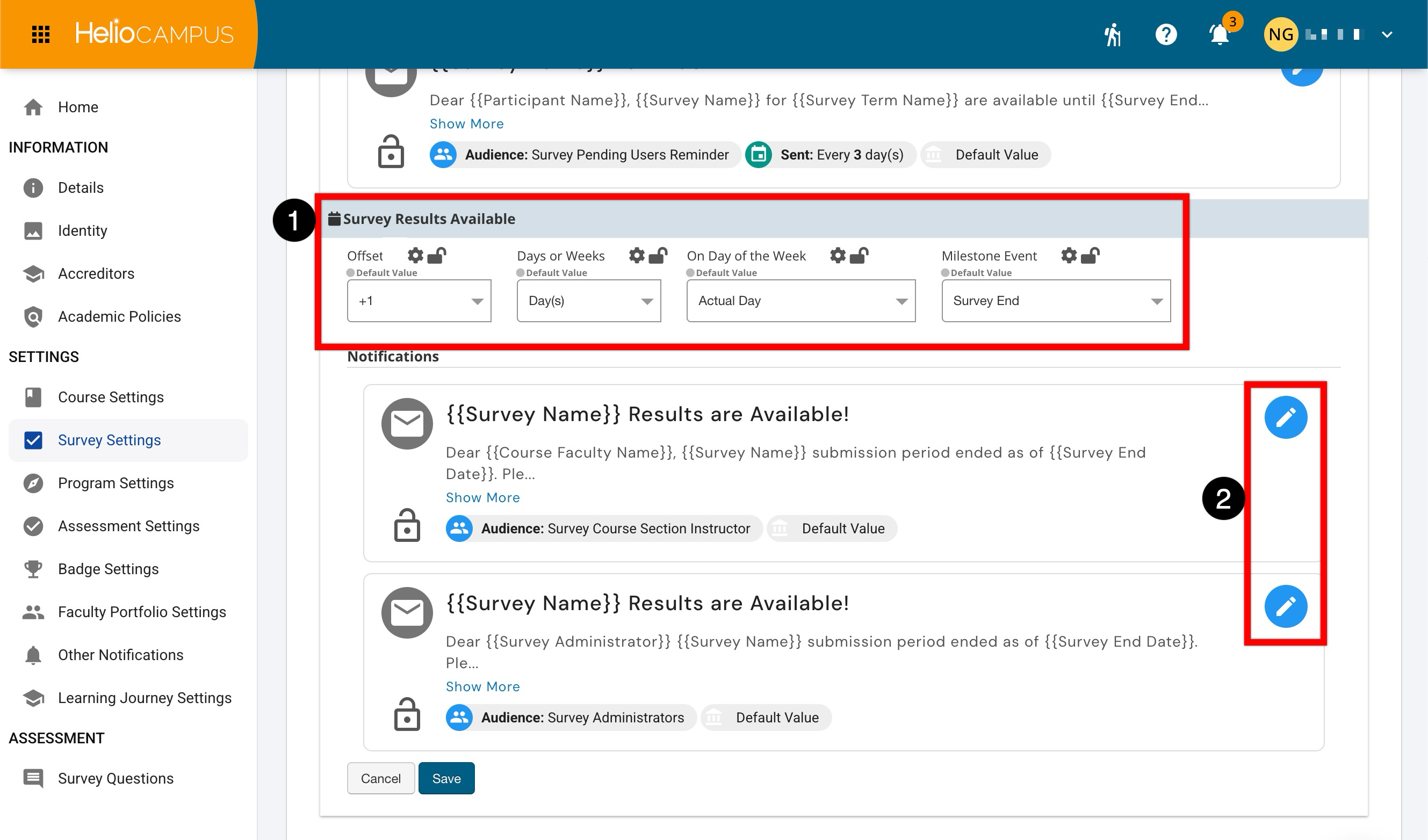
Survey Results Available
This notification informs Survey Administrators and Instructors when they can access survey results. These messages help administrators and Instructors know when reporting and review can begin. Notification-specific offsets must be configured (1), and optionally the notification body can be customized (2). Learn more about using platform notifications.