
These settings are only available at the Institution level of the hierarchy.
Survey LMS Notification Settings are configured to control whether Course Evaluation Survey notifications are sent through the Institution’s Learning Management System (LMS). These settings help determine which survey communications can appear in the LMS experience, allowing Institutions to support participant outreach and reminder workflows in the systems students and faculty already use.
LMS notification configuration affects downstream survey communication, including participant awareness, reminder visibility, and message consistency across email and LMS channels. For this reason, Survey LMS Notification Settings are often used to balance two competing needs:
-
Participant Engagement: Delivering survey notifications in a familiar LMS location to increase visibility and encourage completion.
-
Communication Control: Managing which notification types the LMS sends so users receive timely messages without unnecessary duplication or noise.
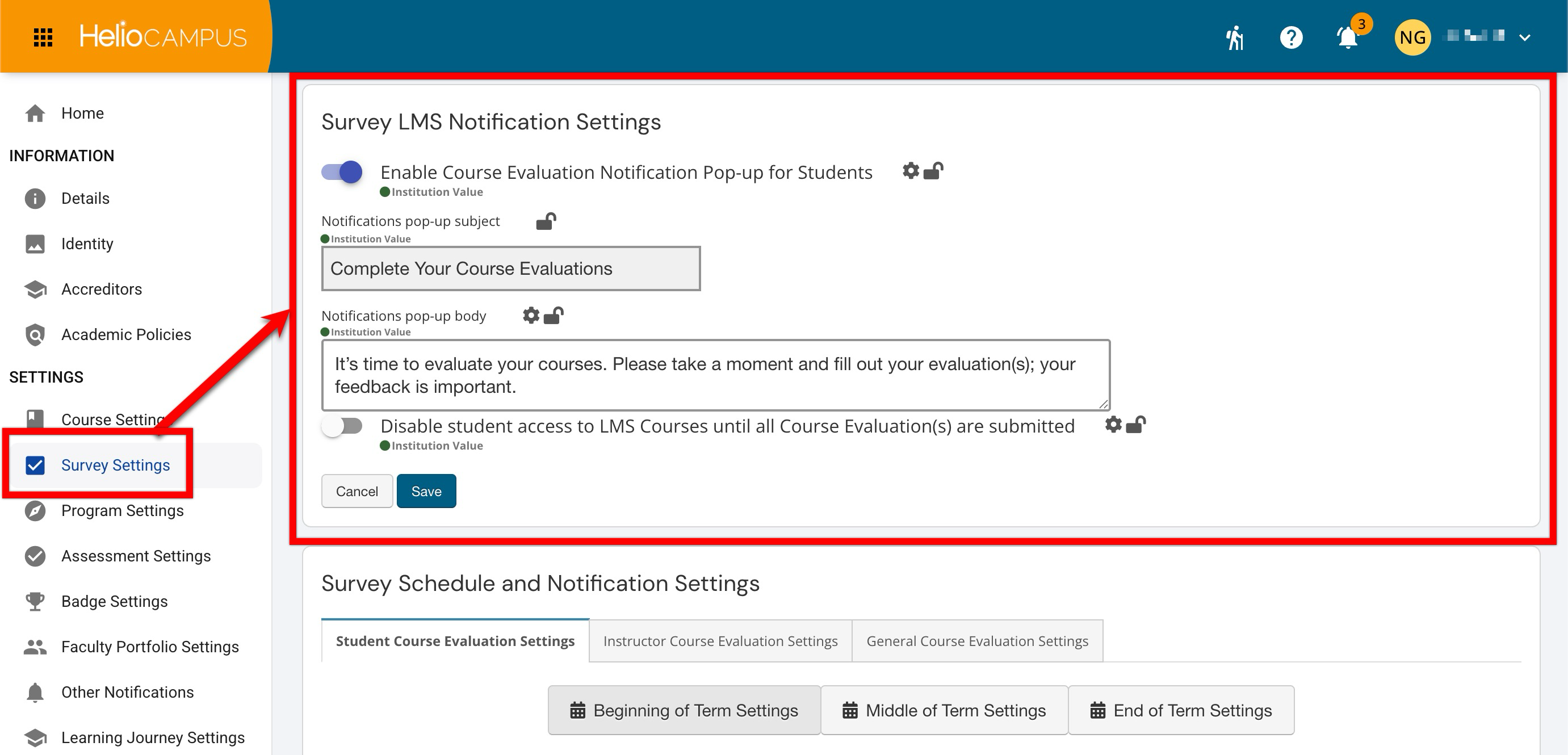
Settings can be locked at a higher level to prevent configuration at lower levels and apply defaults and governance at the appropriate hierarchy level. For example, if a Survey LMS Notification Setting is enabled and locked at the Institution level, Colleges, Departments, Administrative Divisions, and Administrative Units inherit that configuration and cannot change it. If lower-level flexibility is permitted, units may configure settings to support their own survey communication practices. Learn more.
Downstream Impacts
-
Survey Notification Visibility: Enabling LMS notifications can make survey messages available where participants regularly access course activity and announcements.
-
Response Monitoring: Better notification visibility may support stronger response rates, but administrators should still monitor participation and adjust reminder strategy as needed.
Considerations
-
Administrative Workload: Confirm that notification timing, audience, and messaging align with the survey schedule before distributing notifications.
-
Notification Strategy: Determine which communications should be delivered through the LMS and which should remain email-only.
-
Message Duplication: Consider whether users may receive both email and LMS notifications for the same survey event, and communicate expectations accordingly.
Best Practices
-
Confirm LMS integration readiness before enabling LMS notification delivery.
-
Use LMS notifications for survey communications that benefit from high participant visibility.
-
Review survey notification templates and timing before each evaluation cycle.
-
Coordinate LMS notifications with email reminders to avoid over-communicating with participants.
-
Apply settings consistently across comparable survey cycles to support reliable communication practices.
-
Monitor response rates and support questions to determine whether LMS notifications are improving survey awareness.
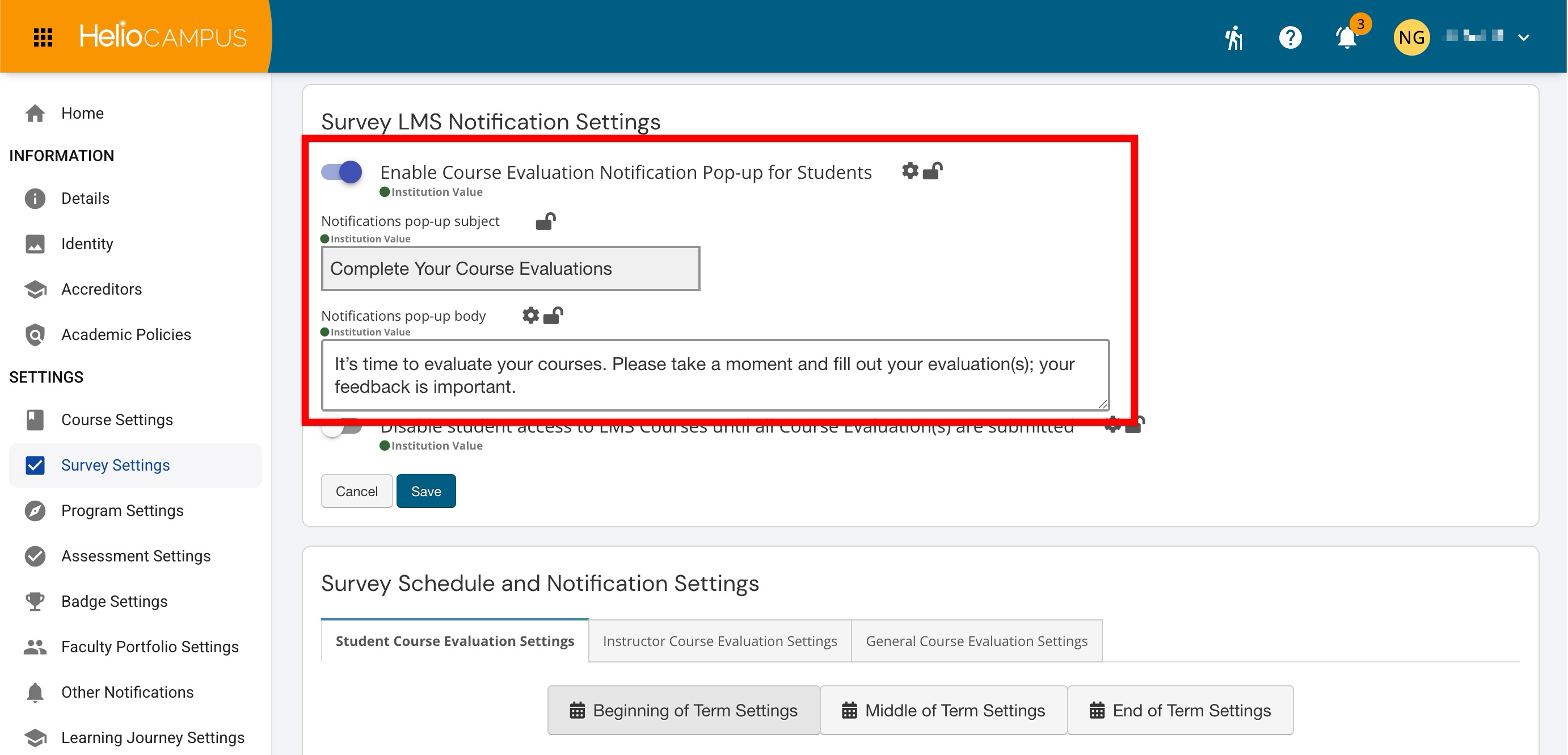
Enable Course Evaluation Notification Pop-up For Students
This setting determines whether Course Evaluation Survey notifications can be delivered through the LMS. Use it when the Institution wants survey messages to appear in the LMS experience in addition to, or to support, standard survey communications. If the Institution does not use LMS-based notification delivery or wants to limit survey communication to other channels, leave this setting disabled.
|
Enabled |
Course Evaluation Survey notifications can be sent through the LMS when applicable. This can increase participant visibility and help reinforce survey launch, reminder, and closing communications. |
|---|---|
|
Disabled |
Course Evaluation Survey notifications are not delivered through the LMS. Survey communications continue through other configured notification channels, such as email. |
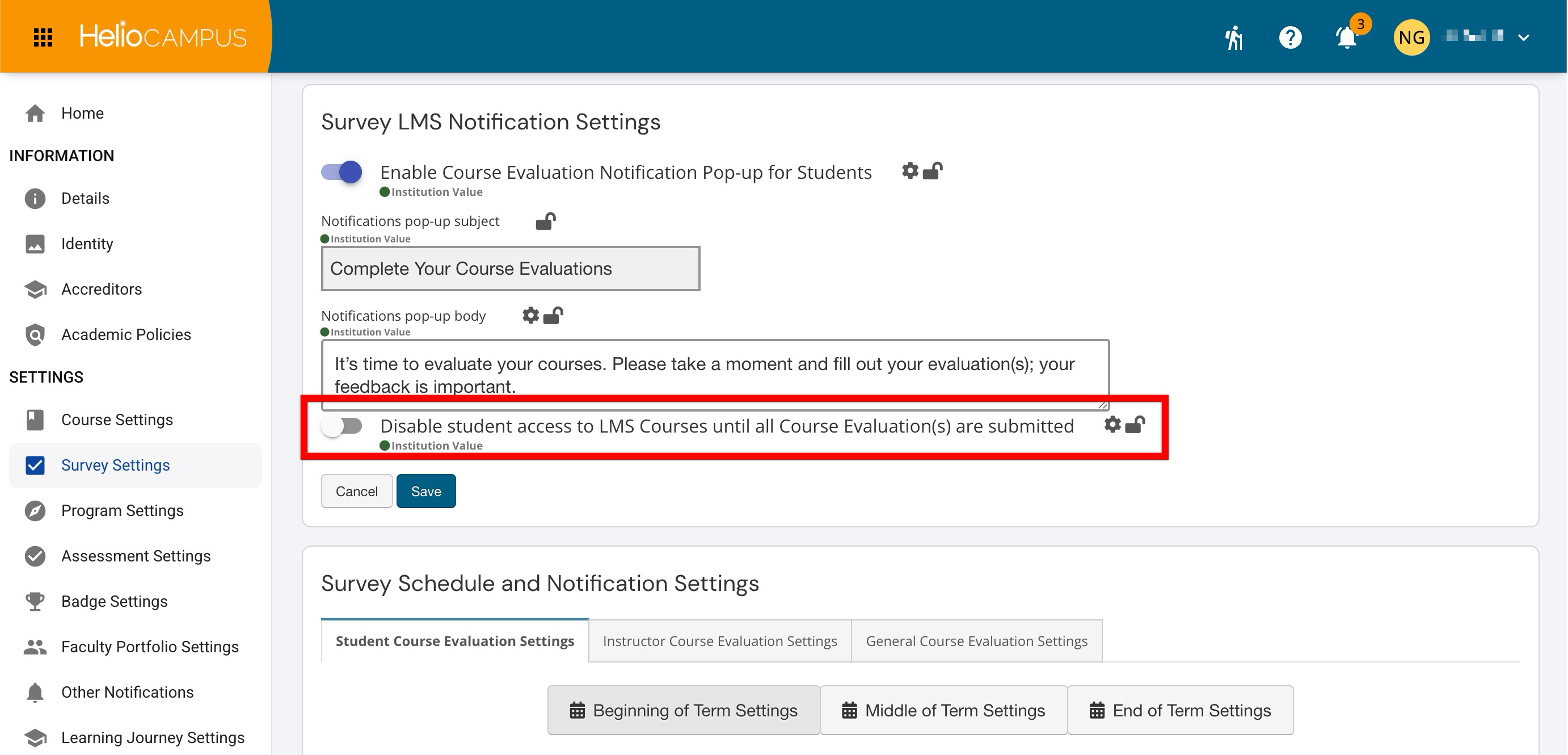
Disable Student Access to LMS Courses Until All…
This setting determines whether students must complete all required Course Evaluation Surveys before they can access their LMS courses. Use it when the Institution wants to enforce survey completion through LMS access controls. If the Institution does not want to restrict course access based on survey completion, leave this setting disabled.
|
Enabled |
Students are prevented from accessing LMS course content until they have completed all required Course Evaluation Surveys. This can help increase survey completion by making access contingent on participation. |
|---|---|
|
Disabled |
Students can access LMS courses regardless of Course Evaluation Survey completion status. Survey participation is encouraged through standard notification and reminder workflows, not LMS access restrictions. |