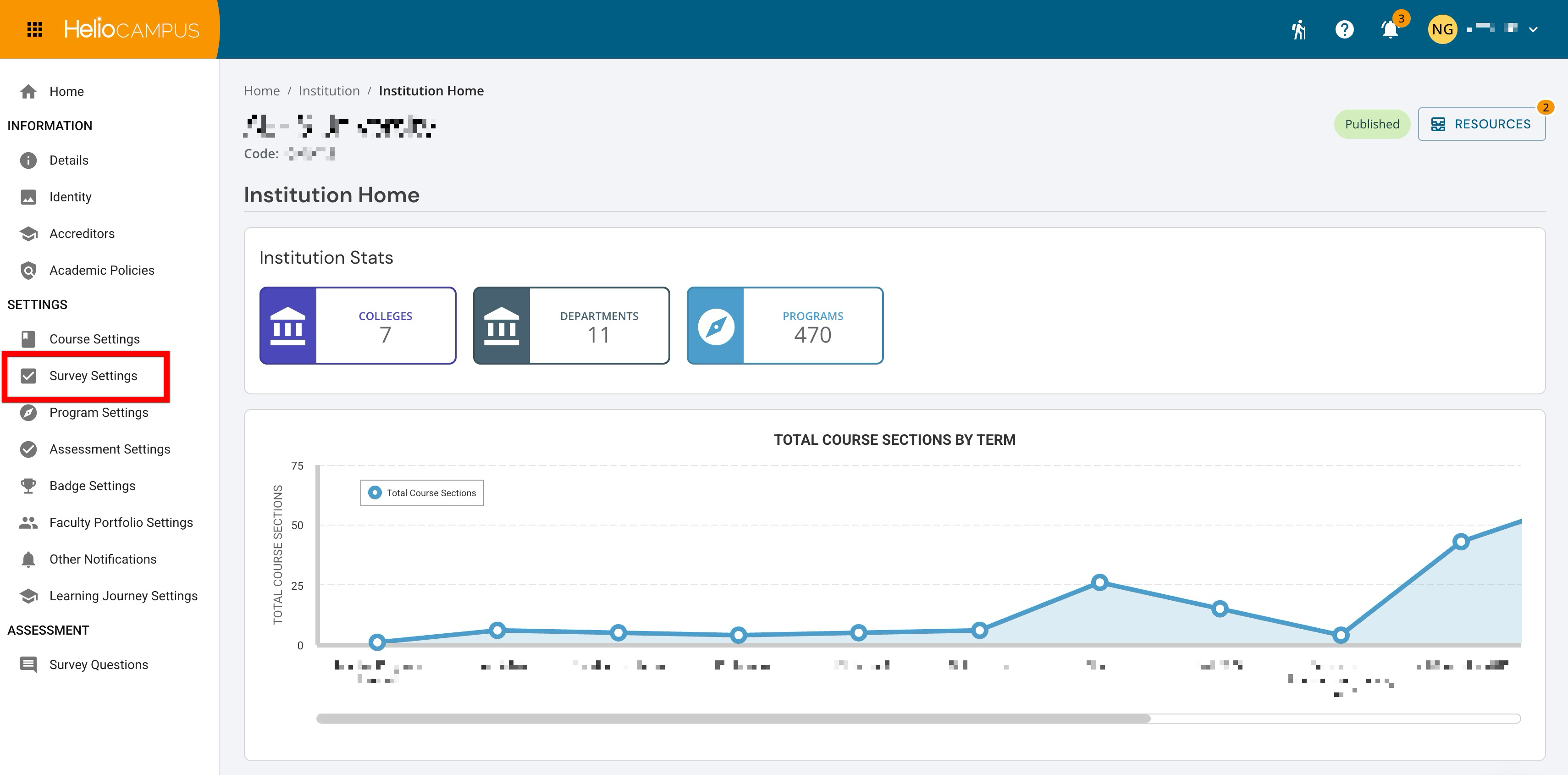
Survey Settings within the Organizational Hierarchy can be primarily configured at all levels and are inherited downward, with the option to lock configurations to prevent changes at lower levels. These settings are accessed at all hierarchy levels from the record’s homepage, as shown below at the Institution level. For example, navigate to Main Menu > Departments and select a department to open the Department Homepage; from the homepage, Survey Settings is accessible via the left-hand menu.
Although Survey Settings appear together on a single platform page, this guide organizes them into the functional categories below to provide clear, actionable guidance for administrators.
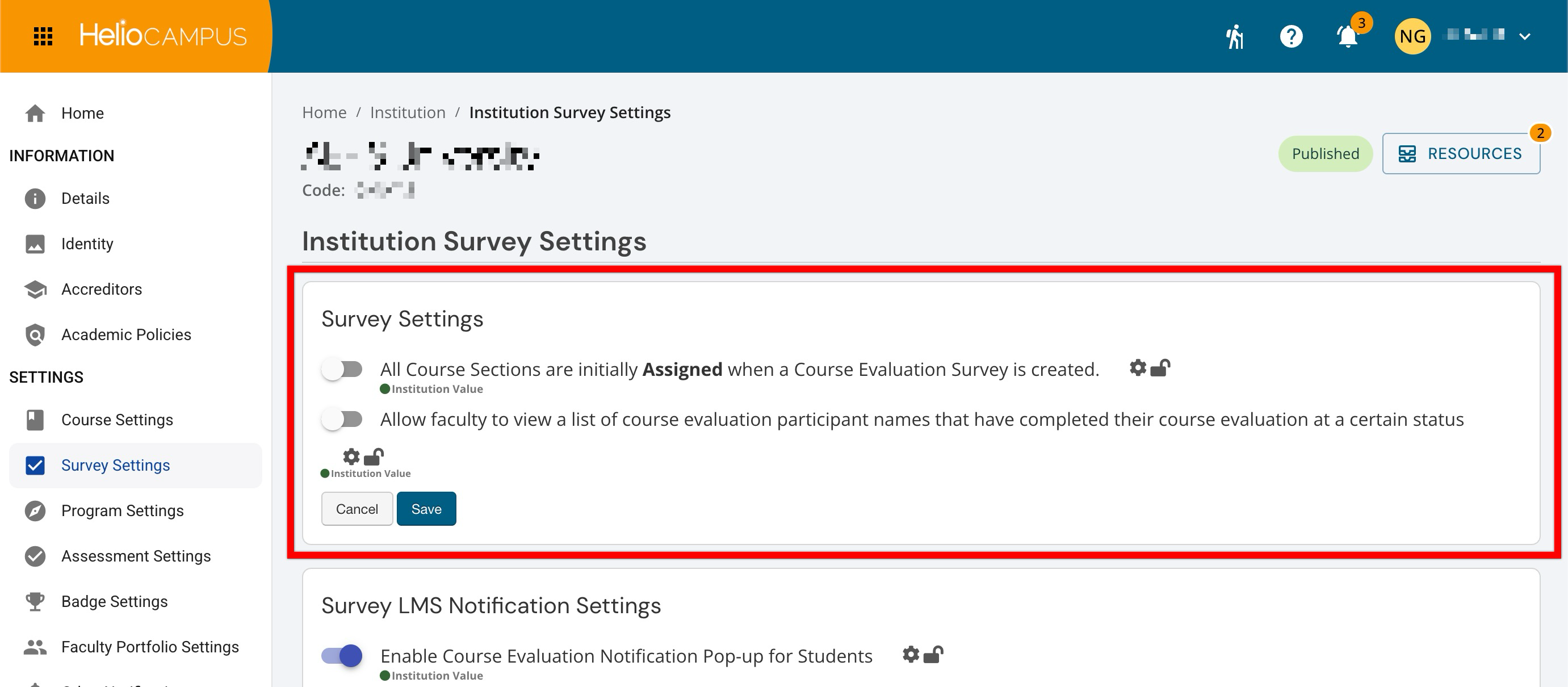
Survey Settings
The Survey Settings section contains options that shape course evaluation survey behavior. These settings determine whether the platform automatically assigns all course sections when a survey is created and whether faculty can view the names of participants who have completed an evaluation once it reaches a specified status. Learn more.
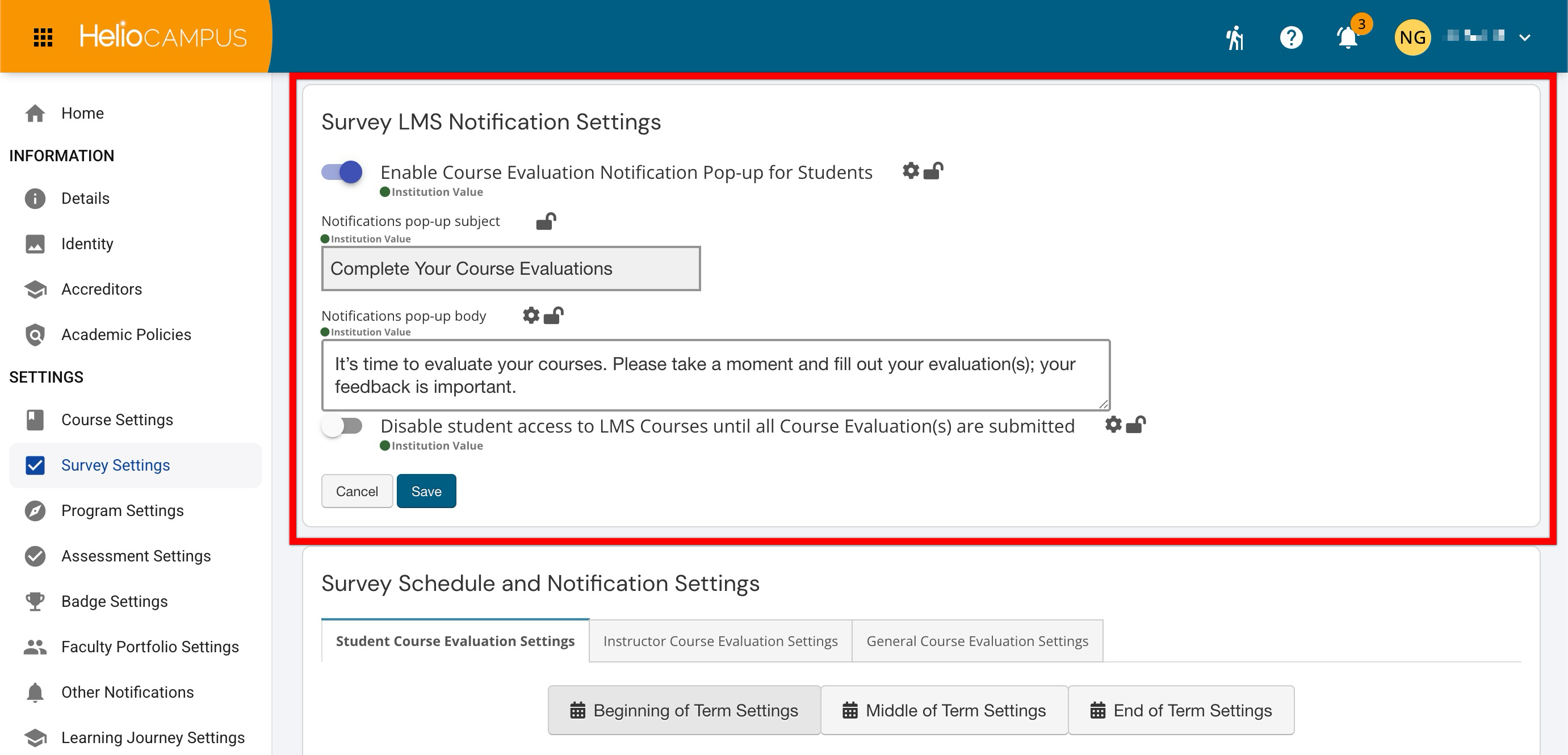
Survey LMS Notification Settings
These settings are only available at the Institution level of the hierarchy.
The Survey LMS Notification Settings control how the institution's LMS prompts students to complete course evaluations. Institutions can enable a notification pop-up, customize its subject and message, and optionally restrict access to LMS courses until students submit all required course evaluations. Learn more.
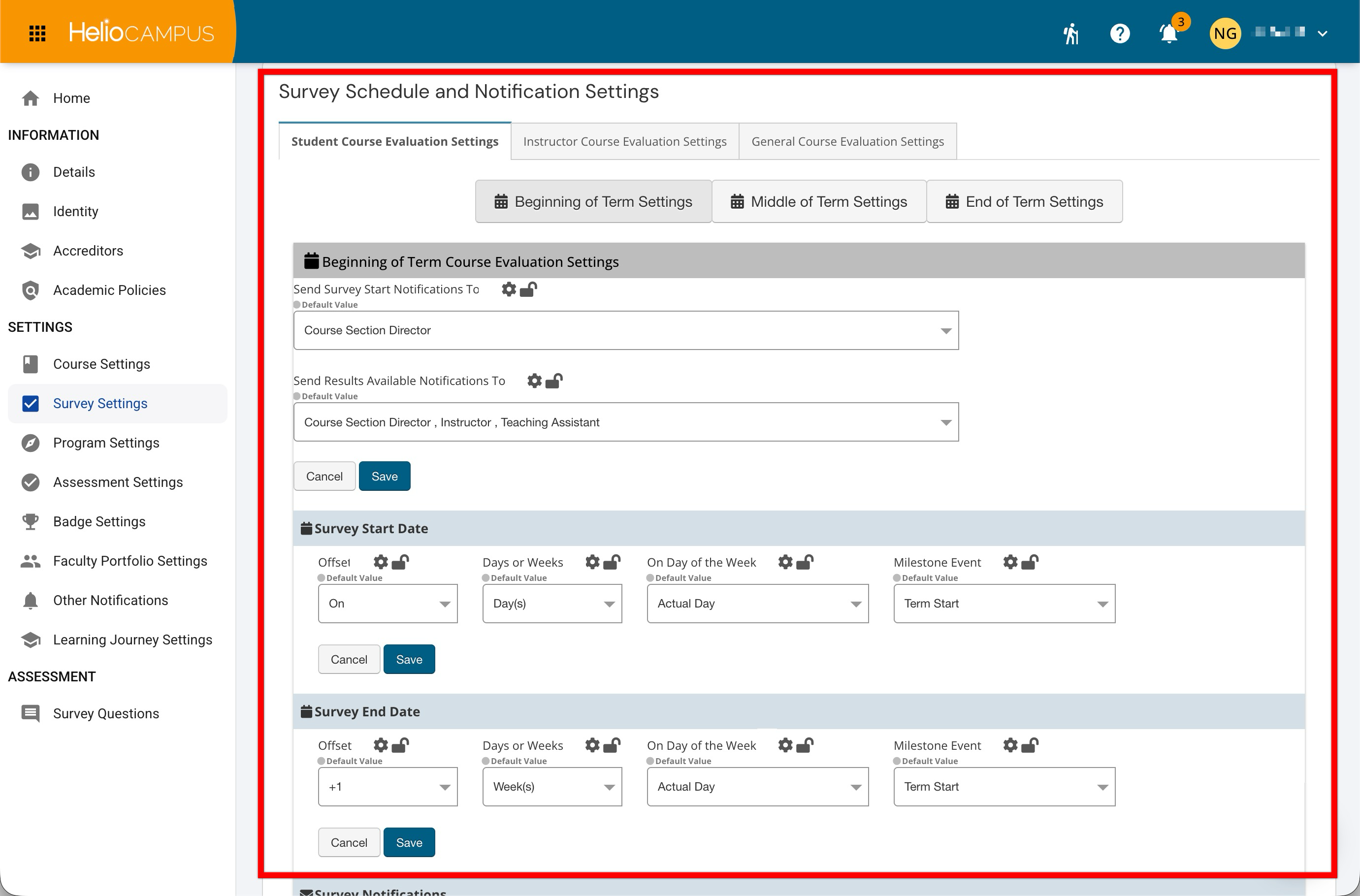
Survey Schedule and Notification Settings
The Survey Schedule and Notification Settings define when course evaluations open and close and who receives related notifications. Settings can be configured for students, instructors, and general course evaluations across beginning, middle, and end-of-term periods, with survey dates based on offsets from institutional milestone events. Learn more.
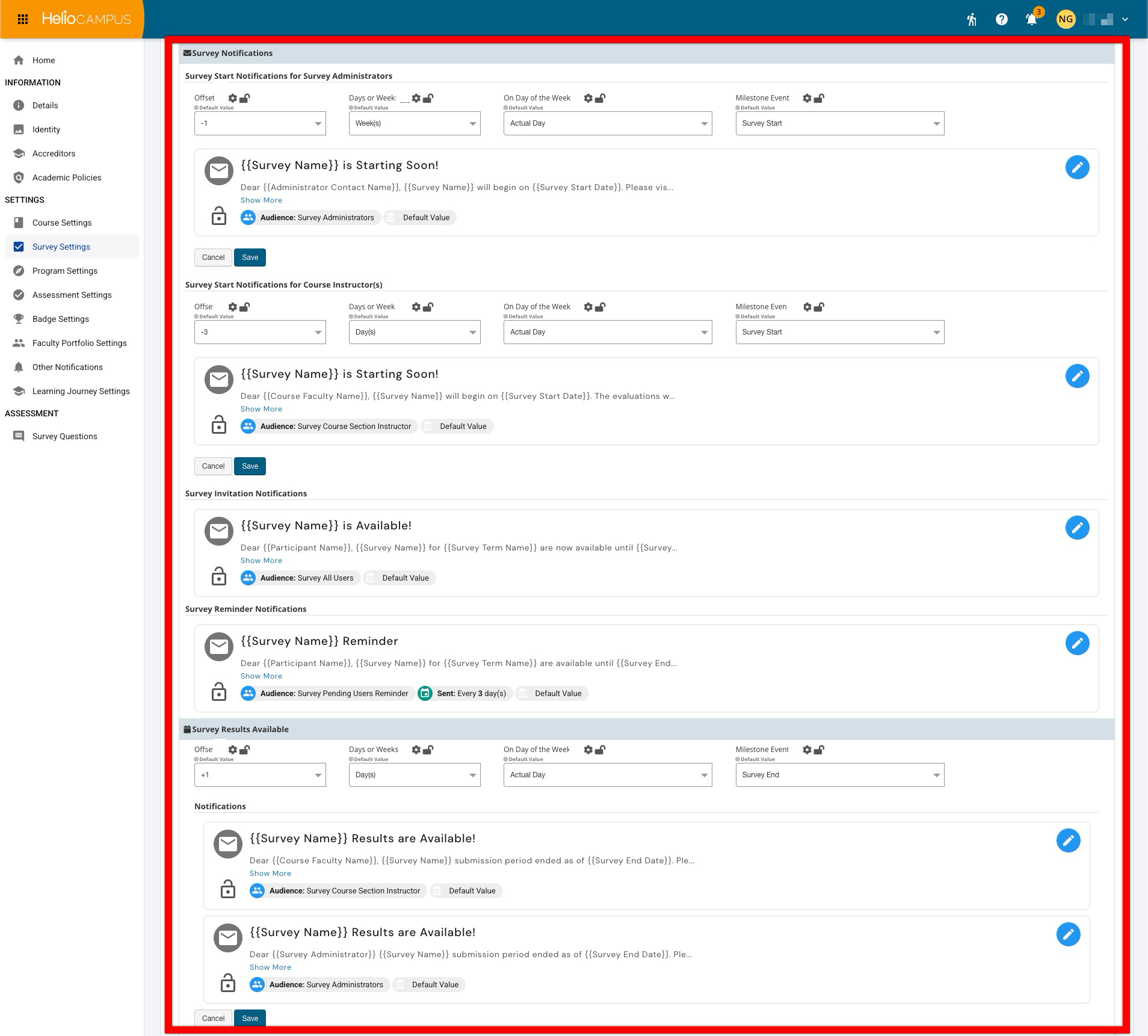
Survey Notifications
The Survey Notifications settings control the timing, audience, and content of communications sent throughout the course evaluation process. Notifications can alert administrators and instructors before a survey begins, invite and remind participants to respond, and inform appropriate users when survey results become available. Learn more.