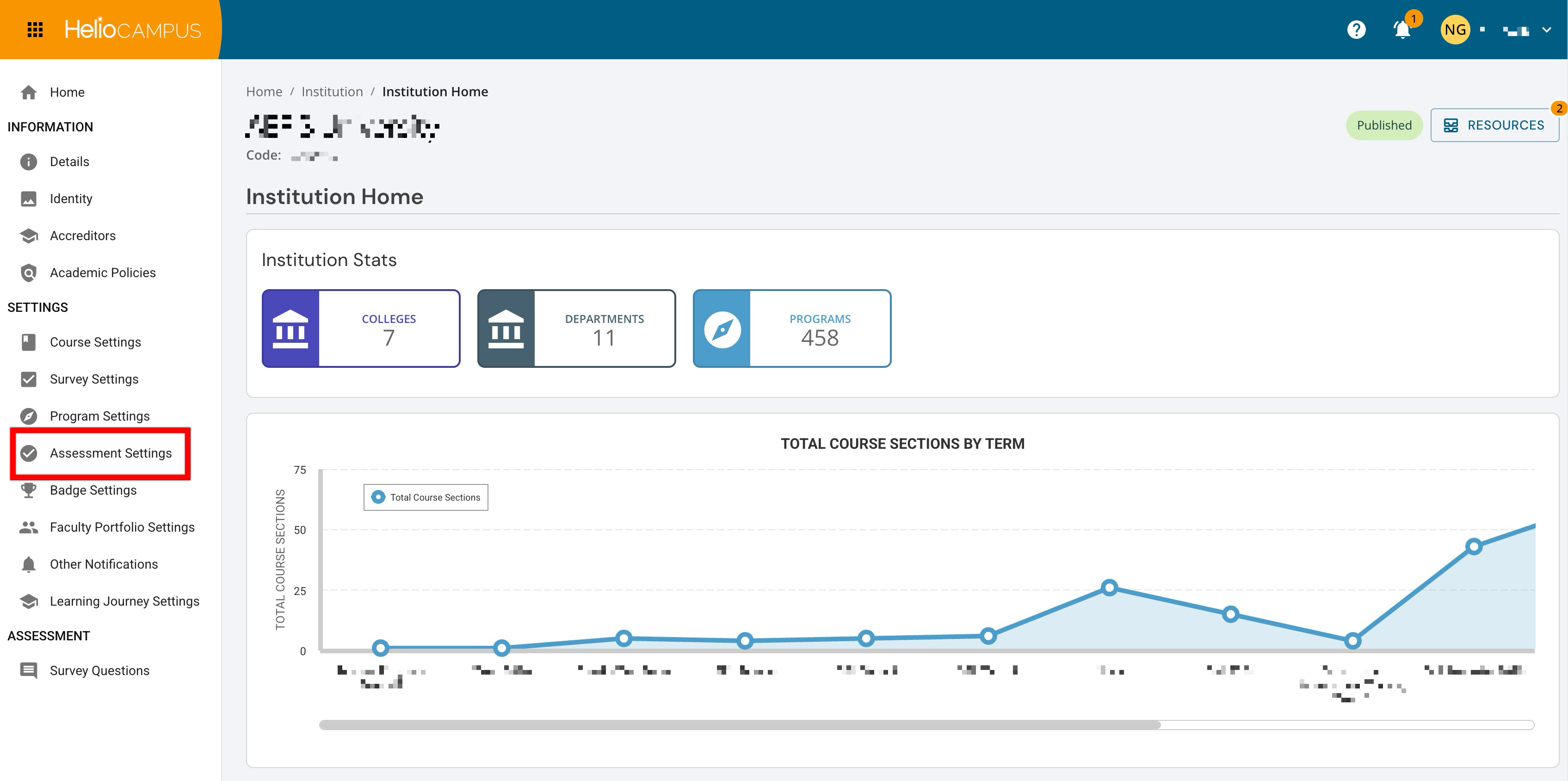
Assessment Settings in the Organizational Hierarchy can be configured at all levels and are inherited downward, with the option to lock configurations to prevent changes at lower levels. These settings are accessed at all hierarchy levels from the record’s homepage, as shown below at the Institution level. For example, navigating to Main Menu > Departments and selecting a department displays the Department Homepage; from the homepage, Program Settings is accessible via the left-hand menu.
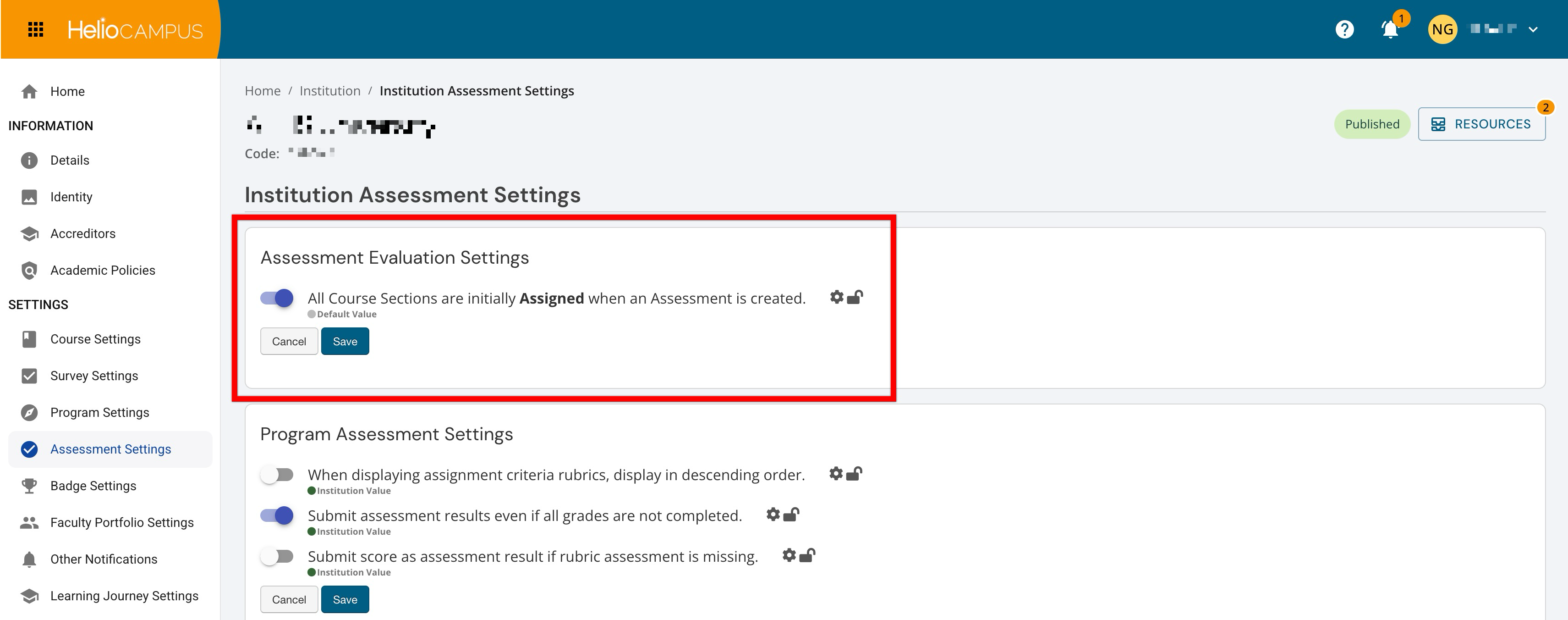
Although Institution Assessment Settings appear together on a single platform page, this knowledge base organizes these settings into the categories below to provide the most accurate and actionable guidance.
Assessment Evaluation Settings
These settings define the default structure for how assessment work begins across the Institution. They help administrators establish a consistent starting point for assessment activities so users can move into evaluation workflows with less manual setup and greater clarity. By configuring these defaults at the hierarchy level, Institutions can promote more efficient assessment management while still supporting governance across colleges, departments, administrative divisions, and administrative units. Learn more.
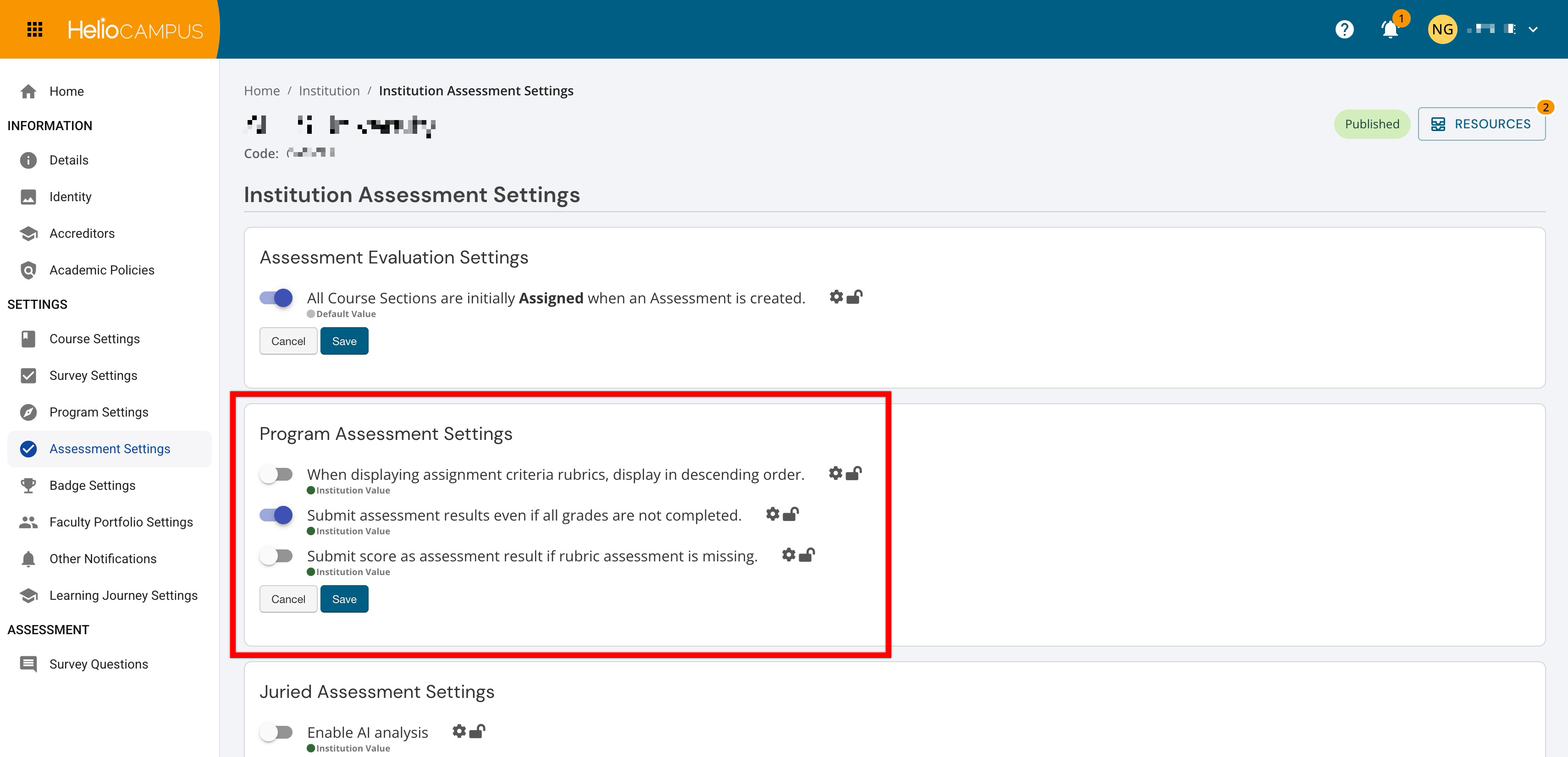
Program Assessment Settings
Support consistency in how program-level assessment work is conducted, reviewed, and submitted with these settings. This section helps Institutions establish shared expectations for assessment workflows so programs can follow a more predictable process when collecting, reviewing, and reporting results. These settings benefit Institutions by reducing variation across units, supporting cleaner assessment data, and helping stakeholders focus on meaningful analysis and improvement. Learn more.
Juried Assessment Settings
These settings help Institutions manage structured review workflows that involve assessor evaluation of submitted work. This section defines how the juried assessment experience should function for assessors and administrators, supporting a more consistent and transparent review process. When configured thoughtfully, these settings can improve scoring workflows, strengthen review quality, and support institutional confidence in assessment results. Learn more.
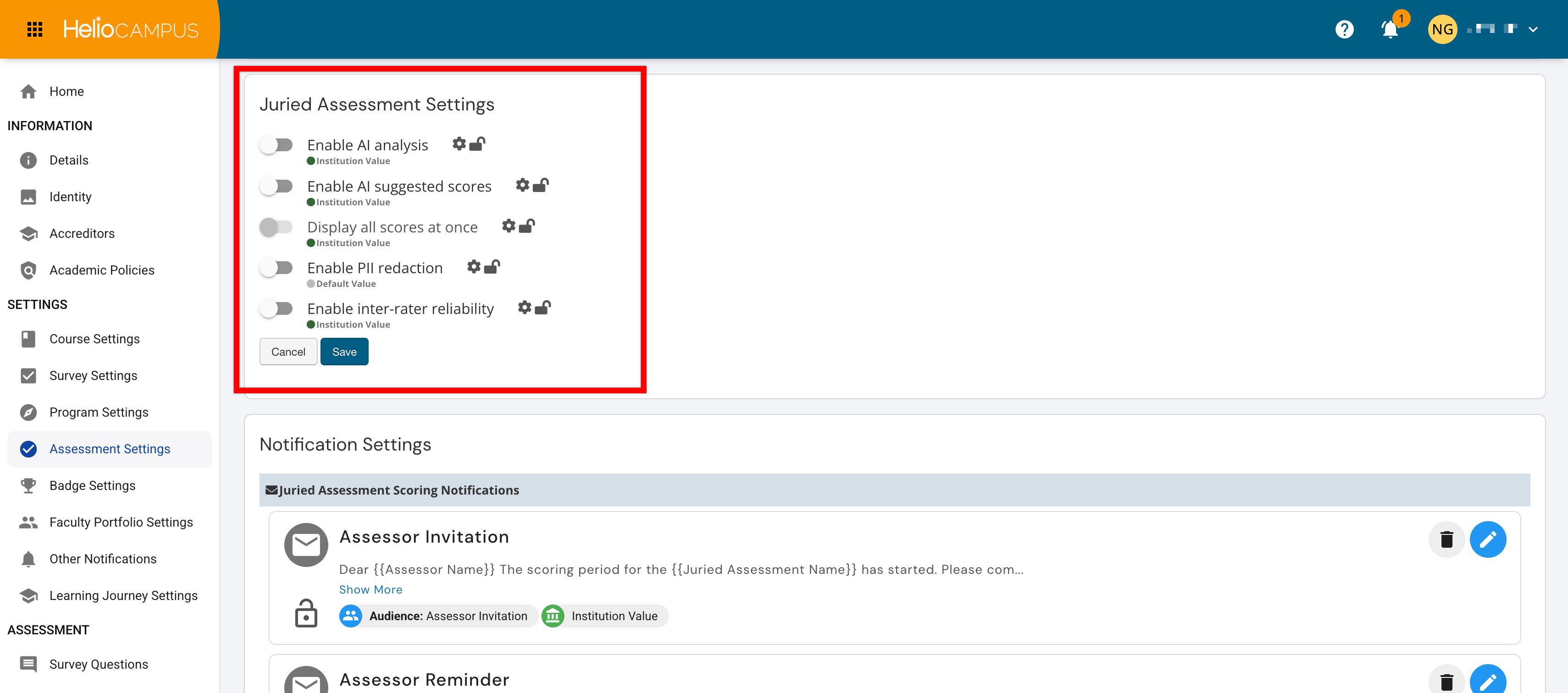
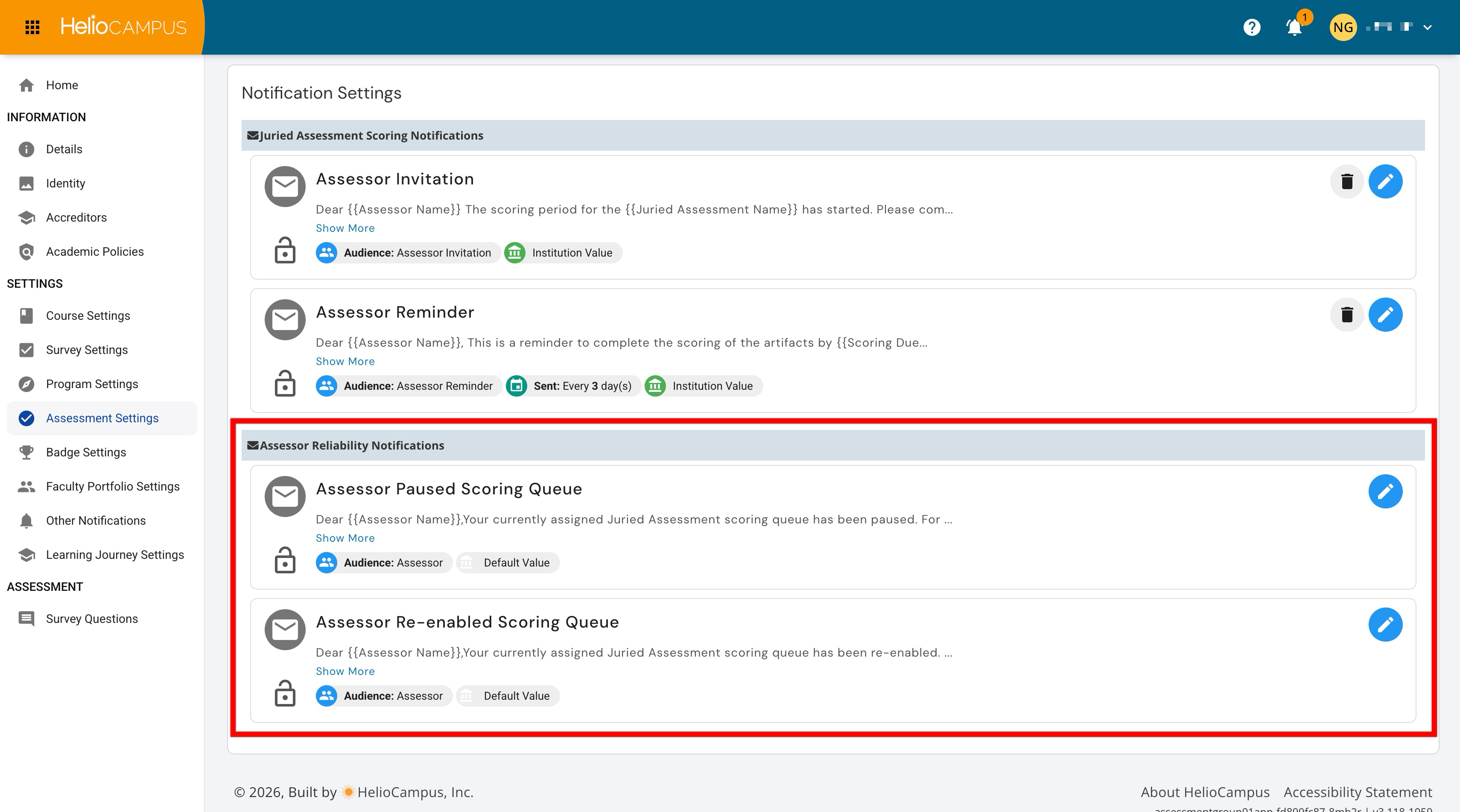
Juried Assessment Notifications
The Juried Assessment Scoring Notifications support communication during active scoring periods. They help Institutions guide assessors through the scoring process by providing timely messages related to assessment participation and completion expectations. These notifications benefit Institutions by encouraging on-time scoring, improving assessor awareness, and helping administrators maintain momentum throughout the juried assessment cycle. Learn more.
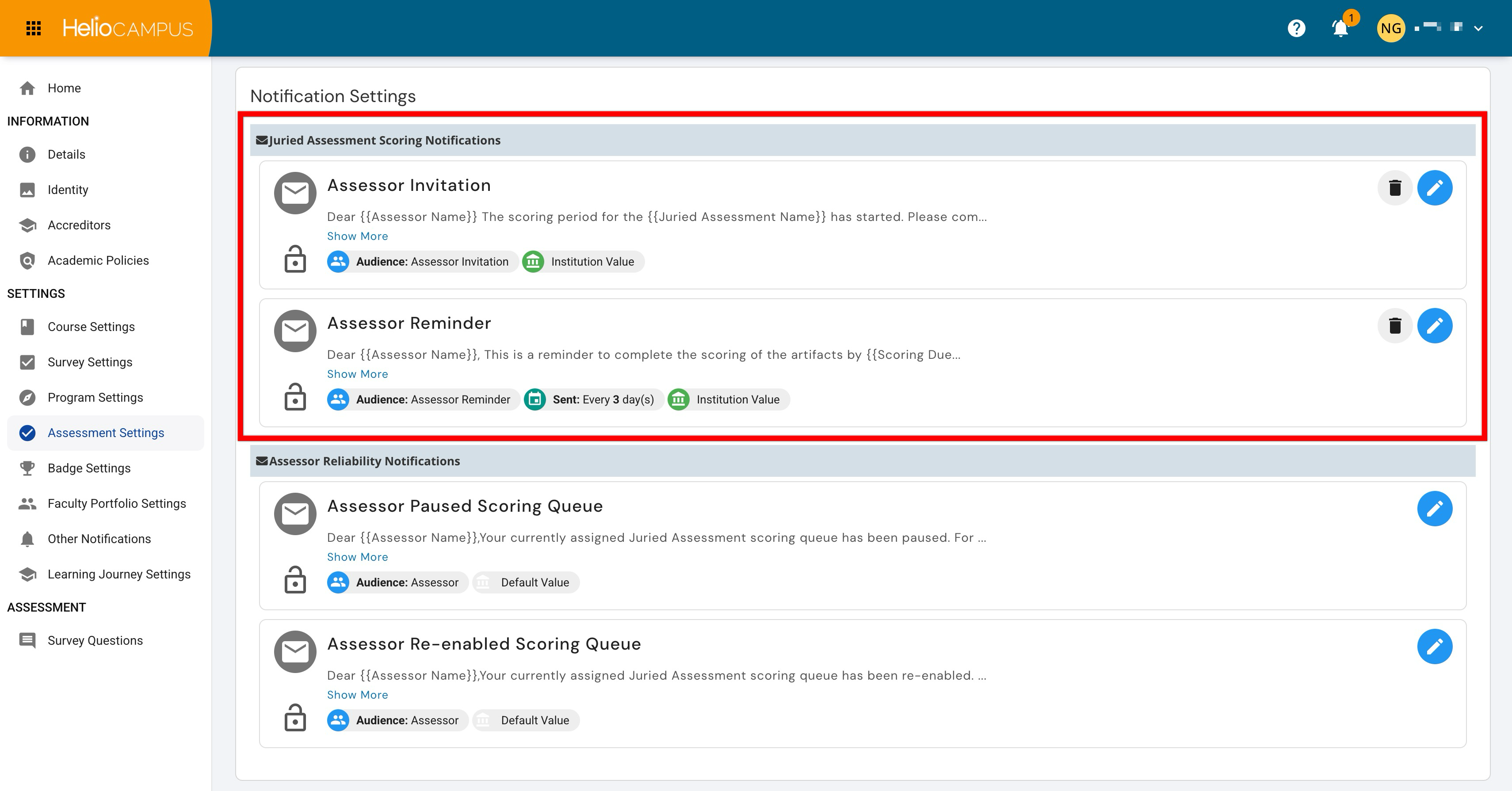
The Assessor Reliability Notifications support communication around assessor scoring status and reliability workflows. They help Institutions keep assessors informed when changes affect their ability to continue or resume scoring assigned work. By providing clear, automated communication, these notifications help maintain transparency, support quality control, and reduce confusion during juried assessment review processes. Learn more.