
Juried Assessment Settings can be configured at all levels of the Organizational Hierarchy to support consistent Juried Assessment workflows across academic and administrative structures. Juried assessment workflows are often used when Institutions need structured, reviewer-based evaluation of student work or other submitted artifacts. Because assessment may involve multiple assessors, scoring queues, review criteria, and reliability expectations, Institutions should consider how these settings affect both the assessor experience and the quality of results. For this reason, Juried Assessment Settings are often used to balance two competing needs:
-
Scoring Efficiency and Reviewer Support: Ensuring assessors can complete evaluations with clear guidance and a manageable workflow.
-
Assessment Quality and Review Control: So scoring remains consistent, transparent, and aligned with institutional expectations.
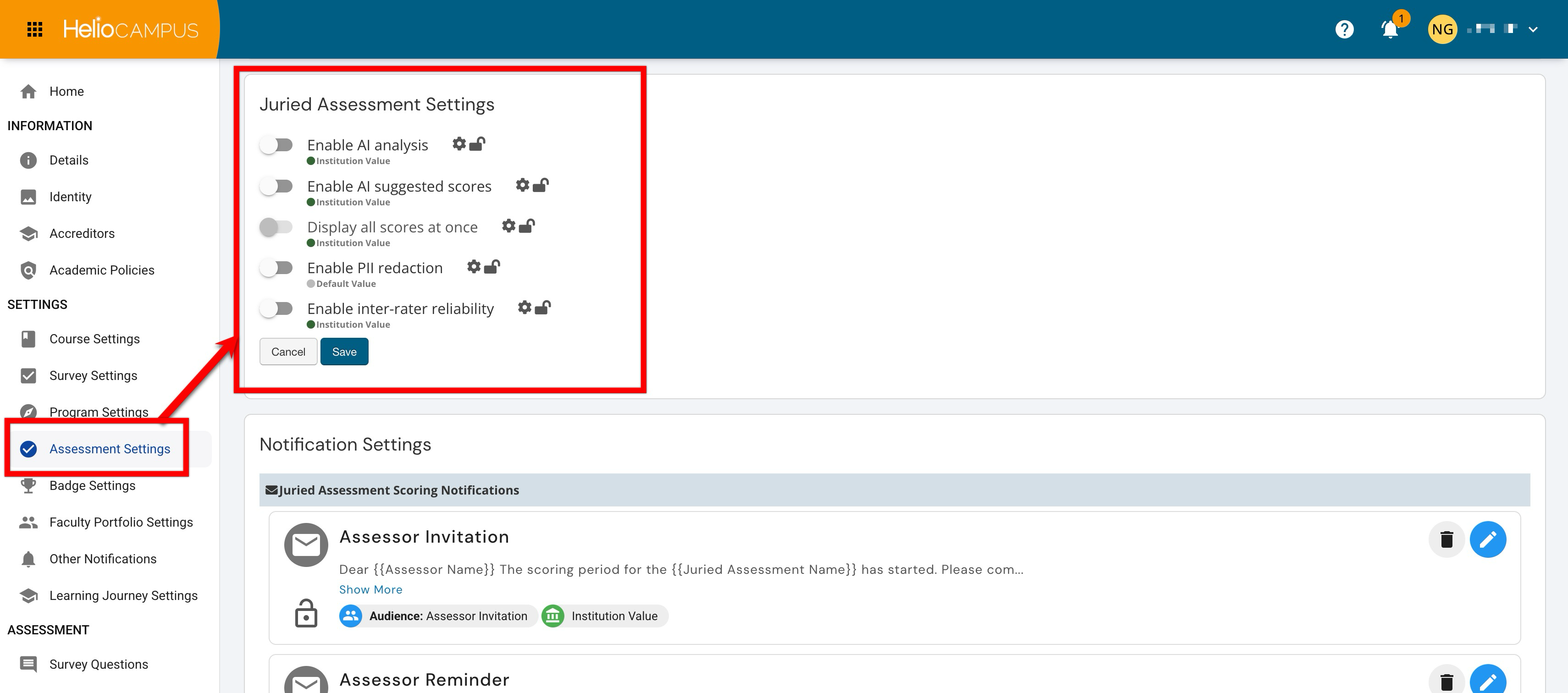
Settings can be locked at a higher level to prevent configuration at lower levels and apply defaults and governance at the appropriate hierarchy level. For example, if a Juried Assessment setting is enabled and locked at the Institution level, Colleges, Departments, Administrative Divisions, and Administrative Units inherit that configuration and cannot change it. If lower-level flexibility is permitted, units may configure settings to support their own assessment practices. Learn more.
Downstream Impacts
-
Scoring Consistency: These settings can affect how assessors interact with scoring information and how consistently submitted artifacts are evaluated. Standardizing behavior can help Institutions support more comparable results across units and assessment cycles.
-
Reviewer Workflow: These settings influence the assessor experience during scoring. Configuration choices can affect how much support assessors receive, how scoring information is displayed, and how easily assessors can complete assigned reviews.
-
Reliability and Quality Assurance: Settings related to scoring visibility, reviewer support, and reliability workflows can affect how Institutions monitor scoring quality. If these settings are changed during an active assessment cycle, assessors and administrators may need updated guidance so scoring practices remain consistent.
Considerations
-
Define the Role of Reviewer Support: Decide how much assistance assessors should receive during scoring. Institutions should consider whether reviewer support tools such as AI functionality are meant to improve efficiency, guide interpretation, or remain limited so assessors rely primarily on their own evaluation.
-
Balance Transparency With Independent Review: Some workflows benefit from greater scoring visibility, while others require assessors to complete reviews independently before seeing additional scoring information. Institutions should align visibility choices with the purpose of the assessment and any reliability expectations.
-
Standardize and Lock When Comparability Matters: If results are used for Institution-wide reporting, accreditation narratives, or longitudinal review, consider standardizing these settings at the appropriate hierarchy level and locking them so downstream units follow the same review and scoring model.
Best Practices
-
Configure these settings before Juried Assessment cycles begin so assessors and administrators follow the expected workflow from the start.
-
Use hierarchy-level defaults to promote consistency when results need to be compared across programs, units, or assessment cycles. Allow lower-level flexibility only when there is a documented reason for variation in juried assessment practice.
-
Communicate expectations to assessment administrators, scoring coordinators, and assessors so they understand how reviews should be completed.
-
Avoid changing these settings during an active scoring cycle unless the change is necessary and clearly communicated to affected users.
Enable AI Analysis
Access to this setting is controlled through HelioCamous enablement. To learn more, please contact Support.
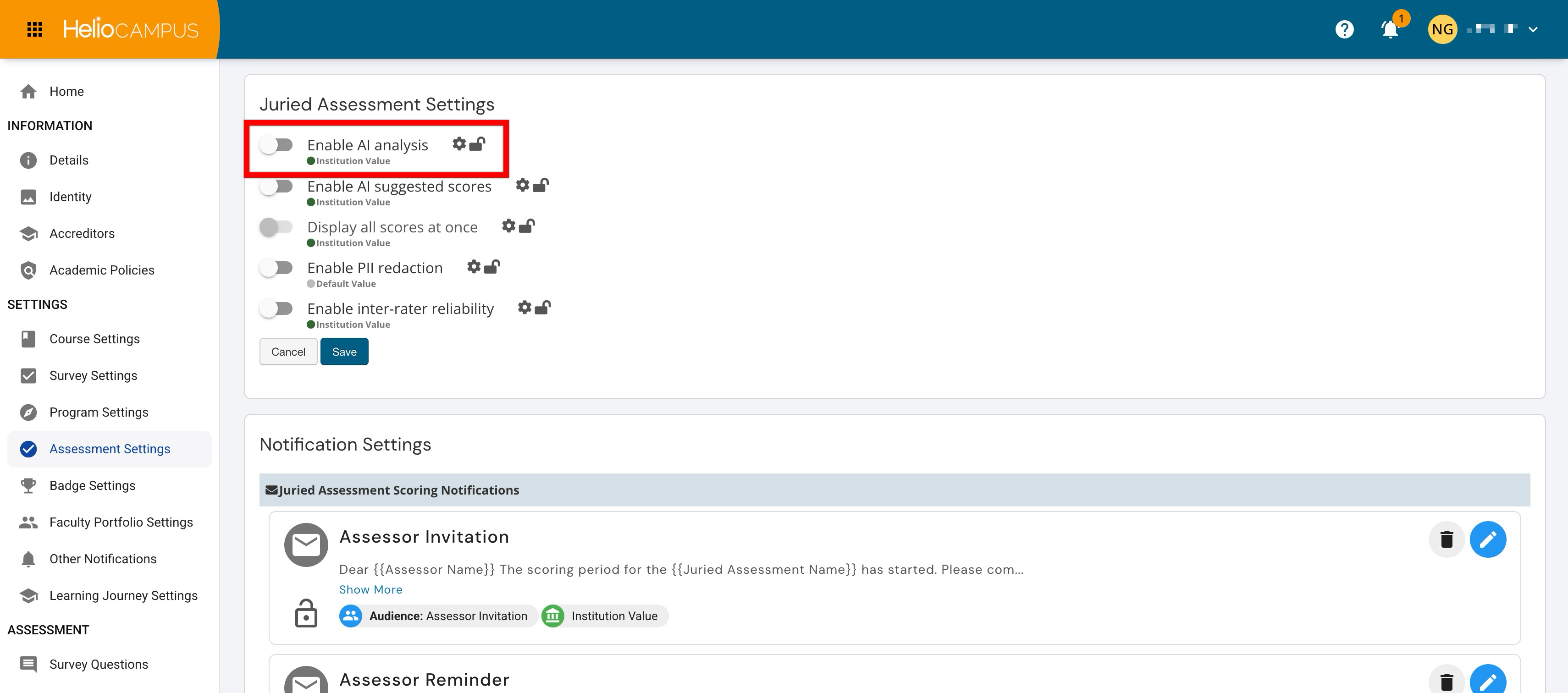
Admin-level users can set hierarchy-level defaults that control whether AI analysis is available in Juried Assessment workflows. This setting affects whether assessors or administrators can use AI-supported analysis as part of the review process. When enabled, AI analysis can help Institutions support more efficient review workflows by surfacing patterns, themes, or information that may assist assessors as they evaluate submitted artifacts. Institutions should determine how AI-supported analysis fits into their assessment process and whether it should be used as a supplemental aid or excluded from formal review workflows.
|
Enabled |
When enabled, AI analysis is available in Juried Assessment workflows. This can support assessor efficiency by providing additional analysis that may help reviewers interpret submitted work. Institutions may use this option when AI-supported review aligns with their assessment policies and when assessors are trained to treat AI output as supporting information rather than a replacement for professional judgment. |
|
Disabled |
When disabled, AI analysis is not available in Juried Assessment workflows. This supports more traditional review processes where assessors evaluate submitted artifacts without AI-supported analysis. Institutions may prefer this option when assessment policy, governance expectations, or review practices require assessor-only evaluation. |
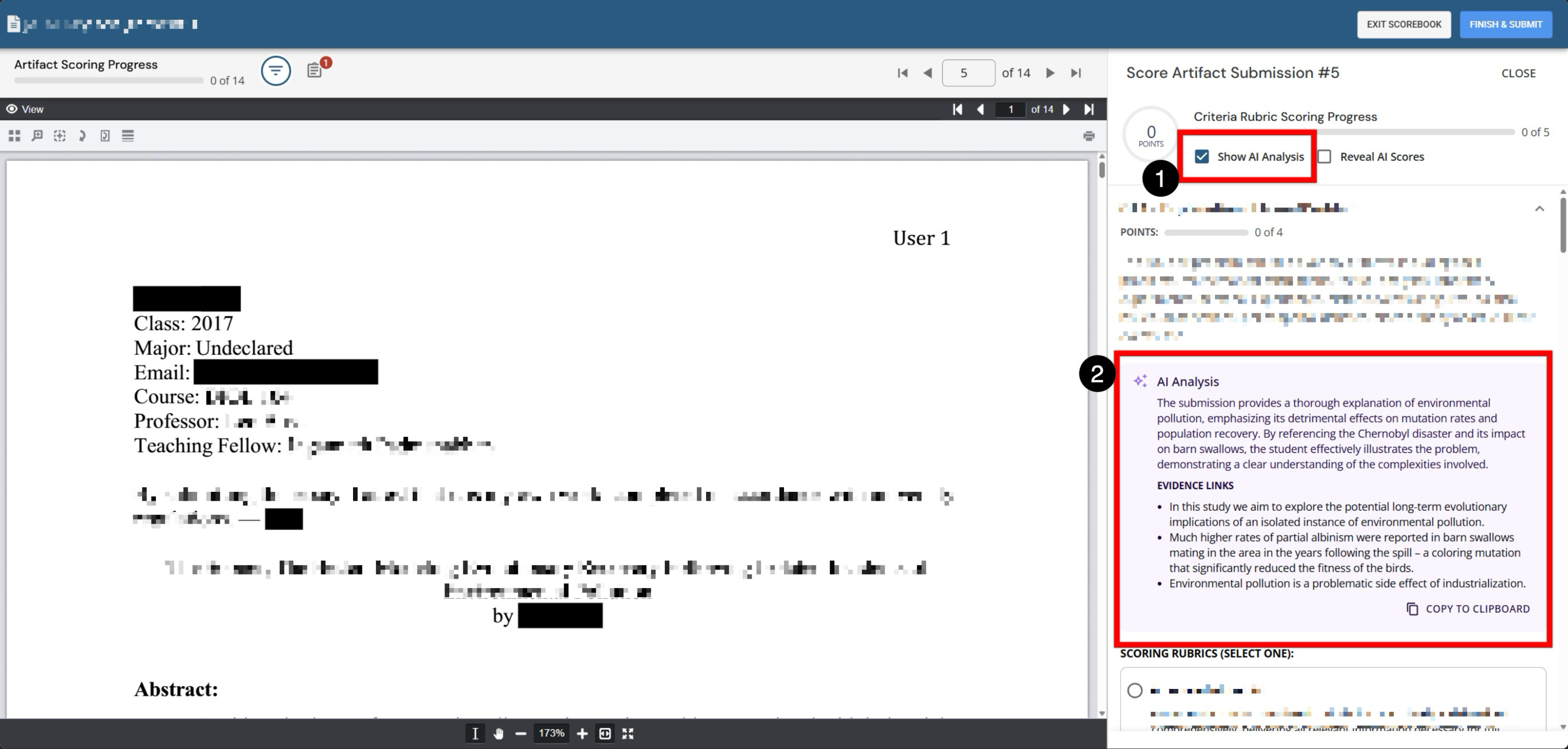
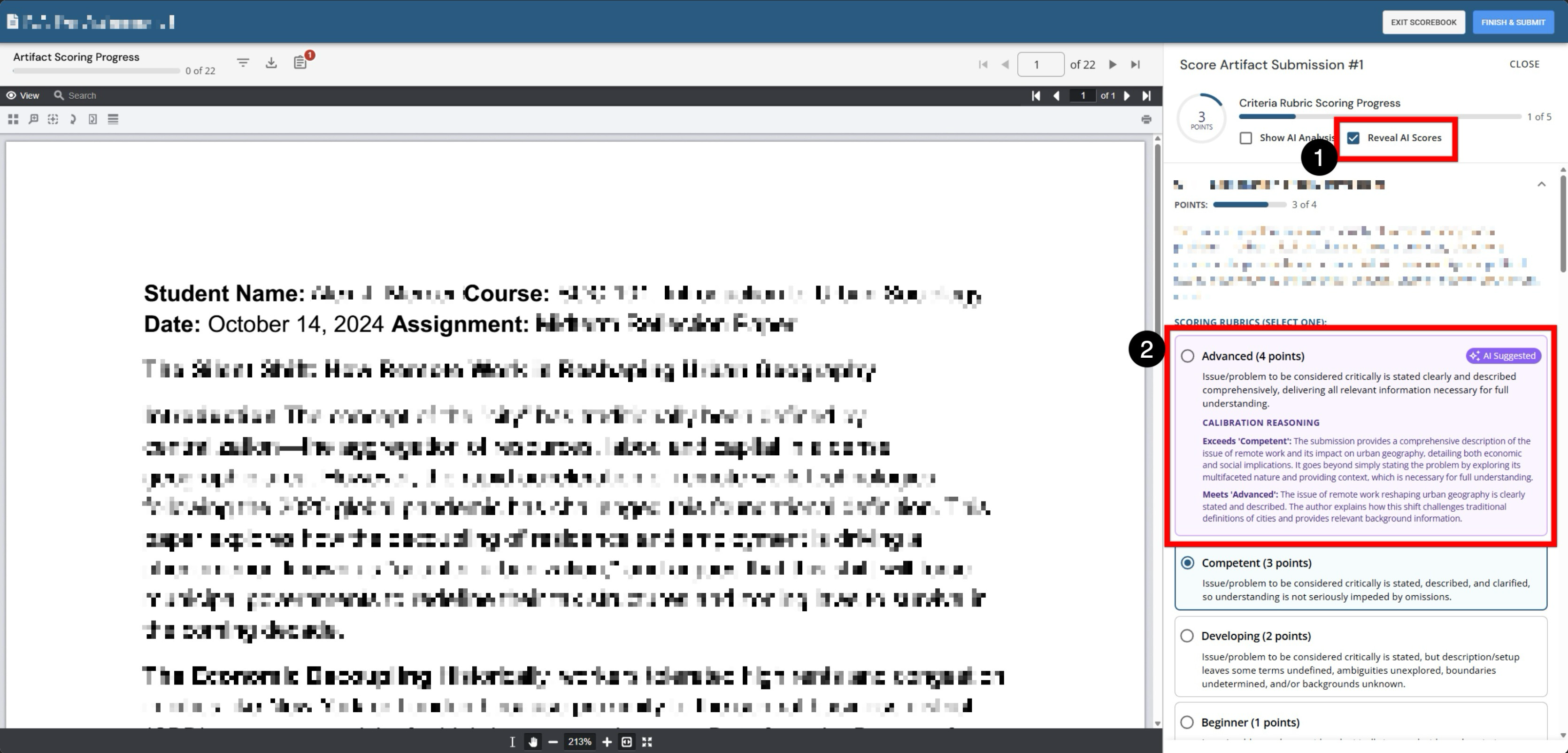
When enabled, AI-generated qualitative help for scoring will be available as a criterion-by-criterion analysis of the artifact against the rubric levels. Assessors can use AI analysis during scoring and toggle whether the AI-generated write-up appears in the panel (1); by default, this is unchecked. The AI provides a narrative summary of the submission (2), and bullet points hyperlink to specific evidence in the artifact, helping the assessor quickly find support for a criterion-level interpretation. A Copy to clipboard action enables the assessor to reuse the analysis text for notes, feedback, or discussion (depending on workflow norms).
Enable AI Suggested Scores
Access to this setting is controlled through HelioCamous enablement. To learn more, please contact Support.
Product Tip
This setting can work in conjunction with the Display All Scores At Once setting.
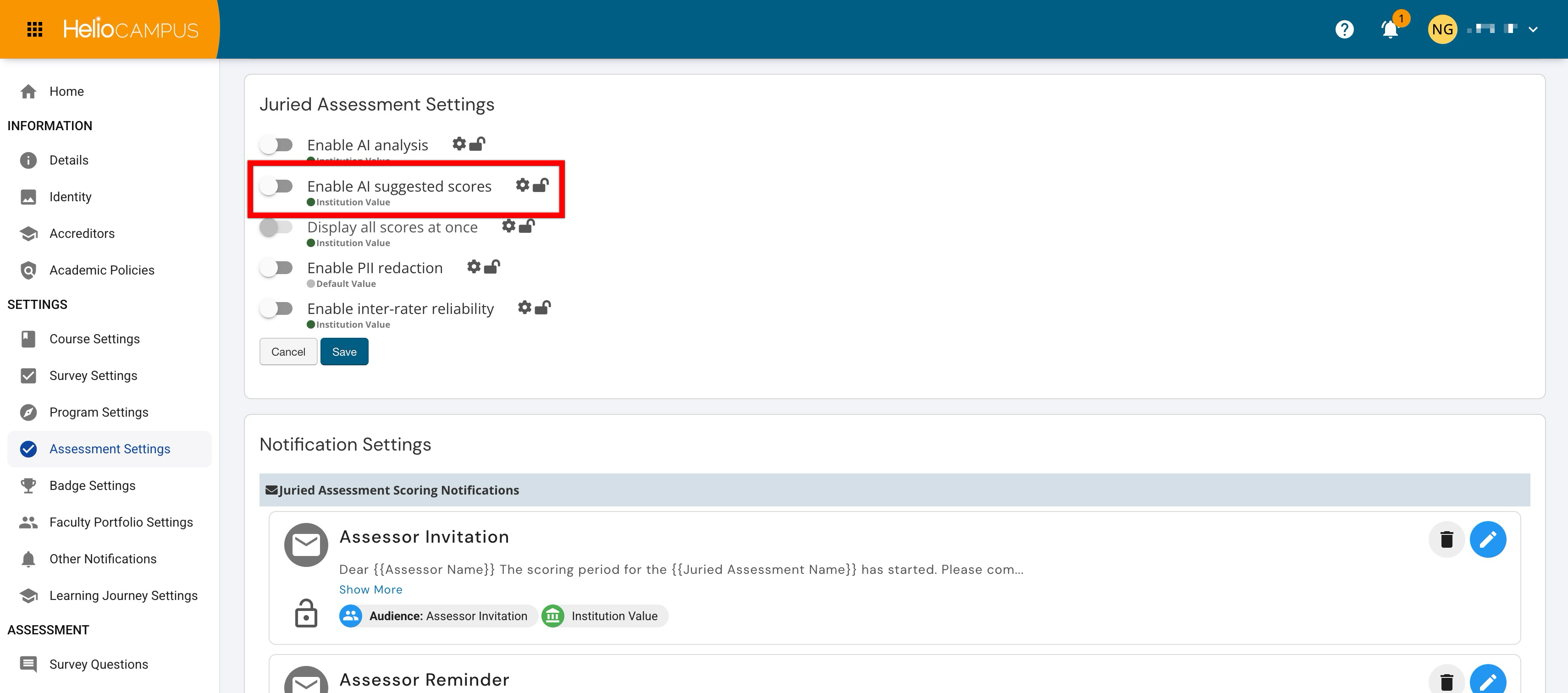
Admin-level users can set hierarchy-level defaults that control whether AI-suggested scores are available during Juried Assessment. This setting affects whether assessors can view AI-generated score suggestions as part of the scoring workflow. This setting should be configured carefully because suggested scores can influence how assessors interpret artifacts and apply scoring criteria. Institutions that use AI-suggested scores should clarify how assessors are expected to use them, especially when human judgment remains the authoritative source for final scoring decisions.
|
Enabled |
When enabled, AI-suggested scores are available to support Juried Assessment scoring. This can help assessors compare their evaluation against a suggested result and may improve scoring efficiency when used appropriately. Institutions may prefer this option when AI-assisted scoring aligns with their review model and when assessors understand that final scoring responsibility remains with the reviewer. |
|
Disabled |
When disabled, AI-suggested scores are not available during juried assessment. This supports scoring workflows where assessors apply criteria independently without AI-generated score suggestions. Institutions may prefer this option when they want to reduce the potential influence of automated scoring support or maintain a fully assessor-driven review process. |
When enabled, assessors will receive AI-generated score recommendations for each rubric criterion during scoring. Assessors still choose the score, but the AI will display a recommended level plus rationale to speed up scoring and support more consistent interpretation, especially across multiple assessors. Assessors can use AI score recommendations alongside rubric options and toggle whether the AI recommendation is displayed during scoring (1); by default, this is unchecked. Associated rubric levels are listed along with the AI recommendation, indicating the AI’s recommended level for the criterion (2). The recommendation includes calibration reasoning as a brief explanation for why the AI suggested that level.
Display All Scores at Once
Access to this setting is controlled through HelioCamous enablement. To learn more, please contact Support.
Product Tip
This setting works in conjunction with the Enable AI Suggested Scores setting and only becomes available when it is enabled.
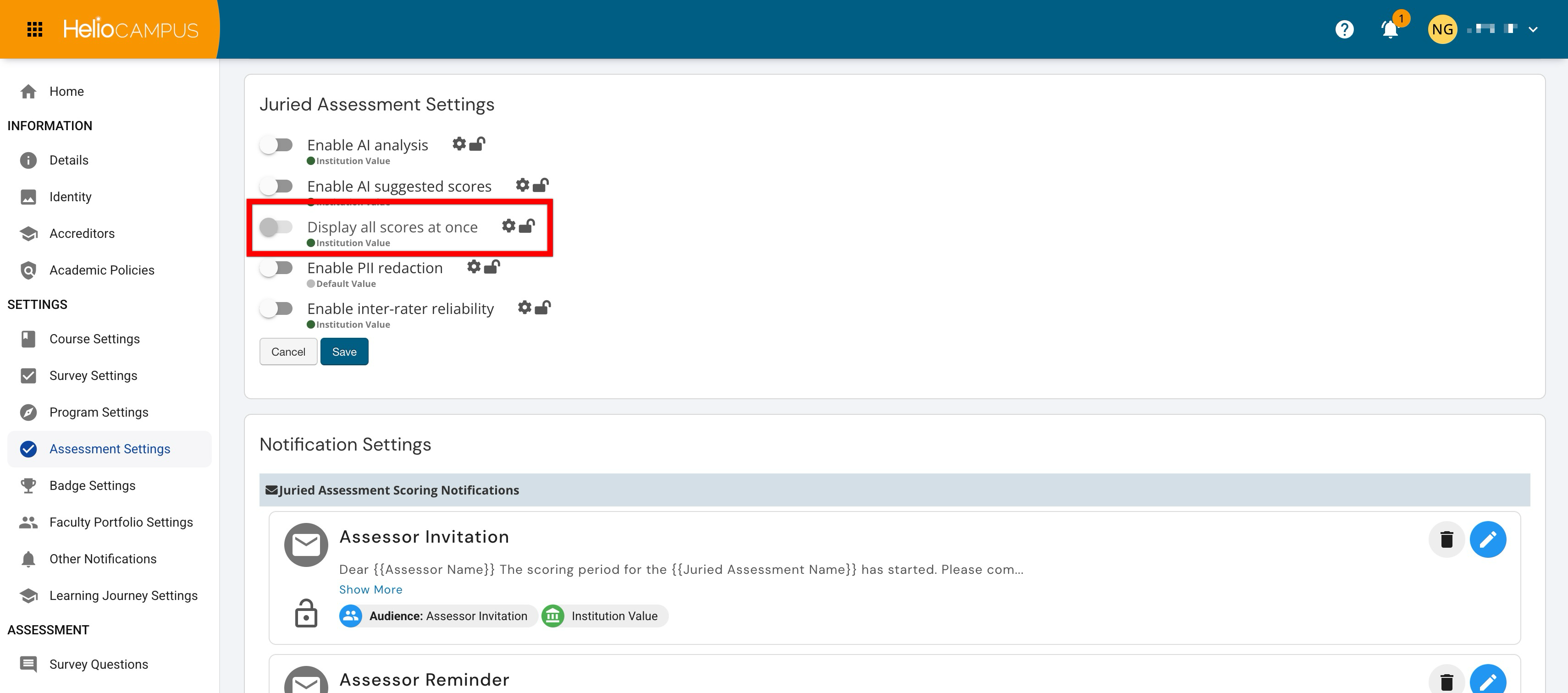
Admin-level users can set hierarchy-level defaults that control whether scores are displayed together during Juried Assessment workflows. This setting affects the visibility of scoring information during review and can influence how assessors compare, interpret, or validate scores. Institutions should align this setting with their intended scoring process. Some assessment models benefit from broader score visibility because it supports comparison and review. Other models require a more independent scoring process where assessors complete evaluations without seeing additional scoring information too early.
|
Enabled |
When enabled, scores are displayed together during the Juried Assessment workflow. This can support transparency and make it easier for users to review scoring information in context. Institutions may prefer this option when assessors or administrators need to compare scoring information during review or when the scoring model benefits from shared visibility. |
|
Disabled |
When disabled, scores are not displayed all at once. This supports more controlled scoring visibility and may be useful when Institutions want assessors to complete reviews independently before seeing additional score information. Institutions may prefer this option when independent evaluation, blind review, or reduced scoring influence is important to the assessment process. |
Enable PII Redaction
Access to this setting is controlled through HelioCampus enablement. To learn more, please contact Support.
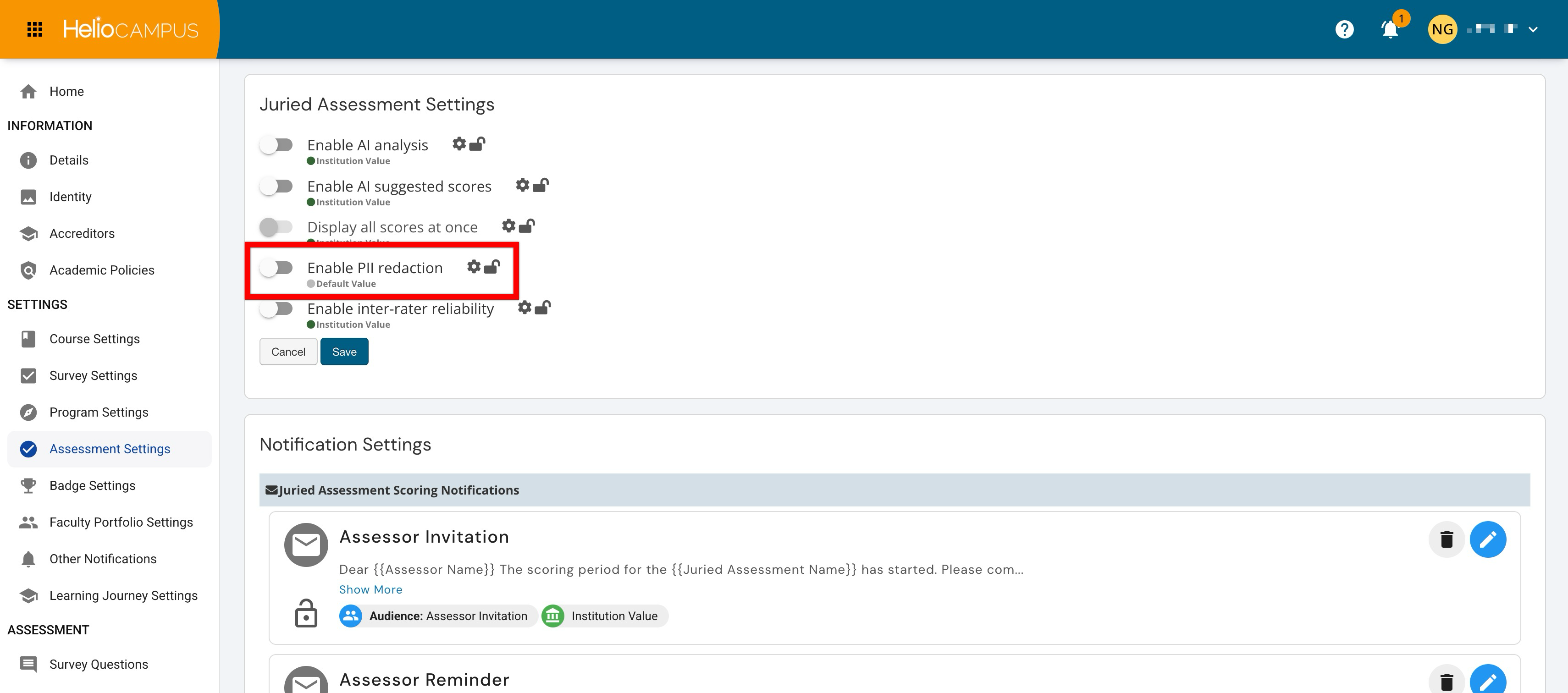
Admin-level users can set hierarchy-level defaults that control whether personally identifiable information is redacted during Juried Assessment workflows. This setting supports assessment processes where reviewer access to identifying information should be limited. PII redaction can help Institutions protect privacy and support more impartial review practices. This setting is especially important when artifacts may include student information or other identifying details that are not needed for scoring. Institutions should consider privacy requirements, review expectations, and the type of artifacts being assessed when configuring this setting. Learn more.
|
Enabled |
When enabled, personally identifiable information is redacted during Juried Assessment workflows. This supports privacy protection and can help reduce the influence of identifying information during review. Institutions may prefer this option when assessment involves student artifacts, sensitive information, or review practices that benefit from anonymized scoring. |
|
Disabled |
When disabled, personally identifiable information is not redacted through this setting. This supports workflows where identifying information is expected or necessary for the review process. Institutions should use this option only when the assessment workflow allows reviewers to access identifying details and when that access aligns with institutional policy. |
Enable Inter-rater Reliability
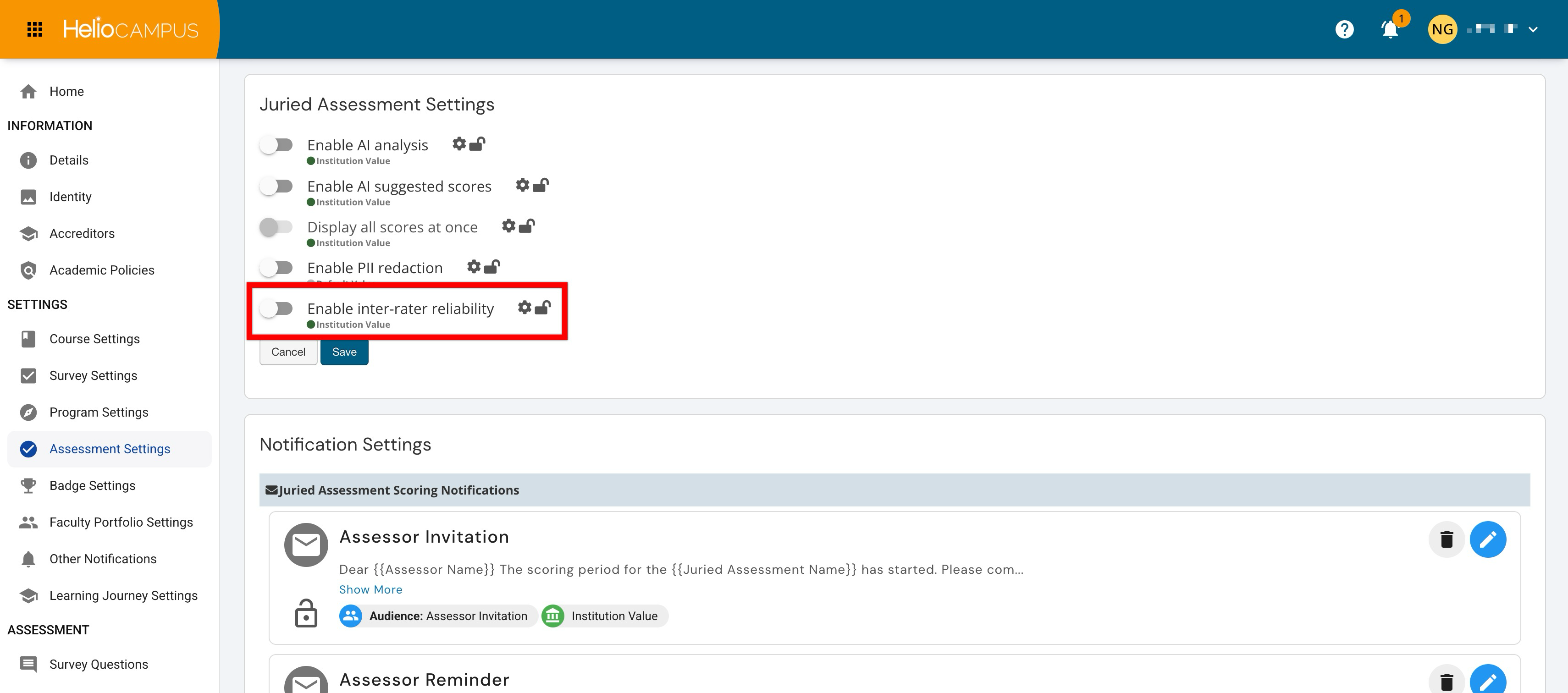
Admin-level users can set hierarchy-level defaults that control whether inter-rater reliability is available in Juried Assessment workflows. This setting supports assessment processes where Institutions need to evaluate consistency across multiple assessors. Inter-rater reliability helps Institutions understand whether assessors are applying criteria consistently. When enabled, this setting can support quality assurance, calibration, and confidence in juried assessment results. Institutions that use this functionality should define how reliability information will be reviewed and how follow-up actions will be handled when scoring variation is identified. Learn more.
|
Enabled |
When enabled, inter-rater reliability is available for Juried Assessment workflows. This supports quality assurance by helping Institutions review consistency across assessors and identify scoring variation. Institutions may prefer this option when assessment results are used for formal reporting, accreditation, or other high-stakes review processes. |
|
Disabled |
When disabled, inter-rater reliability is not available through this setting. This supports simpler Juried Assessment workflows where scorer consistency analysis is not required. Institutions may prefer this option when assessments are lower stakes, involve fewer reviewers, or do not require formal reliability review. |