
Program Assessment Settings are configured to support consistent program assessment workflows across academic and administrative structures. These settings help determine how assessment criteria are displayed and how assessment results can be submitted, giving Institutions a way to align program assessment behavior with their governance, review, and reporting expectations.
Program assessment workflows are foundational to measuring student learning, reviewing outcome achievement, and supporting continuous improvement. For this reason, Program Assessment Settings are often used to balance two competing needs:
-
Workflow Flexibility: Ensuring assessment results can move forward when local processes, grading timelines, or review practices vary.
-
Data Quality and Consistency: Making submitted assessment results reliable, interpretable, and aligned with institutional expectations.
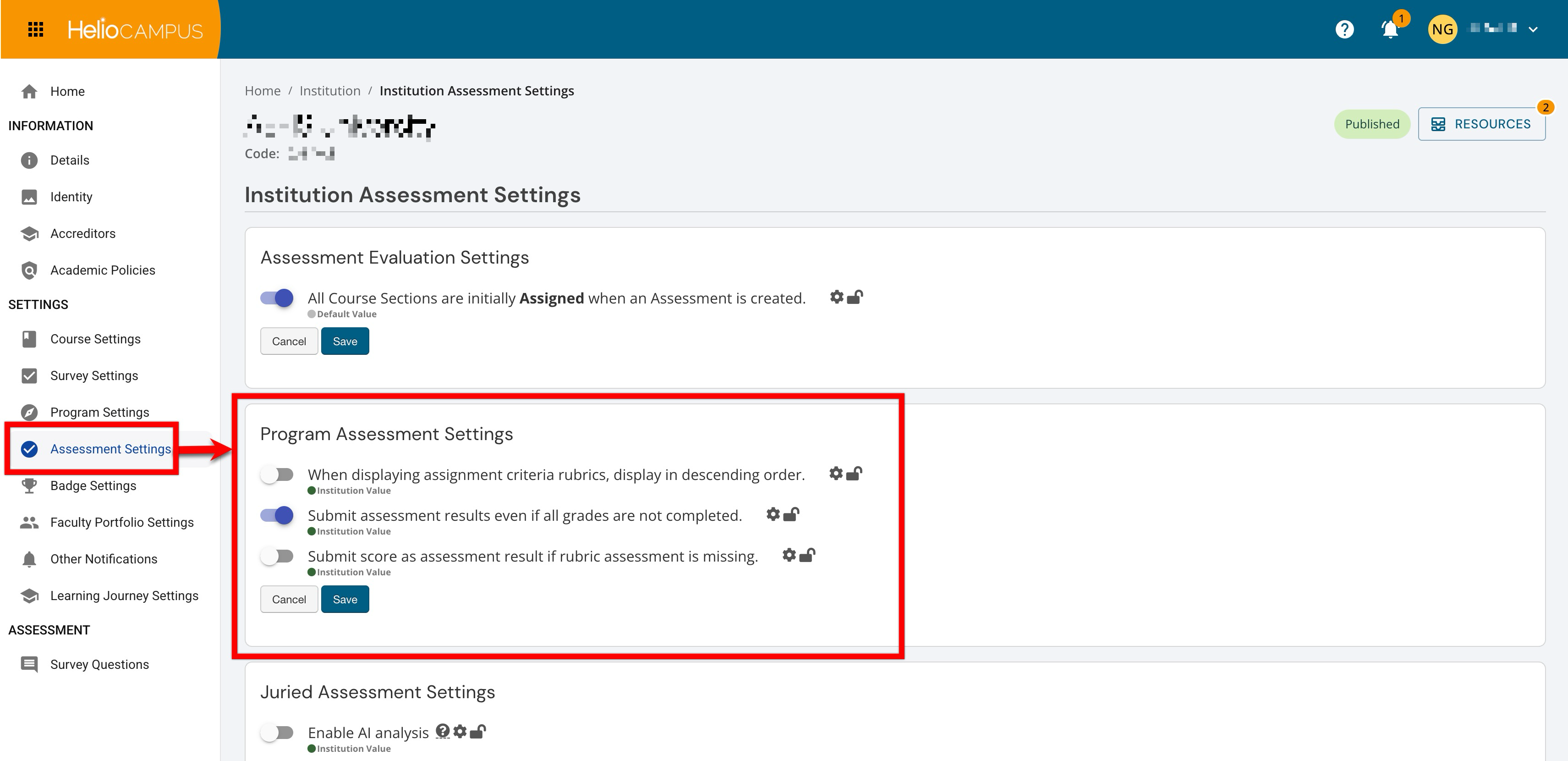
Settings can be locked at a higher level to prevent configuration at lower levels and apply defaults and governance at the appropriate hierarchy level. For example, if a Program Assessment setting is enabled and locked at the Institution level, Colleges, Departments, Administrative Divisions, and Administrative Units inherit that configuration and cannot change it. If lower-level flexibility is permitted, units may configure settings to support their own assessment practices. Learn more.
Downstream Impacts
-
Assessment Data Completeness: These settings can affect when program assessment results are considered ready to submit. More flexible submission rules may help units complete assessment work on schedule, while stricter rules can support more complete data before results move into reporting and review.
-
Reporting Consistency: Differences in how units submit assessment results can affect how comparable results are across the Organizational Hierarchy. Standardizing these settings can help Institutions interpret program assessment data more consistently across multiple hierarchy levels.
-
Workflow Timing: Submission and display rules can influence how quickly assessment teams move from scoring and grading into analysis. If these settings are changed during an active assessment cycle, users may need updated guidance so results are submitted and reviewed consistently.
Considerations
-
Align Settings With Assessment Policy: Before configuring these settings, determine how strict the Institution’s requirements should be for result completeness, rubric review, and assessment submission.
-
Account for Local Assessment Practices: Because these settings can be configured across multiple hierarchy levels, consider whether lower-level units need flexibility to reflect their own assessment workflows.
-
Review Reporting Expectations: Decisions made here can affect the availability and consistency of program assessment data used in reports, dashboards, and institutional review.
Best Practices
-
Configure these settings before major assessment cycles begin so programs and units follow the expected workflow from the start.
-
Use hierarchy-level defaults to promote consistency where institutional reporting requires comparable results across units. Allow lower-level flexibility only when there is a documented reason for variation in program assessment practice.
-
Communicate expectations to assessment administrators and coordinators so they understand how program assessment results should be reviewed and submitted.
Displaying Assignment Criteria Rubrics in Descending Order
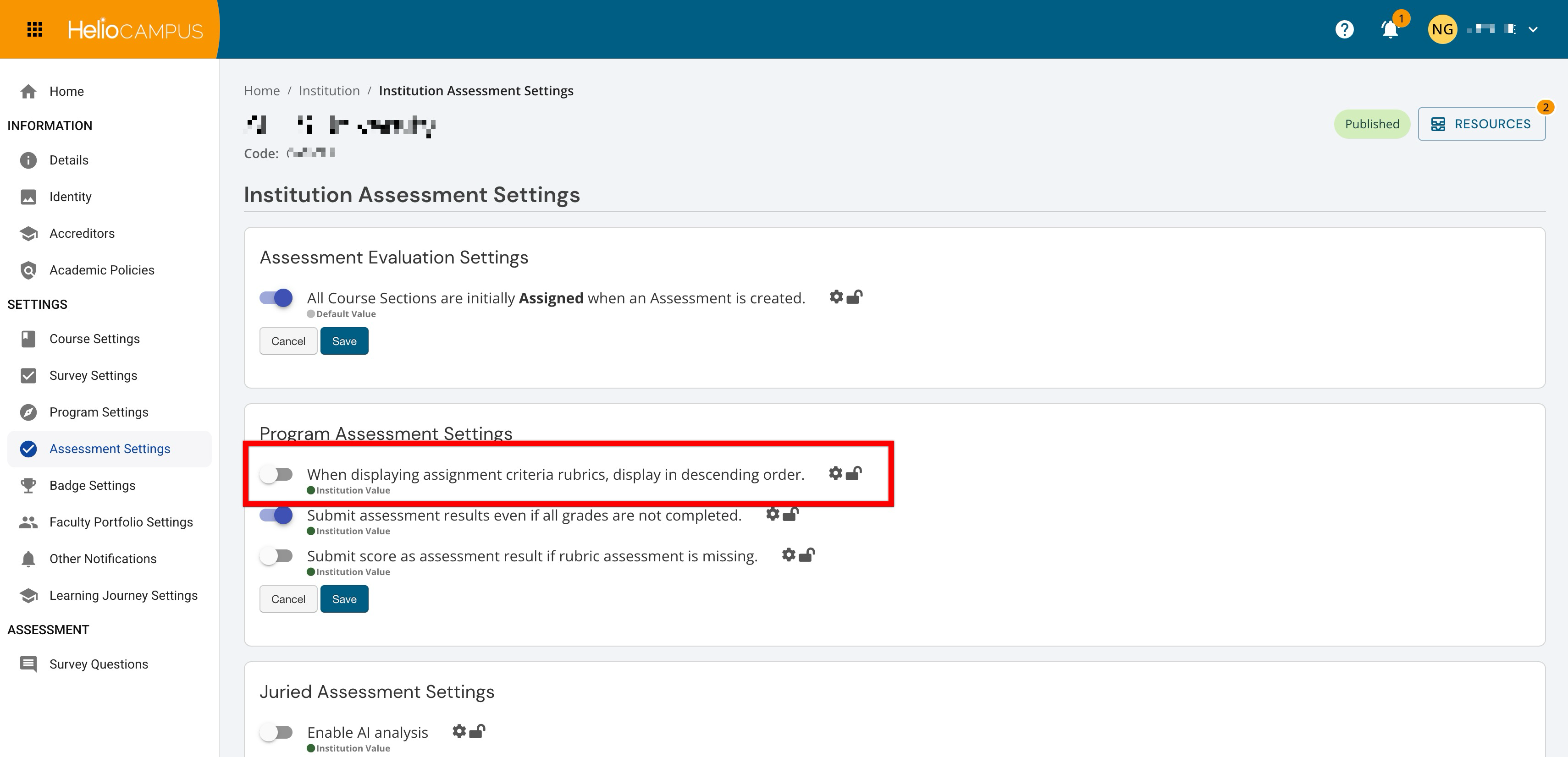
Admin-level users can set hierarchy-level defaults that control how assignment criteria rubrics are displayed during program assessment workflows. This setting affects the order in which rubric levels appear to users as they review assessment criteria. Although this may seem like a display preference, rubric order can influence how users interpret performance levels and navigate scoring information.
Institutions often align rubric display order with their established scoring conventions. For example, some assessment teams prefer to show the highest level of performance first, while others prefer to show performance levels in ascending order. Choosing a consistent display order helps users interpret rubric information more predictably across assessment workflows.
|
Enabled |
When enabled, assignment criteria rubrics display in descending order. This can support review practices where users expect to see higher performance levels first, making rubric interpretation more consistent with local or institutional scoring conventions. |
|
Disabled |
When disabled, assignment criteria rubrics do not display in descending order. This supports workflows where users expect rubric criteria or performance levels to appear in the platform’s standard order. |
Submit Assessment Results Even if All Grades Are Not Completed
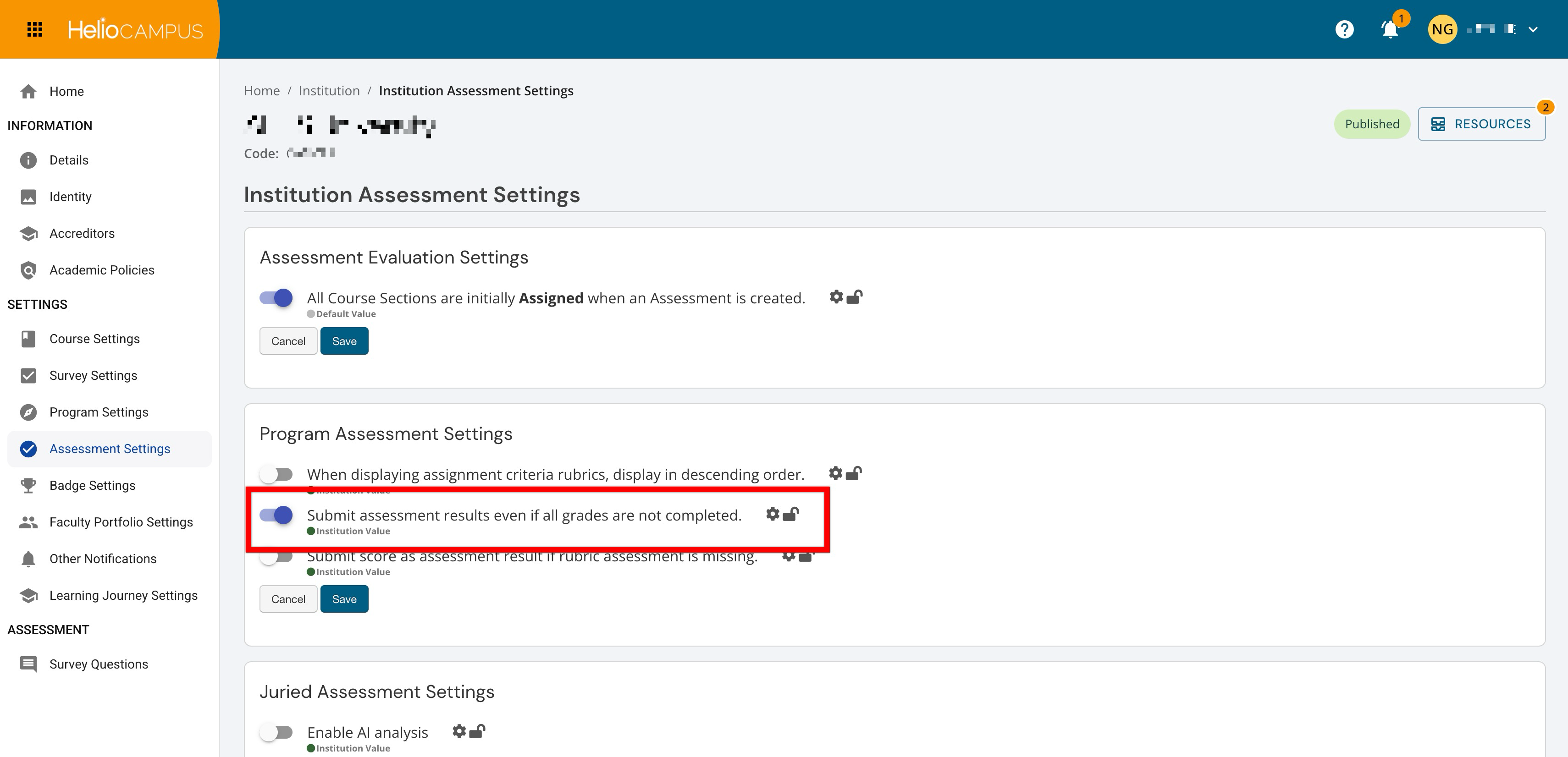
Admin-level users can set hierarchy-level defaults that control whether assessment results can be submitted when grading is not fully complete. This setting affects how strictly the platform enforces completion before results can move forward in the assessment workflow and is especially important for Institutions that need to balance reporting timelines with grading realities. In some cases, waiting for every grade to be completed may delay assessment submission and subsequent review. In other cases, submitting before grading is complete may create incomplete or inconsistent assessment results. Institutions should configure this setting based on how they define readiness for program assessment reporting.
|
Enabled |
When enabled, assessment results can be submitted even if all scores are not completed. This supports workflows where assessment reporting needs to proceed before every score is finalized, which can help reduce delays when incomplete scoring does not prevent meaningful review. This is useful when Institutions want to capture assessment results even if a student hasn’t completed all linked assignments. This allows for full reporting capabilities even when only partial scores are available. |
|
Disabled |
When disabled, assessment results cannot be submitted until scoring is completed. This supports stricter data quality control by helping ensure assessment results are based on a complete set of scores before submission. |
Submit Score as Assessment Result if Rubric Assessment Is Missing
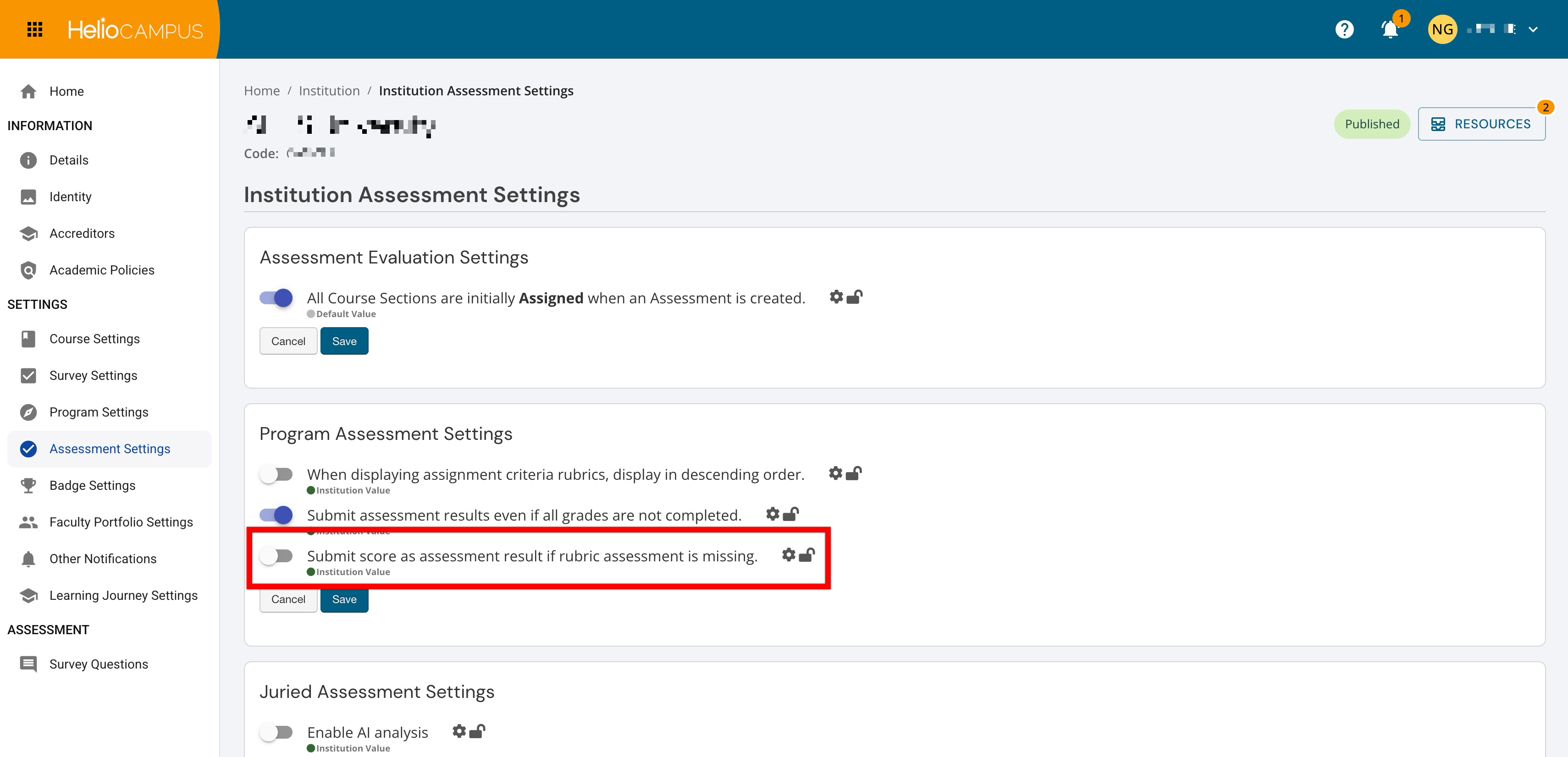
Admin-level users can set hierarchy-level defaults that control whether a score can be submitted as the assessment result when rubric assessment scoring is missing. This setting helps determine how the platform handles situations where score information is available, but the associated rubric scores are missing. This can be useful for Institutions that need a fallback method for capturing assessment results when rubric-level data is incomplete or unavailable. However, because rubric data often provides important context for interpreting performance, Institutions should consider whether accepting a score without rubric assessment details aligns with their assessment quality expectations. For example, when this setting is enabled and a student is missing rubric scores, the platform will use the overall assignment score as a replacement.
|
Enabled |
When enabled, a score can be submitted as the assessment result when the rubric assessment score is missing. This supports workflows where assessment results still need to be captured even when rubric-level assessment scoring is unavailable. |
|
Disabled |
When disabled, a score cannot be submitted as the assessment result when rubric assessment scoring is missing. This supports more controlled assessment reporting by encouraging users to rely on completed rubric assessment scores when submitting results. |