Courses in Draft or In Revision status can be bulk-published via the Course Manager. During bulk publishing, syllabus default requirements can be overridden, and associated course sections and data collections can be managed.
-
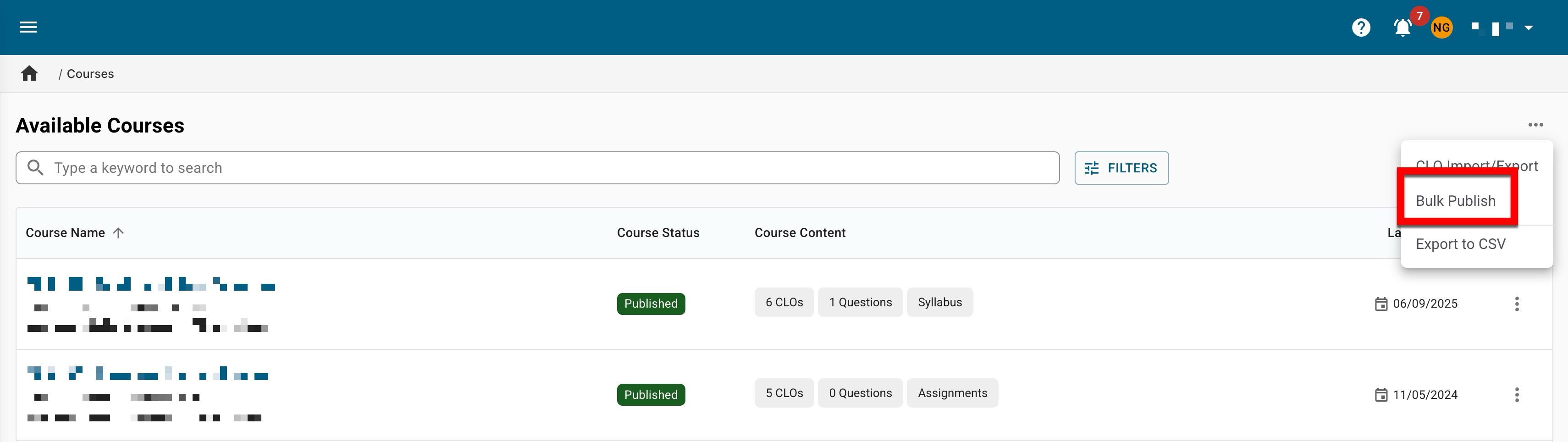
To bulk publish courses, navigate to the Course Manager. From the expanded kebab menu, select Bulk Publish.
-
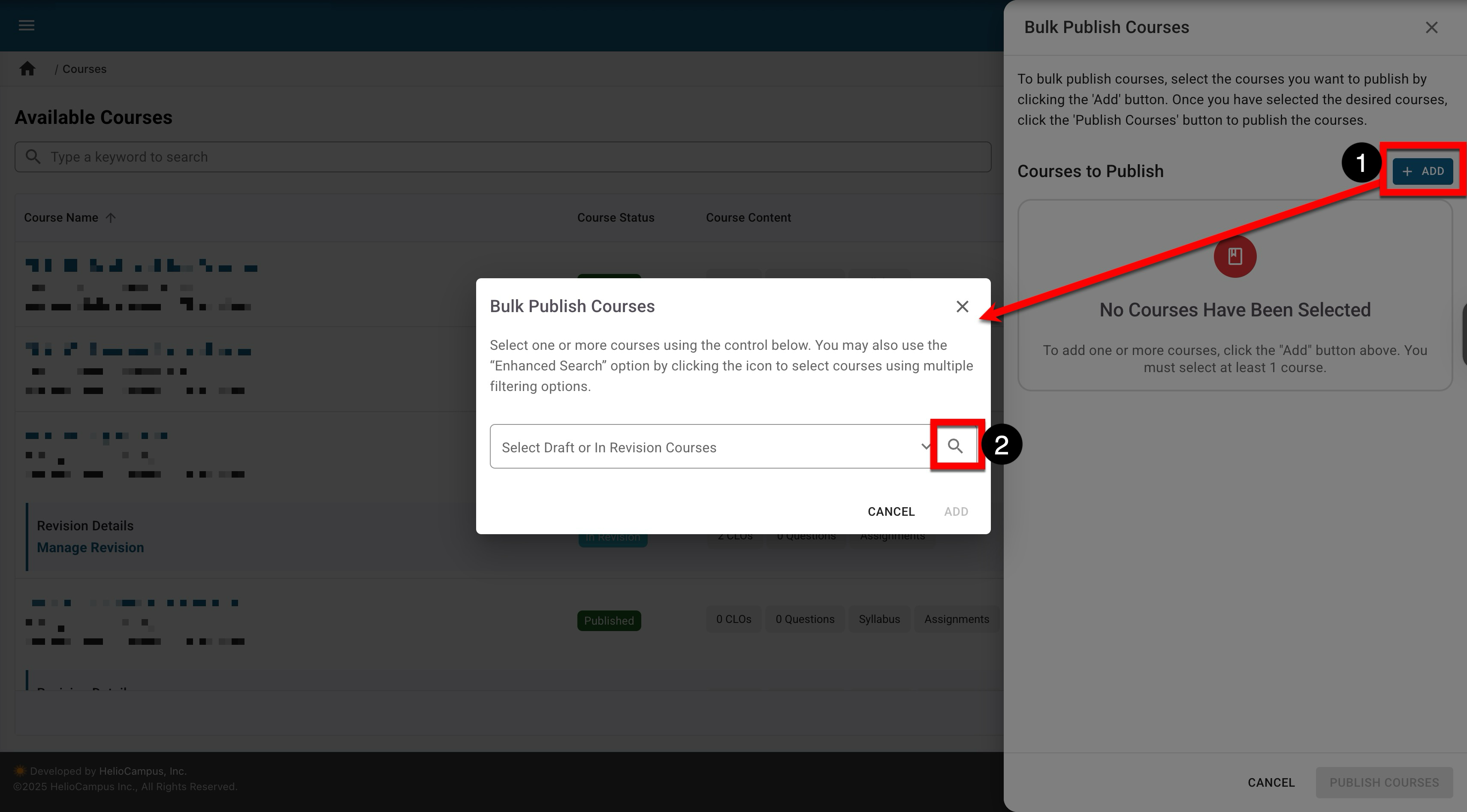
Click Add (1) to search for and select draft and in-revision courses. An enhanced search can be opened by clicking the magnifying glass (2).
-
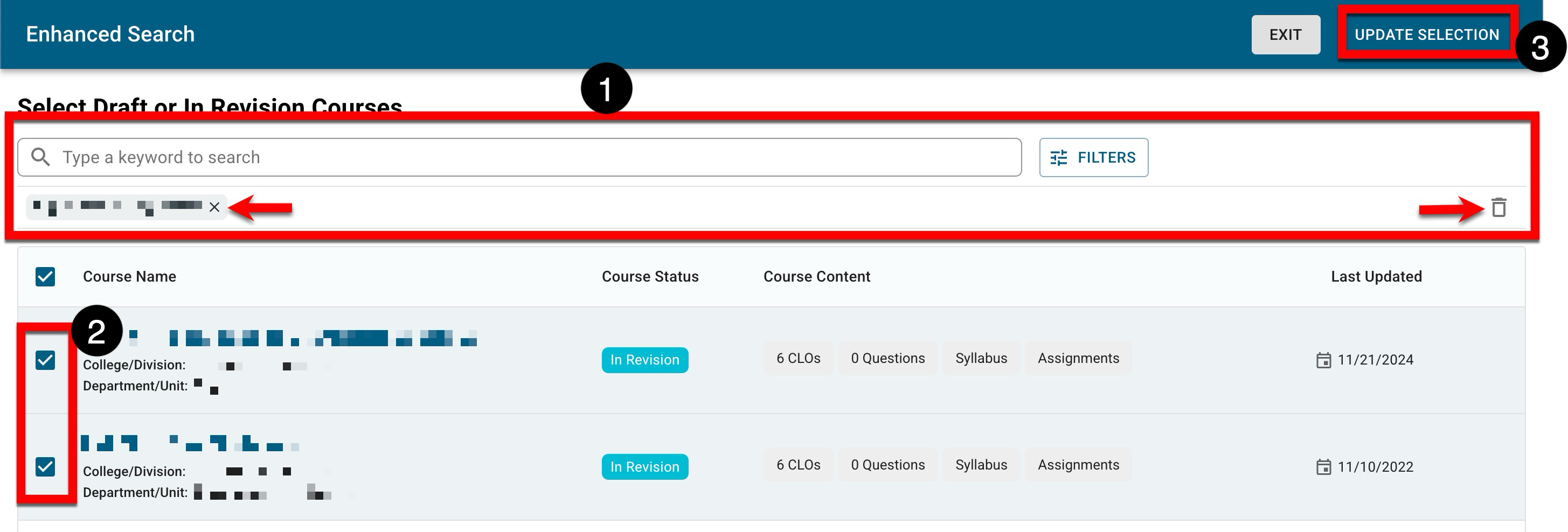
When using the enhanced search, search functionality is available, and by clicking the Filters option, specific filters can be applied. Once filters have been applied, they will display below the search bar and can be removed individually or in bulk. After courses are selected (2), click Update Selection.
-
-
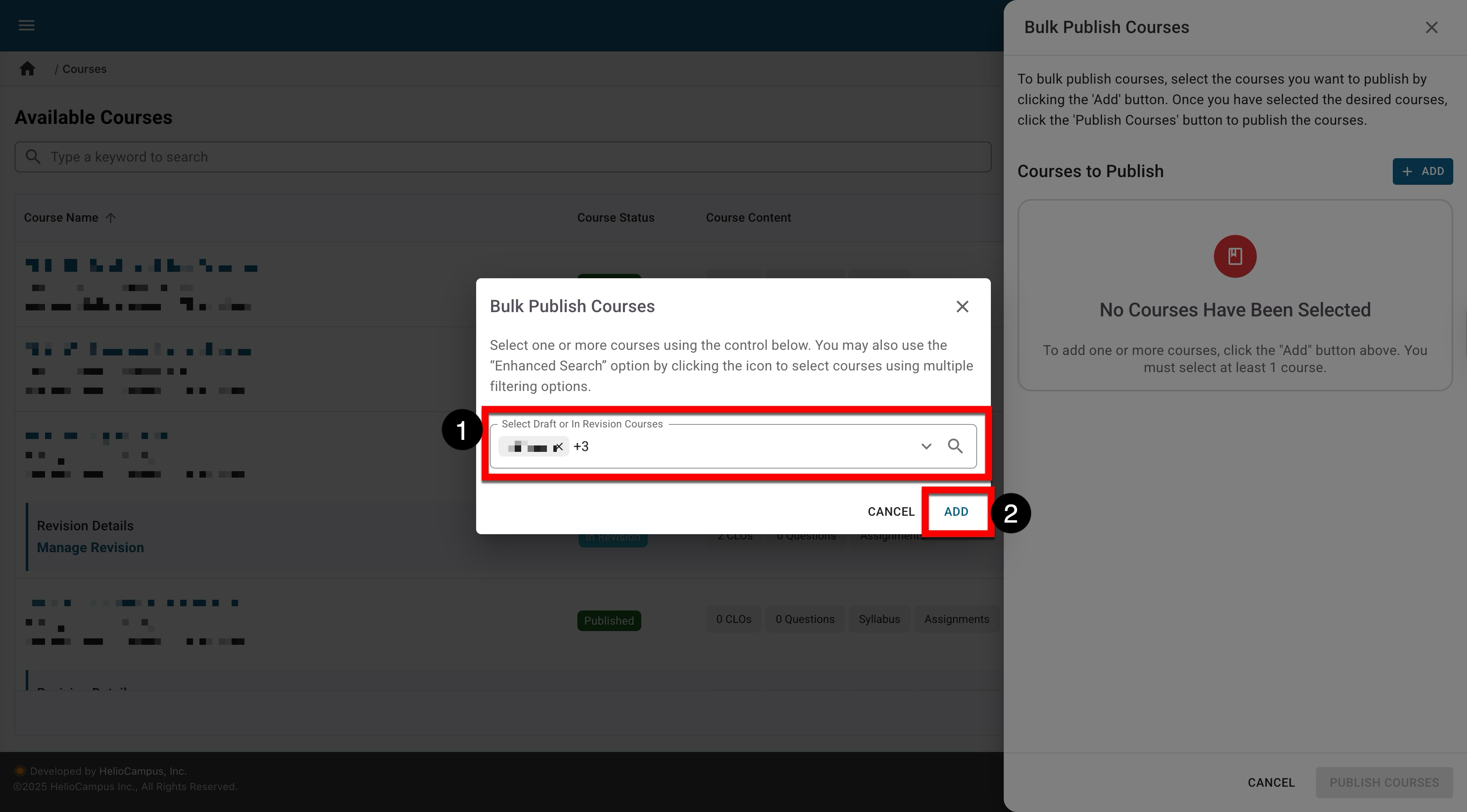
Once courses are selected (1), click Add (2).
-
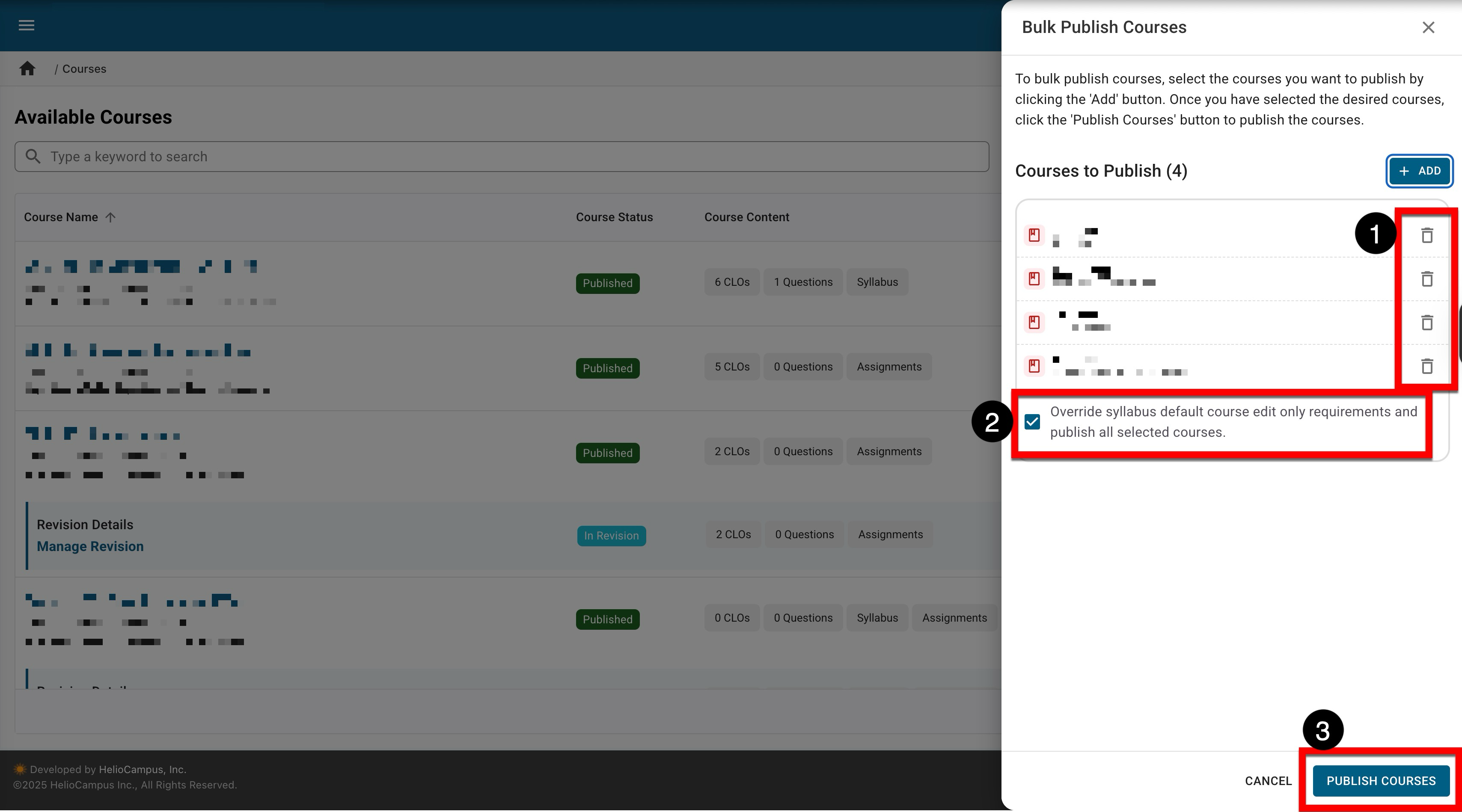
If necessary, the selected courses can be removed (1). By default, syllabus default form items configured as ‘course edit only’ will be overridden (2); when enabled, this means that the requirement that course edit only fields be populated prior to publishing the course(s) can be overridden and left blank if desired. Click Publish Courses (3) to continue publishing the selected courses in bulk.
Learn more about the course Syllabus Defaults page and syllabus template form items.
-
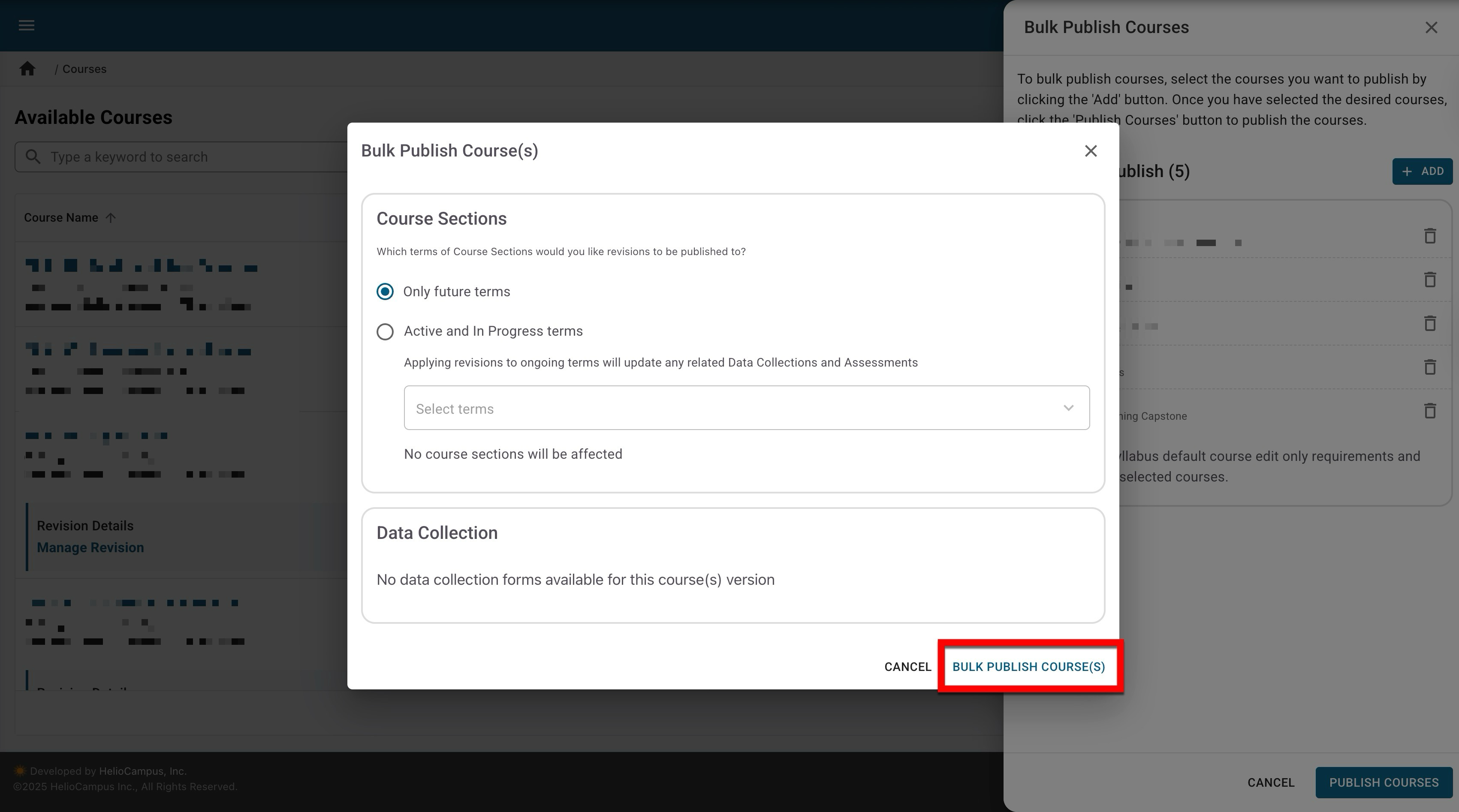
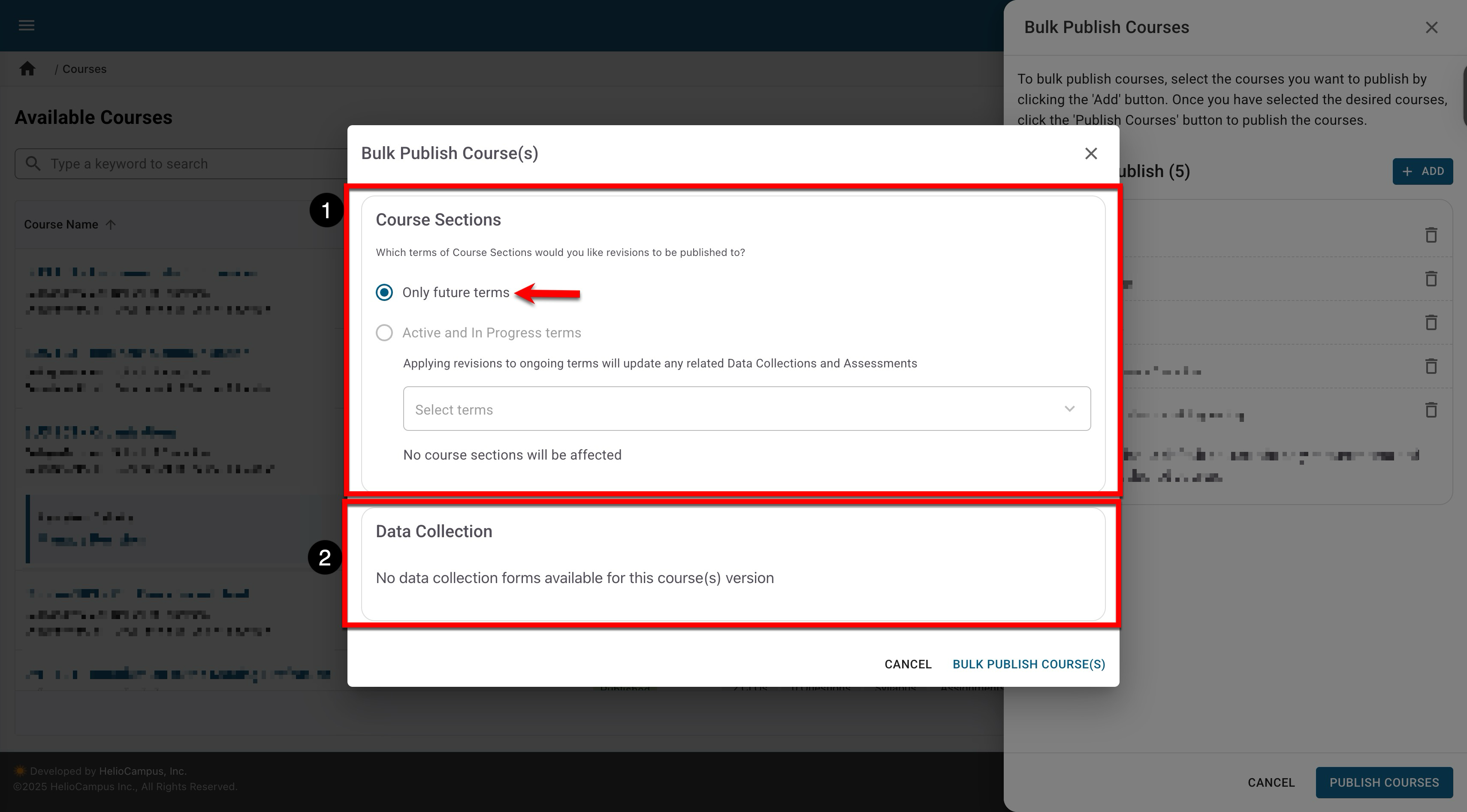
When courses in revision are being bulk published, associated course sections can be managed (1). When bulk publishing a mix of draft and in-revision courses, the selection applies only to the in-revision courses; all draft courses publish normally. If applicable, associated data collections management (2) is also available. By default, bulk publish affects only future terms.
-
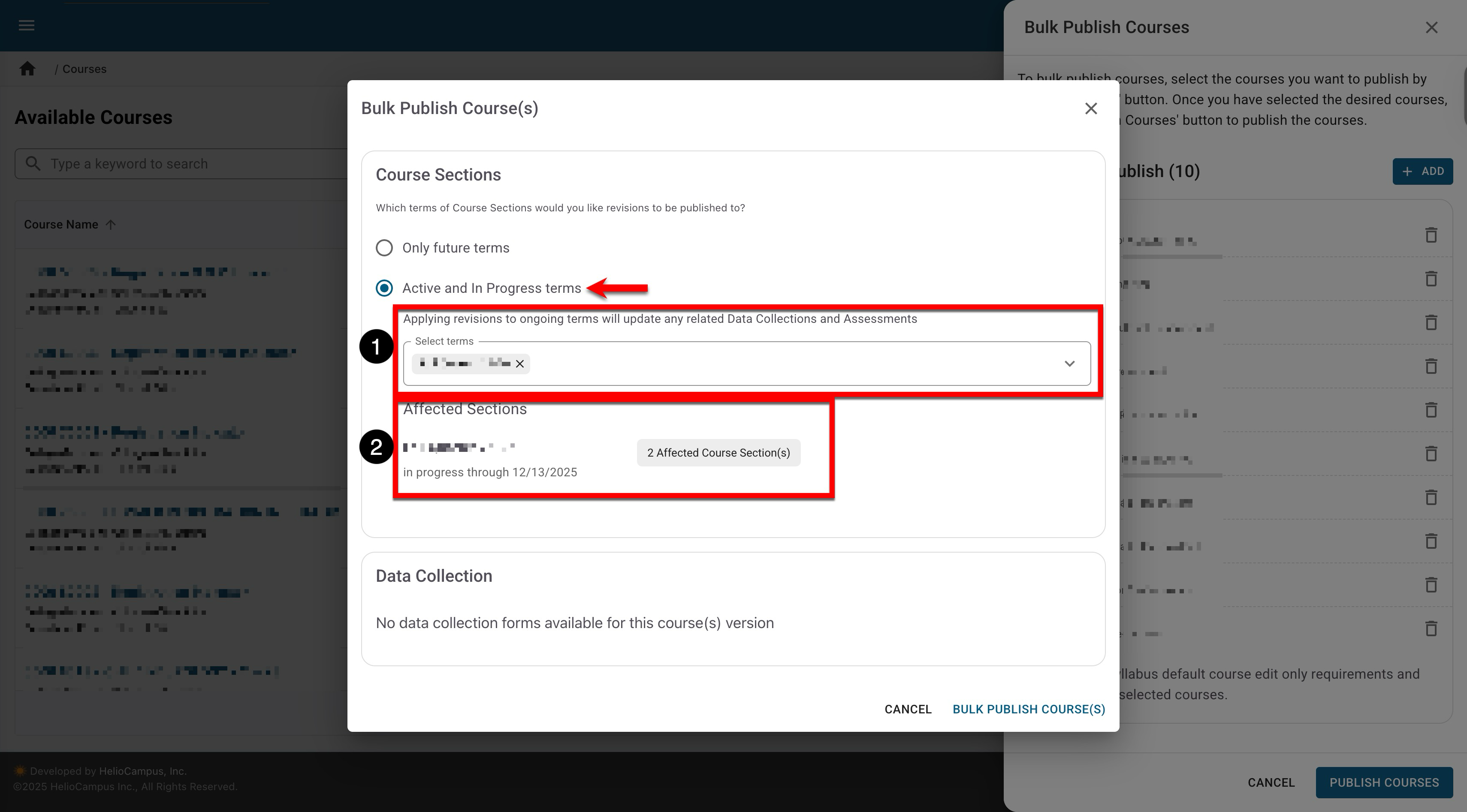
If Active and In Progress Terms is enabled, terms that are active or in progress can be selected (1). Once selections are made, a quick glance view at the terms and count of affected course sections will be displayed (2); the affected course sections will be the sections for the associated courses that will be published.
-
-
To complete bulk publishing, click Bulk Publish Courses. This will publish the selected courses in Draft status and cascade edits for courses in In Revision status. When 1000 or more courses are selected for bulk publishing, the platform may take up to 2 hours to complete processing the request.
Publishing revised courses could have irreversible impacts. It is essential to understand the organizational impacts of revising a course and the platform versioning process. Learn more about course revision.