|
Purpose: Prevent downstream disruptions by proactively checking the most common start-of-term dependencies that impact platform processes. |
|
|
Use Case |
Roles |
|
Performing a quick start-of-term review to ensure data imports run smoothly and that key functionality is ready for faculty, students, and reporting. |
|
Maintenance Checklist
- Create and publish the new term(s) (required for term-based imports)
- Publish any new courses (so sections can be created/imported as expected)
- Publish course sections (if applicable)
- If using Syllabi: publish all sections each term
- If using Course Evaluations / Surveys: publish all sections each term
- Review assignment linkages (confirm outcomes ↔ assignments are linked for priority sections)
- Spot-check readiness
- Verify expected courses/sections are present
- Confirm key sections are in the correct status for your workflow
Knowledge Base Resources
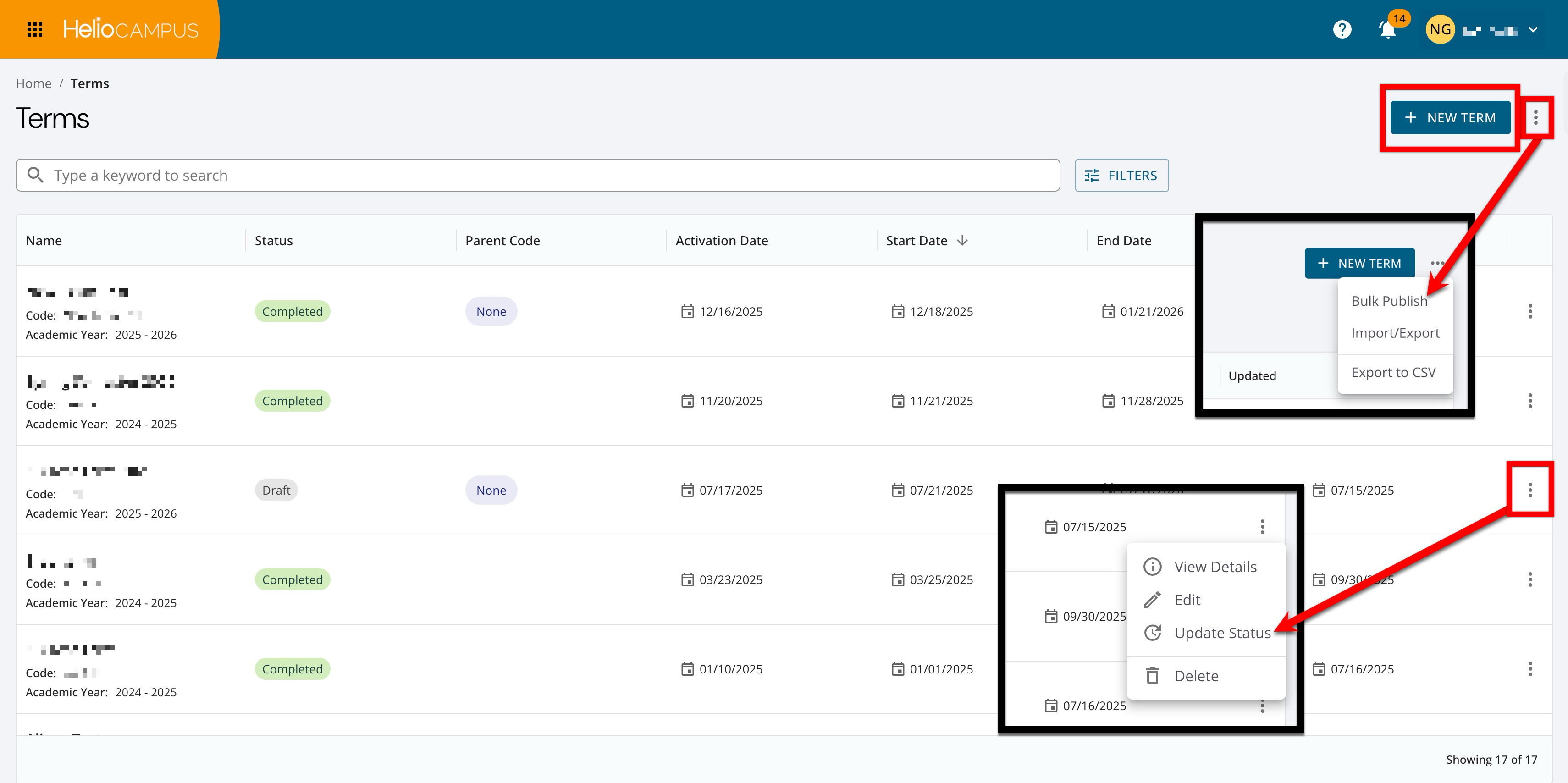
Create and Publish Terms (required)
Create terms in the platform so that associated term-based data files import correctly. Create any new terms, review dates, and naming conventions for accuracy, and publish the terms. Learn more.
Quick Validation:
-
Terms are in Published status.
-
Term dates align with the academic calendar.
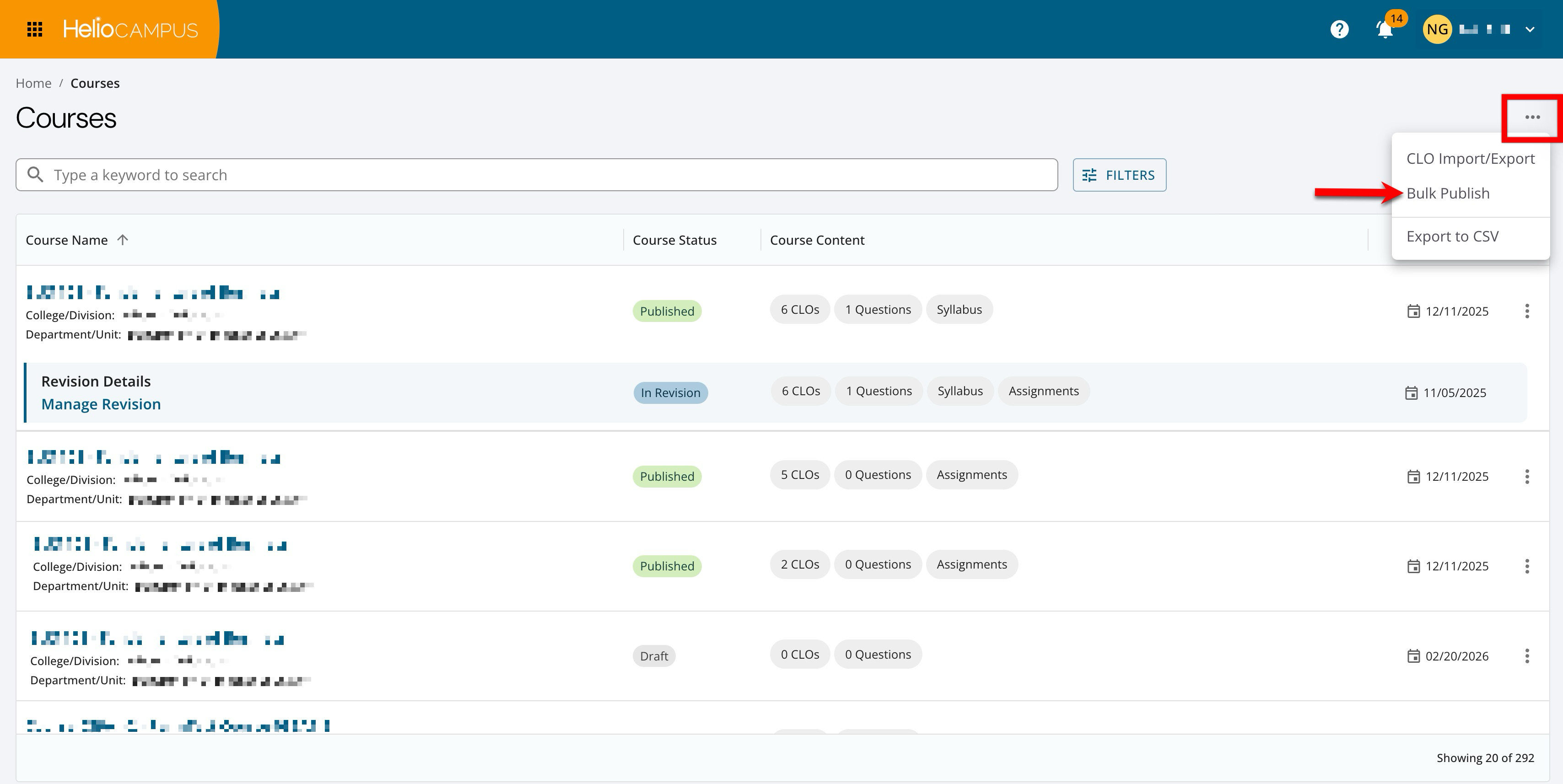
Publish Courses (recommended)
If a course is not published, associated course sections may not be created or imported as expected. Review the Course Manager for courses in Draft status (and In Revision, if applicable), and publish them individually via the Course Homepage, or in bulk. Learn more.
Quick Validation:
-
Courses that should be active for the term are in Published status.
-
Associated course sections are as expected.
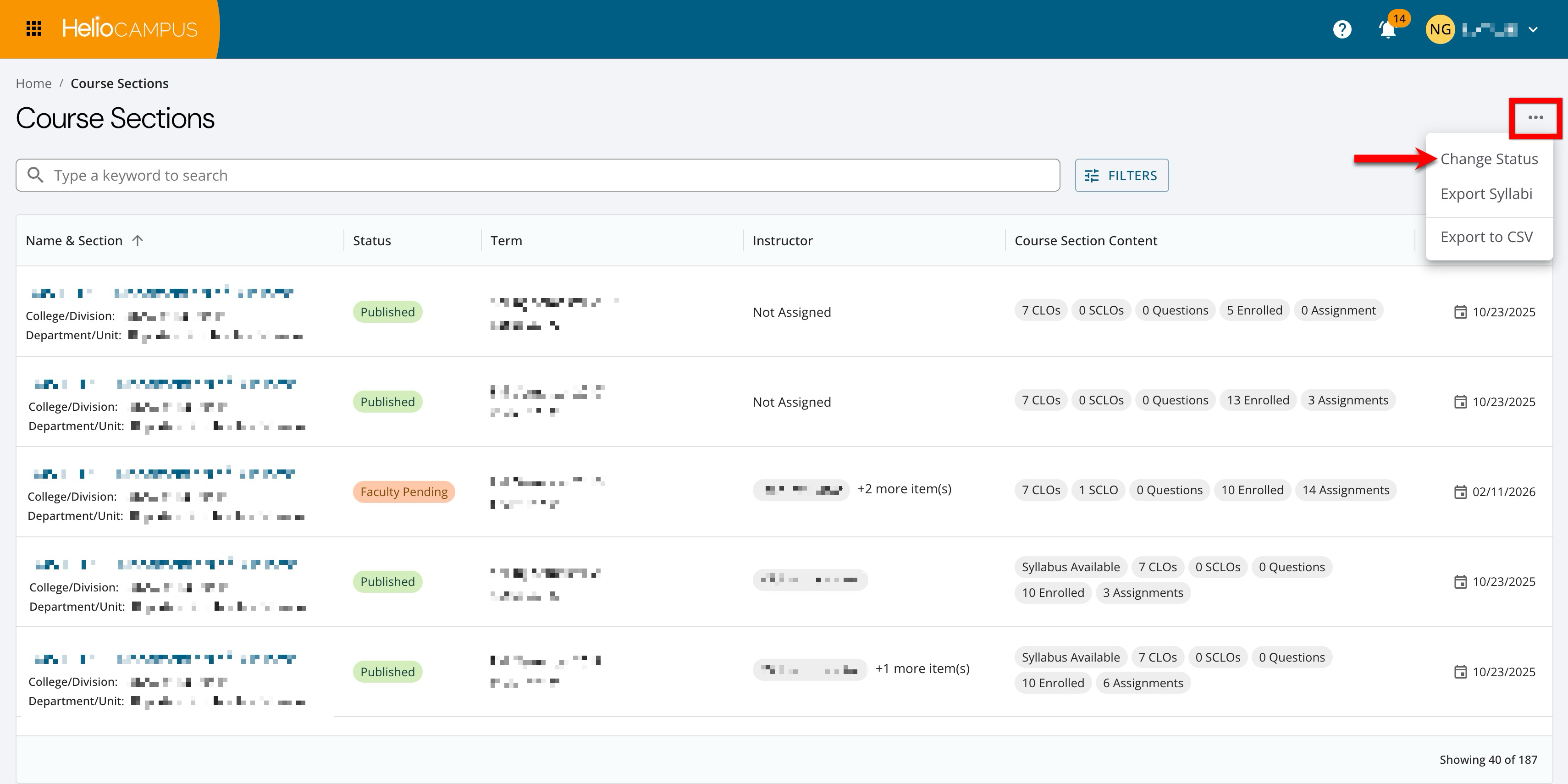
Publish Course Sections (conditional)
Whether course section publishing is required depends on how the Institution uses the platform.
|
If |
Then |
|---|---|
|
The Syllabus Template and/or the Surveys platform features are being used… |
Publishing course sections is required for them to be ready for faculty, students, and reporting. Publish individually via the Course Section Homepage, or in bulk. Learn more. |
|
The Syllabus Template and/or the Surveys platform features are not being used… |
Publishing is optional, although unpublished sections will not be included in surveys and analytics, and syllabi will be unavailable to students. |
Quick Validation:
-
Sections that should be active for students/surveys are in Published status.
-
If using admin approval workflows, confirm sections are moving through the expected statuses (for example, Faculty Pending → Approval Pending → Published).
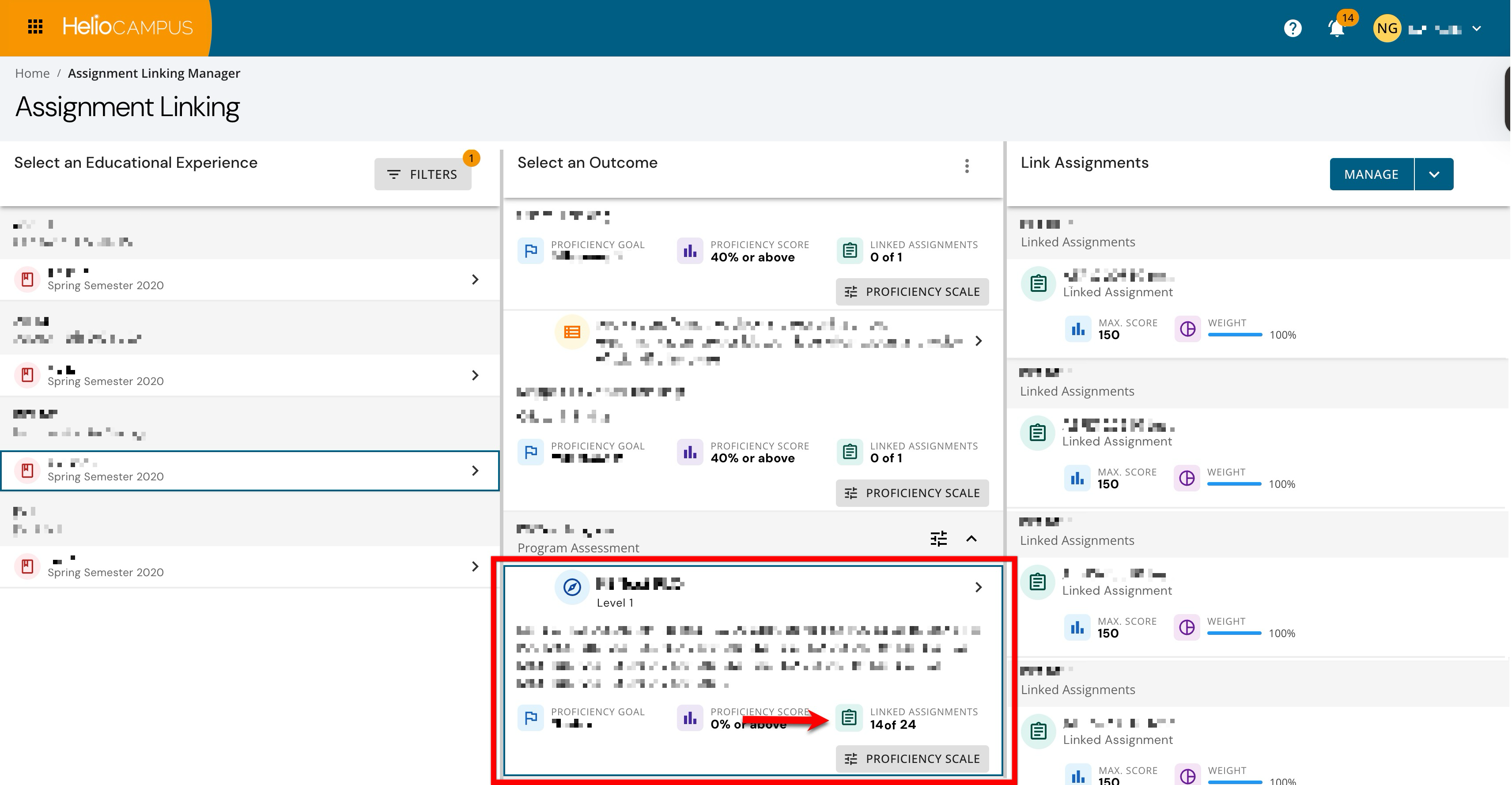
Check Assignment Links (recommended)
This maintenance is highly recommended, especially for Institutions using an LMS integration.
Assignment linking is a key prerequisite for outcomes assessment workflows, and it also impacts how LMS assignments refresh in course sections. Via the Assignment Linking Manager, review course sections to confirm outcomes and assignments are linked as expected. Learn more.
These reports and data sets can be useful:
Reports:
Quick Validation
-
High-priority sections (for scheduled assessments) have at least one linked assignment where expected.
-
Unexpected gaps are investigated (for example, new sections, new outcomes, or LMS-side changes).