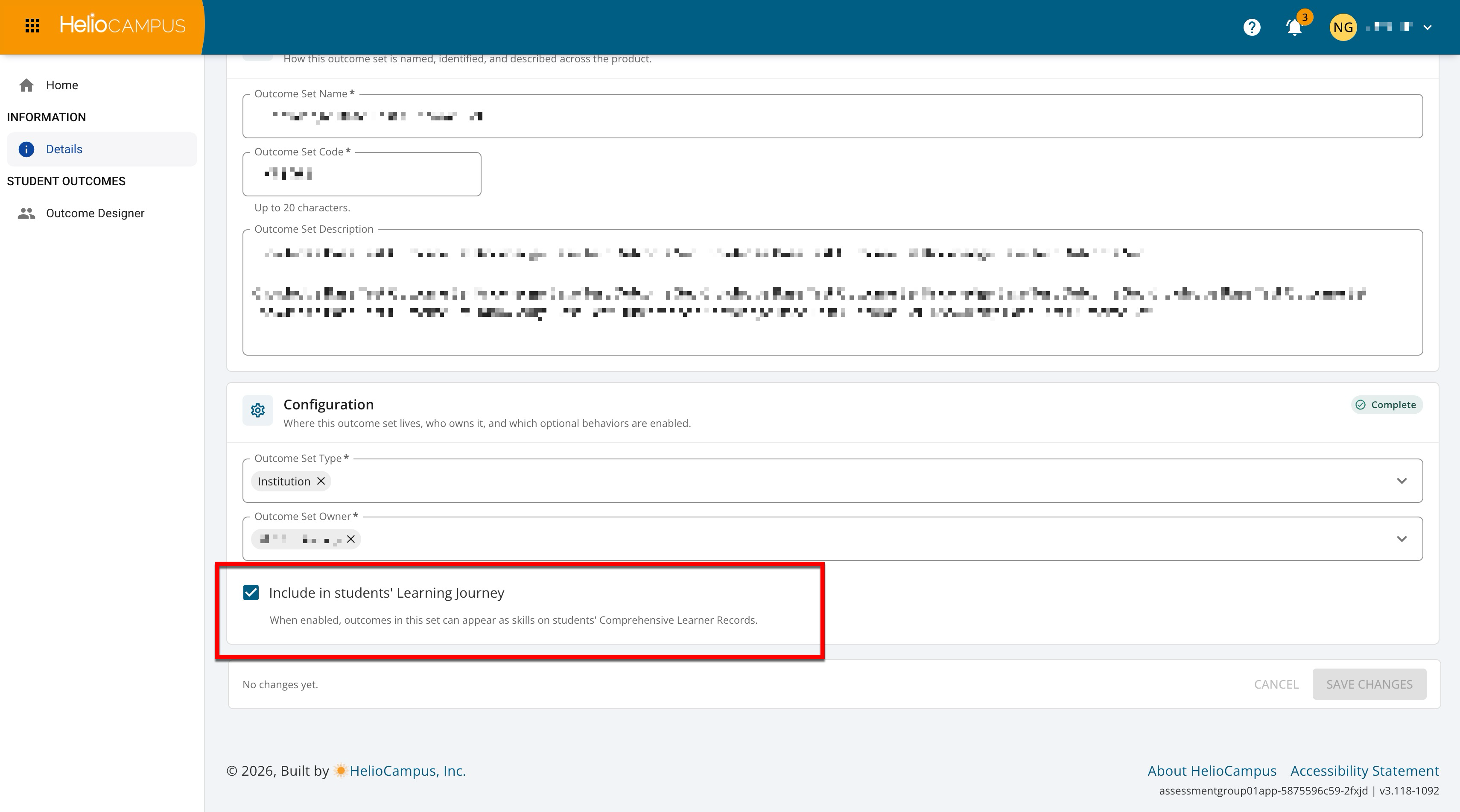
The Details page provides a focused view of the defining information for an outcome set. From this page, users can review and manage the information that identifies the set within the Outcomes Library. The page is organized into distinct sections so that users can understand both what a set is for and where it belongs within the platform’s broader structure.
-
Basic Information: This area describes how a set is named, identified, and described across the platform.
-
Configuration: This area primarily explains where a set lives and who owns it.
Both sections include their own completion indicator to reflect whether the required information in the section has been provided. When a section is complete, it displays a Complete status badge, providing a quick visual confirmation that the required fields have been completed as expected.
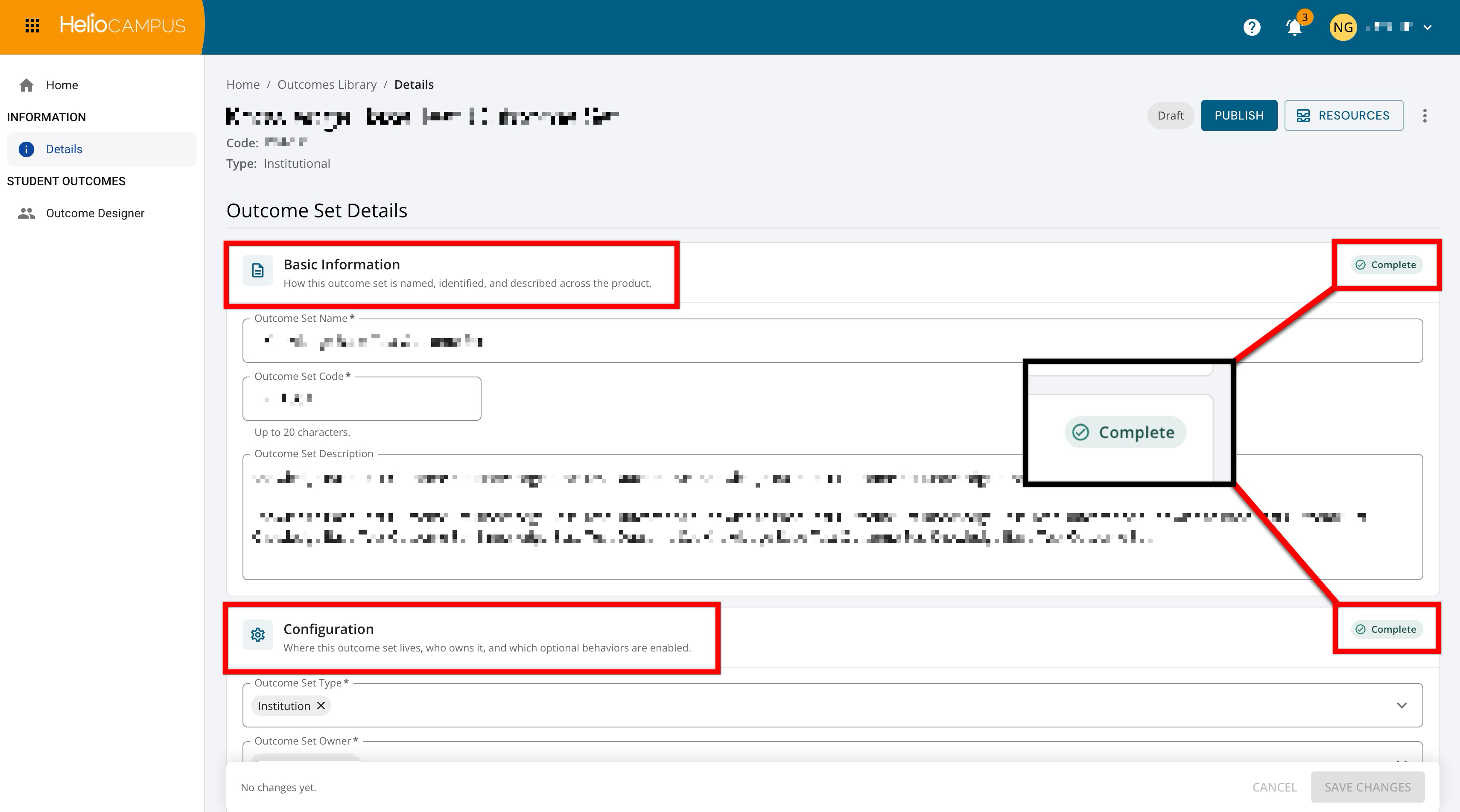
The first section on the page is Basic Information; these fields establish the primary identity of an outcome set. The name is the recognizable label users see when working with a set, while the code provides a shortened identifier. Although not required, the description gives additional context about the purpose, scope, or source of the outcomes included in a set.
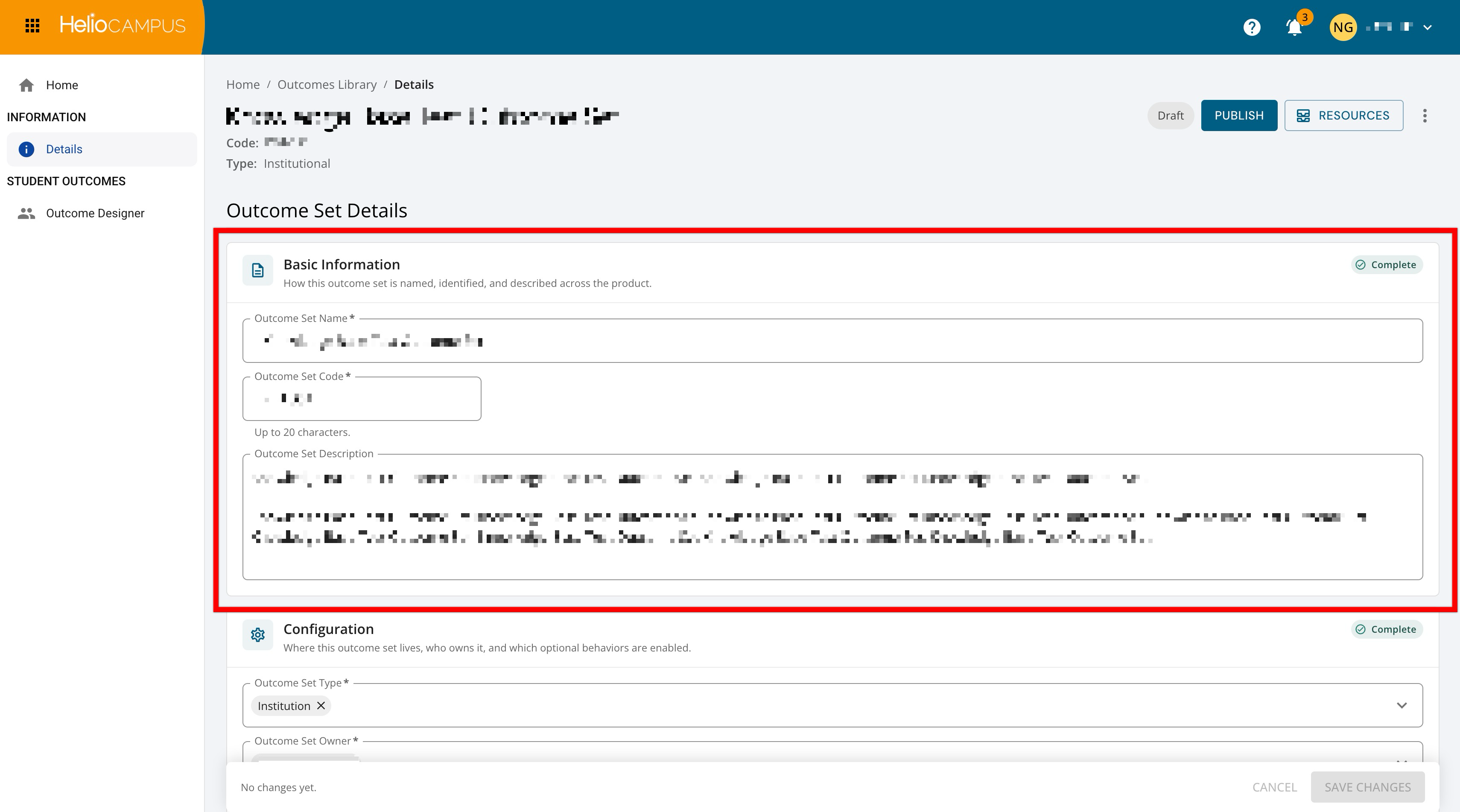
The second section is Configuration; these details connect an outcome set to its larger organizational and platform context. The Outcome Set Type identifies the category or level of the set, such as an institutional outcome set, while the Outcome Set Owner identifies the owning entity associated with the set. This section may also include the Include in students’ Learning Journey setting to connect a set to credentialing-related experiences by making selected outcomes visible within student-facing achievement records. When this setting is enabled, outcomes in the set can appear as skills in students’ Learning Journey.