
Product Tip
To configure an Accreditor Outcome Set (also known as external), please contact HelioCampus Support for assistance.
-
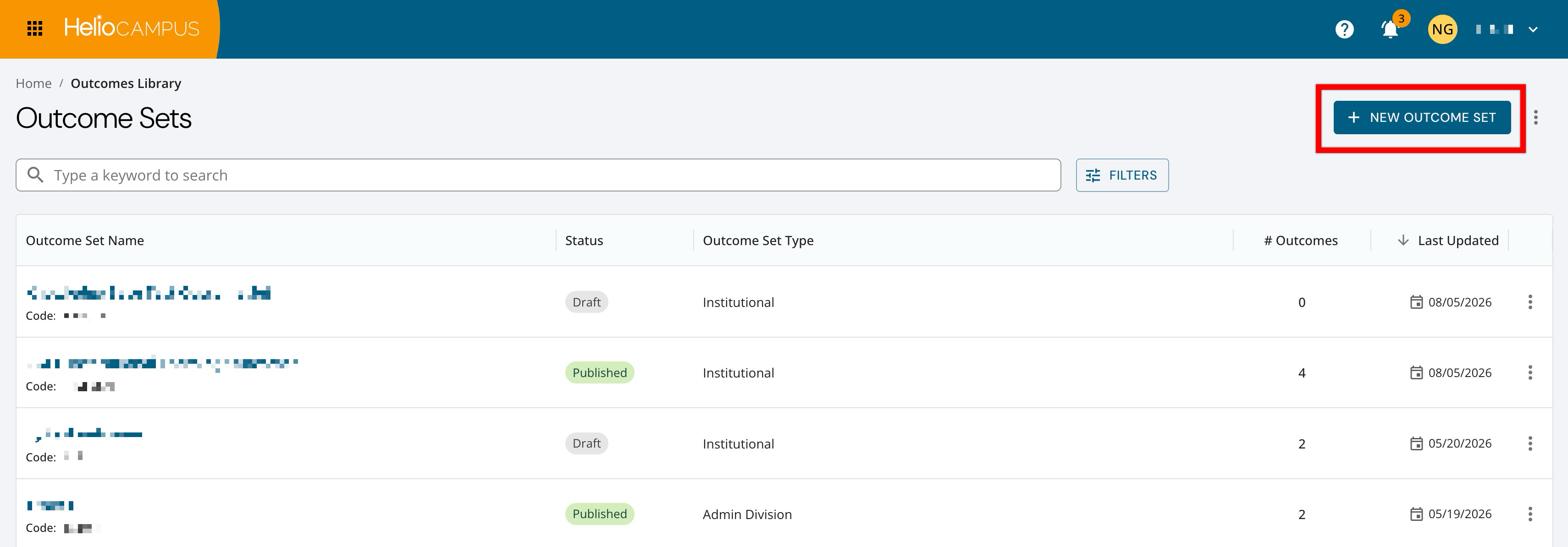
To add an outcome set, navigate to Main Menu > Outcomes Library and click +New Outcome Set.
-
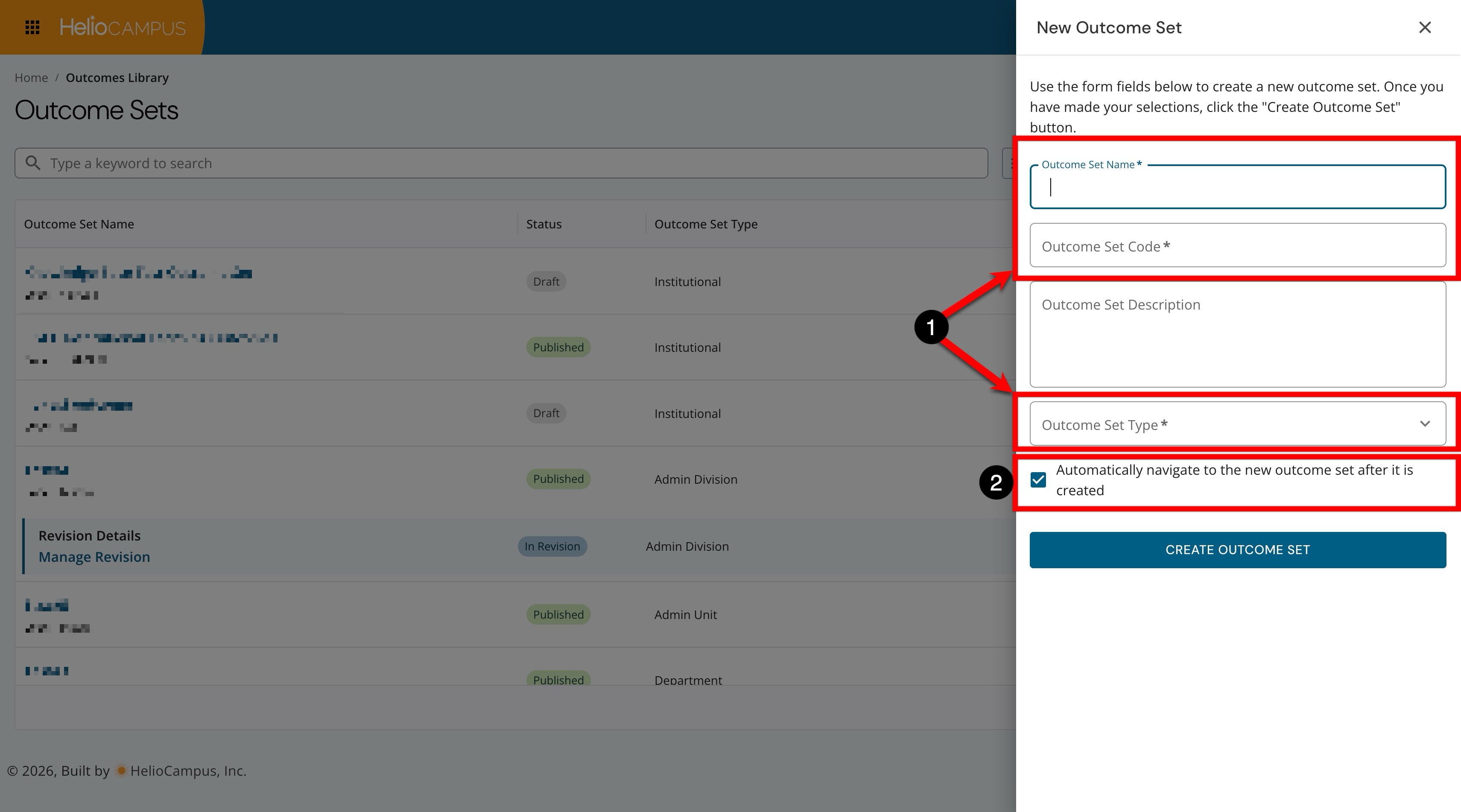
The name and code are required, as well as the type of outcome set (1). The type is the Organizational Hierarchy level to which the outcome set will belong, with the Outcome Set Owner field being the specific hierarchical unit to which the outcome set will belong.
-
By default, once an outcome set is created, the homepage will display (2). This can be disabled to create the outcome set and prevent automatic navigation to the Outcome Set Homepage.
-