
Syllabus Templates can be viewed by navigating to Main Menu > Educational Experiences > Syllabus Templates. Syllabi can easily be edited by faculty and viewed by students via the campus LMS or publicly displayed on an Institution’s website.
Instructors should ensure that their course sections and subsequent syllabi are complete prior to the start of class.
Syllabus Template Manager
|
|
|---|---|
|
1 |
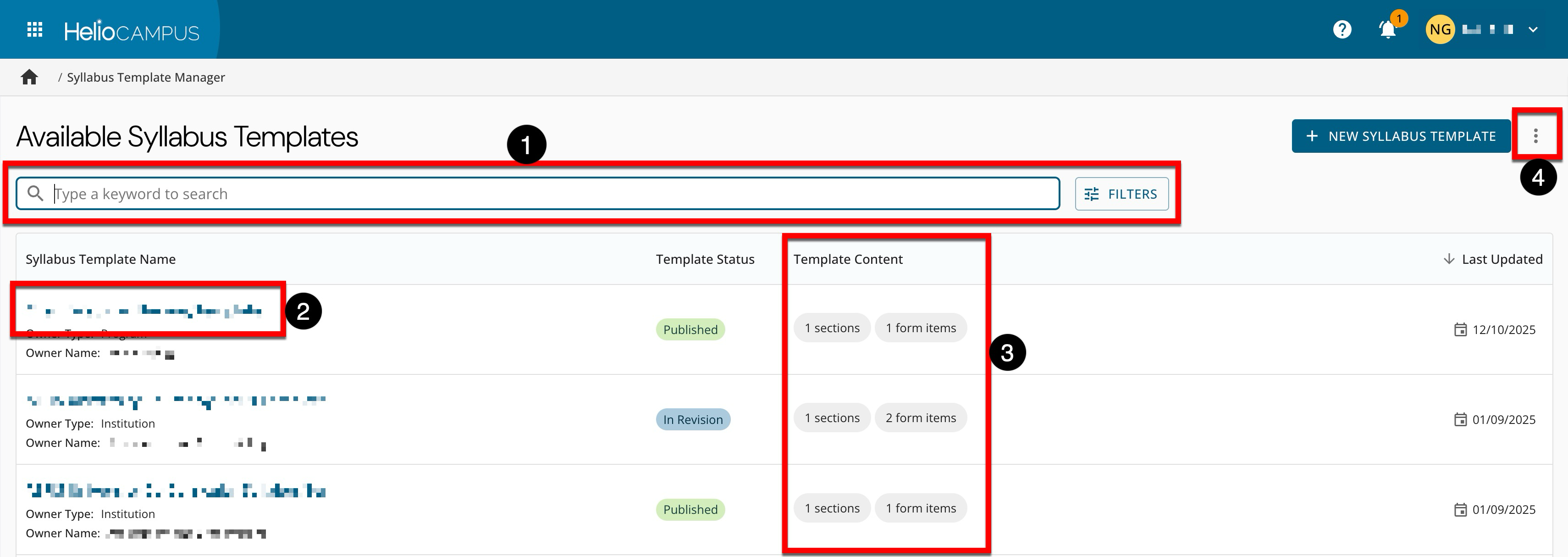
Search and filter functionality is available. By clicking Filters, specific filters can be applied. Once filters have been applied, they will display below the search bar and can be removed individually (1) or in bulk (2). 
|
|
2 |
Clicking a template’s name will navigate to the Syllabus Template Homepage. |
|
3 |
Displays quick glance information without navigating to the Syllabus Template Homepage. |
|
4 |
By expanding the More Options menu, the manager view can be exported to CSV format. |
Syllabus Template Homepage
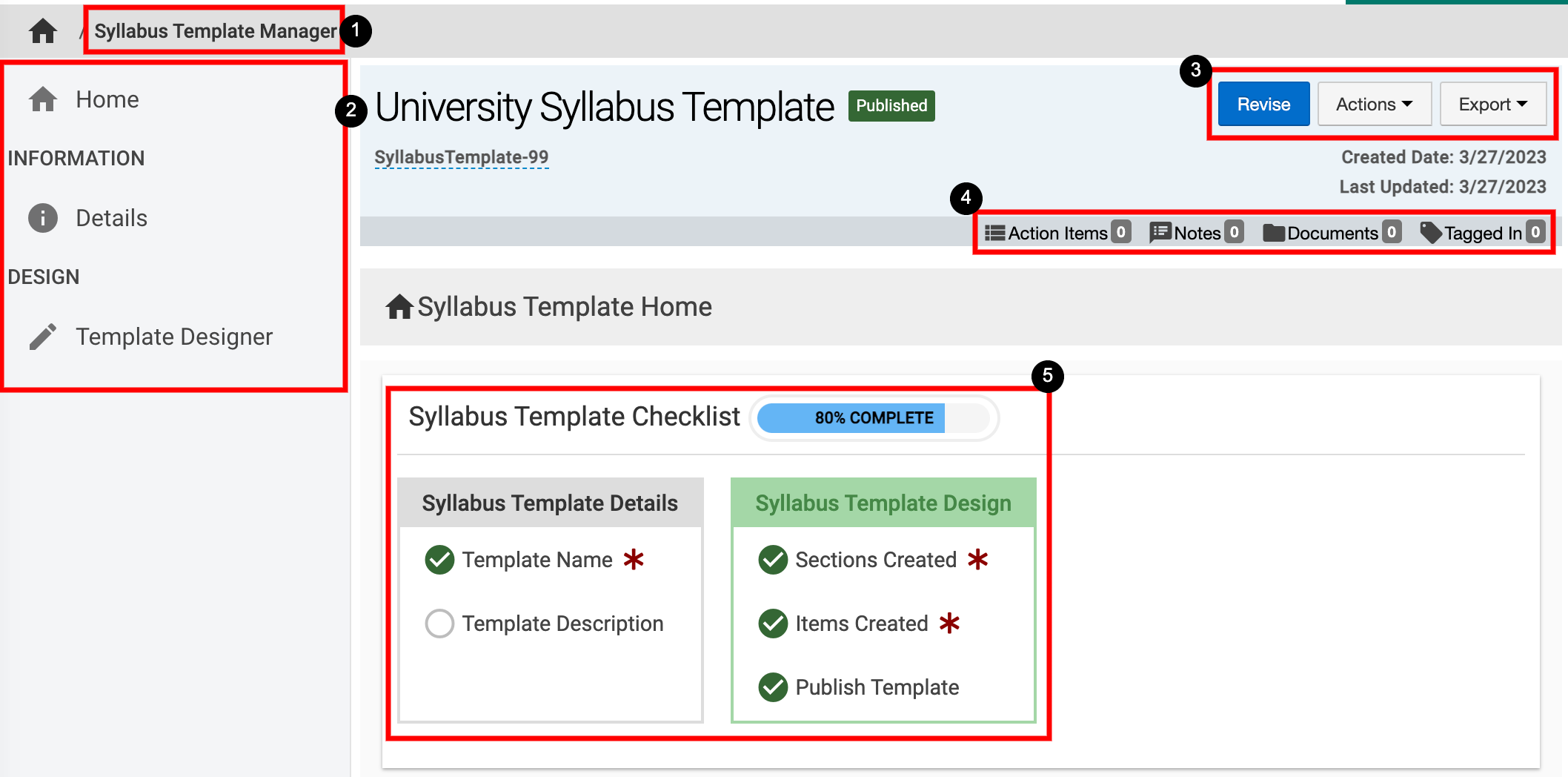
Once Manage has been clicked, the homepage for the selected Syllabus Template will display the Syllabus Template Checklist progress and a glance at the Syllabus Template sections and form items.
|
|
|---|---|
|
1 |
Syllabus Template Manager can be clicked to return to the list view to select a different Syllabus Template. |
|
2 |
Details of the Syllabus Template such as name and owner can be viewed and edited by clicking Details. The template can be viewed and edited by clicking Template Designer. The Revise a Syllabus Template article can be reviewed for information on how to edit the details or template of a Syllabus Template. |
|
3 |
When a published Syllabus Template is being viewed, the Revise button will display; when clicked, the Syllabus Template will change to a status of In Revision and edits can be made. When a Syllabus Template is in the status of Draft or In Revision, the Publish button will display. The Actions and Export drop-down menus are available on all pages when viewing a Syllabus Template:
|
|
4 |
The count of action items, notes, documents, and locations where the Syllabus Template has been tagged are displayed. This information can be viewed in more detail by scrolling to the bottom of the Syllabus Template’s homepage. Users can click each tab to view existing items and click the Add button to attach new items, notes, documents, and tags. 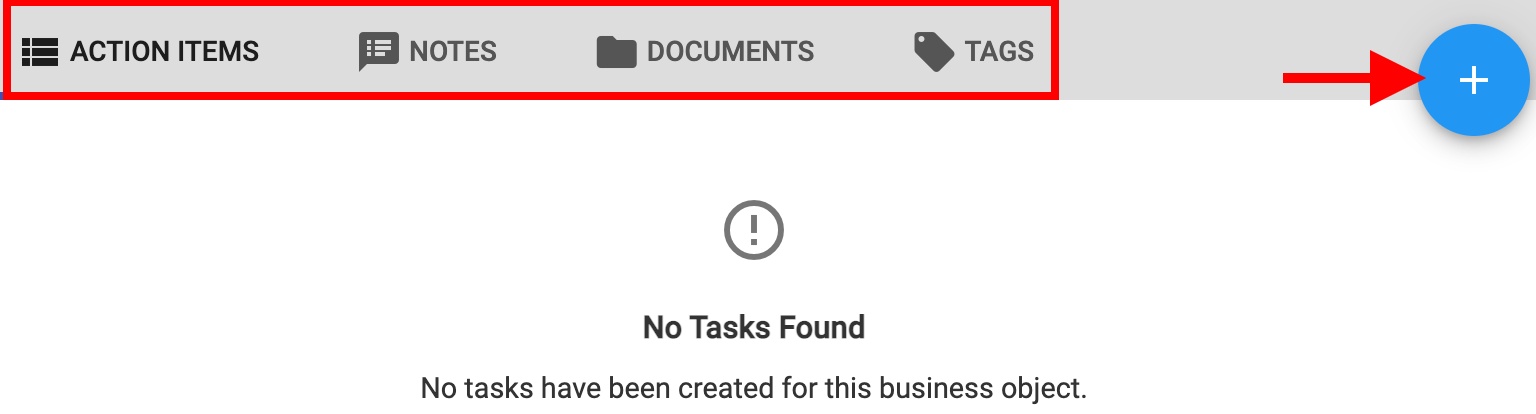
|
|
5 |
The Syllabus Template Checklist section displays a percentage of completion and a view of items to complete in both the Details and Template Design sections of the Syllabus Template. |