
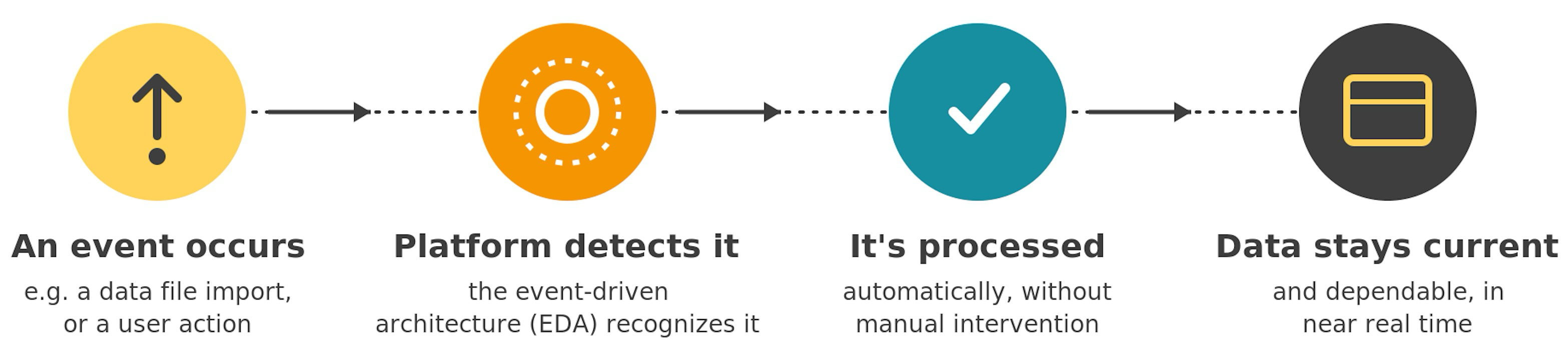
HelioCampus manages changes in an Institution’s system through batch processes. Changes are collected and processed as events, and the platform uses an event-driven architecture (EDA) to asynchronously process changes (events). This means that when an event occurs, the platform recognizes and processes it automatically, ensuring that data is current and dependable.
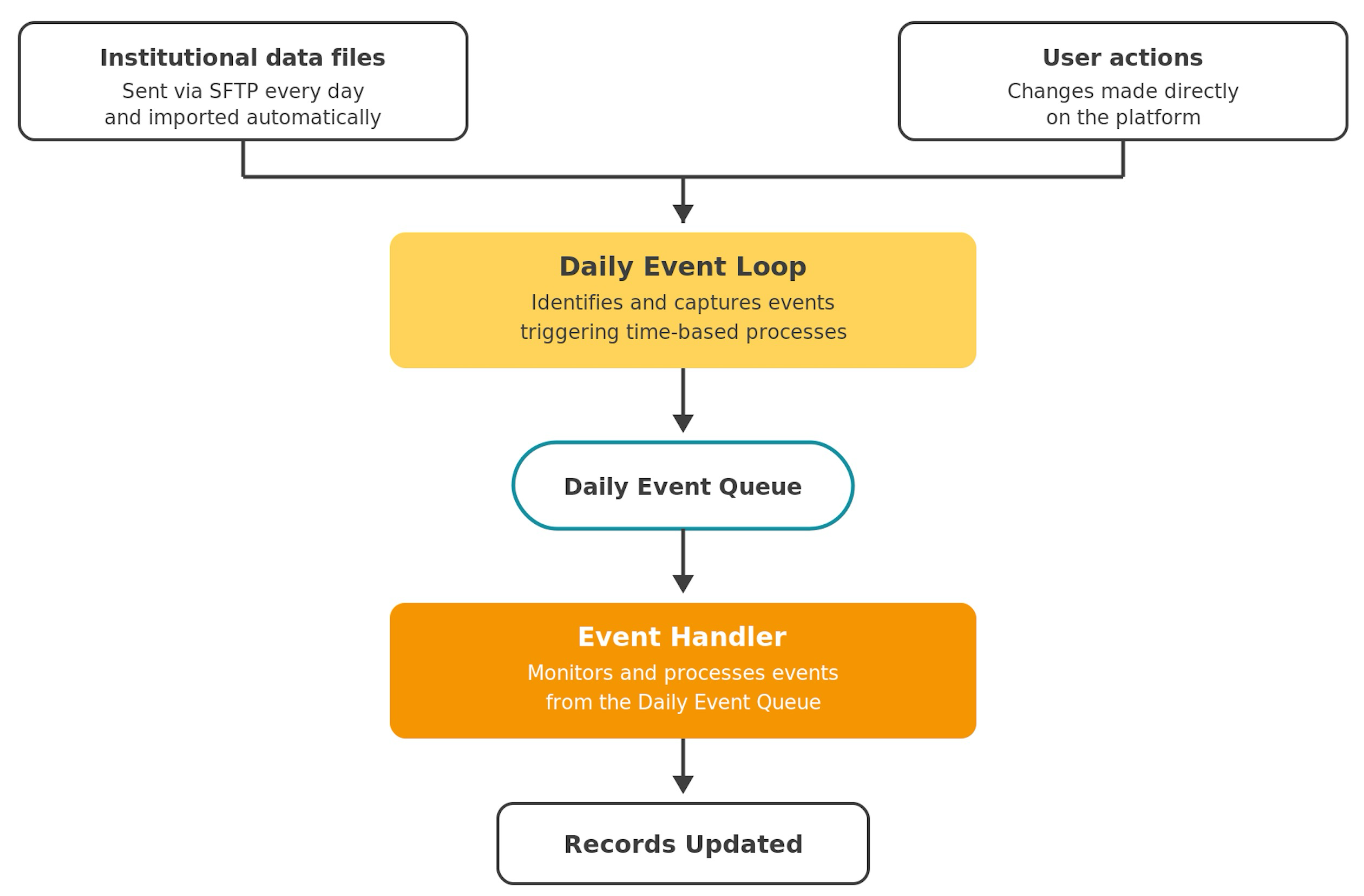
Institutional data files are sent to HelioCampus daily via SFTP, and automated processes are run during the import to synchronize data. The platform monitors these processes to ensure they complete successfully and maintain data integrity. To ensure data consistency, data file imports run alongside other daily processes, such as the Daily Event Loop, which identifies and creates events, and the Event Handler, which processes those events. To learn more about data files, review the Technical Implementation Documentation.
Daily Event Loop
The Daily Event Loop is pivotal to automating and initiating time-based processes on the platform. At midnight in an Institution's local time zone, the Daily Event Loop captures events that trigger time-based processes. Events are captured in a queue for processing by the Event Handler. Events can be created by user actions in the platform or by actions performed automatically by the platform (such as data file imports) and captured by the Daily Event Loop. Once captured, the Event Handler processes events to ensure efficient performance. Some examples of events captured by the Daily Event Loop include:
-
Starting/Ending Surveys: Moving surveys into In Progress status when the start date is reached, and into Completed/Pending Results statuses when the end date hits, depending on configuration.
-
Starting/Ending Assessments: Moving assessments into In Progress or Completed status based on assessment start/close dates.
-
Starting/Ending Data Collections: Opening/closing data collection instances that are date-driven.
-
Triggering Notification Generation: Kicking off the creation/sending of scheduled emails tied to daily status changes across features (surveys, data collections, etc.).
-
Starting/Ending Assignments: Updating assignment statuses that are tracked by day, based on due dates/scoring due dates rules.
Event Handler
The Event Handler continuously monitors and processes events from the queue created by the Daily Event Loop. When an event is detected in the queue, the Event Handler executes a predefined batch process based on the event’s parameters. The Event Handler continuously monitors the event queue and initiates batch processes for incoming events. Some examples of events processed by the Event Handler include:
-
Changes in the SFTP Import or Daily Event Loop: The Event Handler looks for status changes that occurred, which is especially important right after a nightly import or the Daily Event Loop runs.
-
Creating/Removing Participant Work:
-
Generates new data collection forms for the right participants when a data collection becomes applicable.
-
Assigns newly published course sections to surveys/course evaluations, so they appear on the survey’s assigned courses/sections and get included in scheduling logic.
-
Assigns newly published course sections to assessments when the configuration indicates they should be included.
-
-
Cleaning Up Records:
-
Removes course sections when sections are removed from the Course Section data file.
-
Removes student enrollments when students are removed from the relevant data feed.
-
Aggregate Process
The Aggregate Process batch process systematically and automatically collects, compiles, or summarizes data from various sources within the platform. This process gathers and organizes data from multiple data points or entities (e.g., surveys, assessments, data collections) into a unified, more manageable format. The aggregated data can be used for various purposes, such as reporting, analytics, or presenting a consolidated view of information to users. The Aggregate Process batch process runs twice a day, at 5:00 AM and 9:00 PM in the Institution's local timezone.
Update Assessment Results
The Update Assessment Results batch process pulls assignments, rubric criteria, quizzes, and quiz question scores from the integrated Learning Management System (LMS). For Production sites, assessments are refreshed twice daily via this batch process, which runs at 6:00 AM and 8:00 PM local time. For Training sites, assessments are refreshed once a day at 4:00 AM. Outside of these scheduled times, assessments will not be refreshed automatically before completion.
-
Scheduled Execution: This runs at 6:00 AM and 8:00 PM local time and can be triggered manually via the Individual Assessment Results page located within the Course Section Assessment Data page.
-
Data Mapping: Identifies the relevant assignments, rubric criteria, quiz, and quiz questions within the integrated LMS and maps them to the corresponding assessment in the platform.
-
Data Extraction: Extracts the assignment, rubric criteria, quiz, and quiz questions, ensuring the most current data is obtained.
-
Data Integration: Once retrieved, scores are seamlessly integrated into the respective assessments within the platform, ensuring assessment results are up to date and reflect LMS data.
Product Tip
The ability to link to rubric criteria, quizzes, and quiz questions is dependent on the API Endpoints available with the integration LMS:
-
Assignment Linking with Canvas:
-
Assignments, rubric criteria, quizzes, and quiz questions
-
-
Assignment Linking with Blackboard:
-
Assignments, rubric criteria, and rubric ranges
-
-
Assignment Linking with D2L:
-
Assignments, rubric criteria, and quizzes
-
-
Assignment Linking with Moodle:
-
Assignments and quizzes
-
To learn more about LMS integrations, the Technical Implementation Documentation can be reviewed.